## Screenshot: Multi-Agent Debate Platform Interface
### Overview
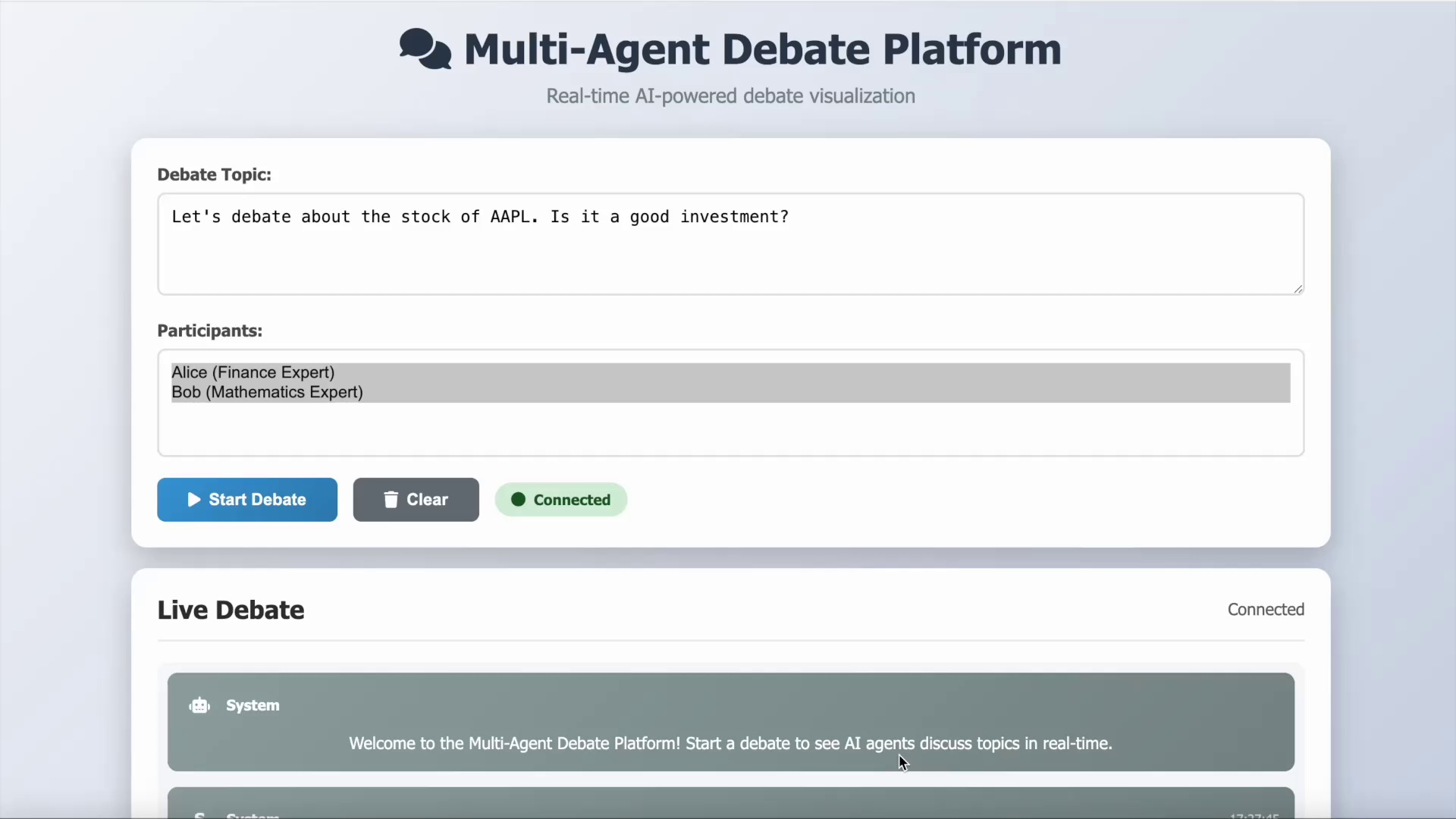
The image depicts a user interface for a real-time AI-powered debate platform. The layout includes input fields for debate topics, participant roles, and interactive buttons. A live debate section is visible, displaying a system message. The design emphasizes clarity and functionality for initiating and monitoring AI-driven debates.
### Components/Axes
- **Header**:
- Title: "Multi-Agent Debate Platform" (centered, bold, dark text).
- Subtitle: "Real-time AI-powered debate visualization" (centered, smaller font).
- **Debate Topic Section**:
- Label: "Debate Topic:" (left-aligned).
- Input Field: Contains the text: "Let's debate about the stock of AAPL. Is it a good investment?"
- **Participants Section**:
- Label: "Participants:" (left-aligned).
- Input Field: Contains:
- "Alice (Finance Expert)"
- "Bob (Mathematics Expert)"
- **Action Buttons**:
- "Start Debate" (blue button with play icon).
- "Clear" (gray button with trash icon).
- "Connected" (green status indicator with a dot).
- **Live Debate Section**:
- Header: "Live Debate" (left-aligned, bold).
- Status: "Connected" (right-aligned).
- System Message: "Welcome to the Multi-Agent Debate Platform! Start a debate to see AI agents discuss topics in real-time."
### Content Details
- **Debate Topic**: Focuses on financial analysis of AAPL stock, framed as an investment question.
- **Participants**: Two AI agents with specialized roles:
- Alice: Finance Expert (likely to analyze market trends, financial metrics).
- Bob: Mathematics Expert (likely to evaluate statistical models, risk analysis).
- **Buttons**:
- "Start Debate": Initiates the debate process.
- "Clear": Resets the input fields.
- "Connected": Indicates active connection to the platform.
- **Live Debate Message**: A system prompt to guide users on platform functionality.
### Key Observations
- The interface is minimalistic, prioritizing essential controls for debate initiation.
- Participant roles are explicitly defined, suggesting the platform leverages domain-specific AI expertise.
- The "Connected" status implies real-time interaction capabilities.
- No numerical data or visualizations (e.g., charts, graphs) are present in the visible portion of the interface.
### Interpretation
This platform appears designed for collaborative AI-driven debates, where agents with distinct expertise (e.g., finance, mathematics) engage in structured discussions. The explicit separation of roles (Alice vs. Bob) suggests the system may use role-based reasoning to simulate expert-level discourse. The absence of numerical data in the screenshot implies the platform’s primary function is to facilitate debate initiation and monitoring rather than displaying analytical results. The "Connected" status and system message emphasize real-time interaction, positioning the tool as a dynamic environment for exploring complex topics through AI collaboration.
## Notes
- No charts, diagrams, or numerical data are present in the visible portion of the interface.
- All text is in English; no other languages are detected.
- The design prioritizes usability, with clear labels and actionable buttons.