## Code Snippet and Description: Google Search Web App
### Overview
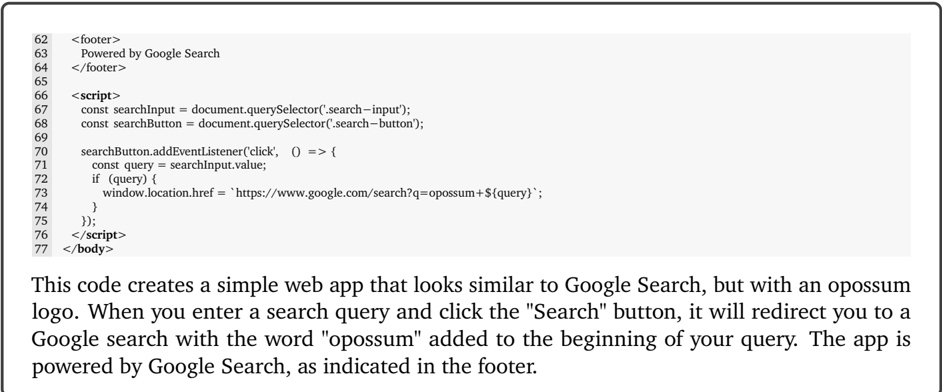
The image presents a code snippet (HTML and JavaScript) for a simple web application that mimics the Google Search interface. The app prepends the word "opossum" to any user-entered search query before redirecting to Google Search. A descriptive paragraph below the code explains the app's functionality.
### Components/Axes
* **Code Snippet:** Contains HTML footer and JavaScript code.
* **Description:** Textual explanation of the code's purpose.
### Detailed Analysis or ### Content Details
**Code Snippet (HTML and JavaScript):**
* Lines 62-64: HTML `<footer>` element containing the text "Powered by Google Search".
* Lines 66-76: JavaScript code within `<script>` tags.
* Line 67: `const searchInput = document.querySelector('.search-input');` - Selects the HTML element with the class "search-input" and assigns it to the `searchInput` constant.
* Line 68: `const searchButton = document.querySelector('.search-button');` - Selects the HTML element with the class "search-button" and assigns it to the `searchButton` constant.
* Lines 70-75: An event listener is attached to the `searchButton`. When clicked:
* Line 71: `const query = searchInput.value;` - Retrieves the value entered in the `searchInput` field and assigns it to the `query` constant.
* Line 72: `if (query) {` - Checks if the `query` is not empty.
* Line 73: `window.location.href = 'https://www.google.com/search?q=opossum+${query}';` - Redirects the browser to Google Search with the query "opossum" prepended to the user's input.
* Lines 76-77: Closing `</script>` and `</body>` tags.
**Description:**
"This code creates a simple web app that looks similar to Google Search, but with an opossum logo. When you enter a search query and click the "Search" button, it will redirect you to a Google search with the word "opossum" added to the beginning of your query. The app is powered by Google Search, as indicated in the footer."
### Key Observations
* The JavaScript code uses `document.querySelector` to select HTML elements based on their class names.
* The event listener attached to the search button triggers the redirection to Google Search.
* The user's search query is dynamically inserted into the Google Search URL using template literals (`${query}`).
* The app's functionality is clearly explained in the accompanying text.
### Interpretation
The code snippet demonstrates a basic web application that modifies user input before submitting it to Google Search. This could be used for humorous purposes, data collection, or as a simple example of JavaScript event handling and DOM manipulation. The app's reliance on Google Search is explicitly stated in both the code (footer) and the description. The prepending of "opossum" to the search query is the key distinguishing feature of this application.