\n
## Code Snippet: HTML and JavaScript
### Overview
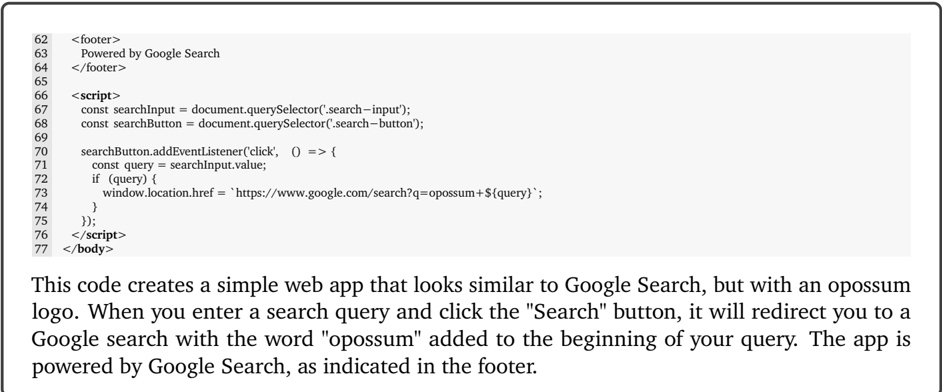
The image presents a snippet of HTML and JavaScript code. The code defines a simple web application that redirects the user to a Google search with the term "opossum" prepended to their search query. The code includes a footer indicating it is powered by Google Search.
### Components/Axes
The code is structured as follows:
* **HTML:** Contains the `<footer>` and `<body>` tags.
* **JavaScript:** Contained within `<script>` tags, handles the search functionality.
* **Footer:** Displays "Powered by Google Search".
* **JavaScript Variables:** `searchInput`, `searchButton`.
* **Event Listener:** Attached to the `searchButton` for the 'click' event.
* **Search Query:** Retrieved from the `searchInput` value.
* **Redirection:** Uses `window.location.href` to redirect to a Google search URL.
### Detailed Analysis or Content Details
The code can be transcribed as follows:
```html
62 <footer>
63 Powered by Google Search
64 </footer>
65 <script>
66 const searchInput = document.querySelector('.search-input');
67 const searchButton = document.querySelector('.search-button');
68
69 searchButton.addEventListener('click', () => {
70 const query = searchInput.value;
71 if (query) {
72 window.location.href = 'https://www.google.com/search?q=opossum+' + query;
73 }
74 });
75 </script>
76 </body>
```
The accompanying text states: "This code creates a simple web app that looks similar to Google Search, but with an opossum logo. When you enter a search query and click the 'Search' button, it will redirect you to a Google search with the word 'opossum' added to the beginning of your query. The app is powered by Google Search, as indicated in the footer."
### Key Observations
* The code uses `document.querySelector` to select HTML elements based on their CSS classes (`.search-input`, `.search-button`).
* The JavaScript code is concise and uses an arrow function for the event listener.
* The redirection URL is constructed by concatenating the base Google search URL with the query string "q=opossum+" followed by the user's input.
* The code includes a basic check to ensure that the search query is not empty before redirecting.
### Interpretation
The code demonstrates a simple web application that leverages Google Search functionality while adding a playful twist (the "opossum" prefix). The code is straightforward and effectively implements the desired behavior. The use of JavaScript event listeners and DOM manipulation is standard practice for creating interactive web applications. The footer attribution to Google Search suggests that the application is built upon or utilizes Google's search infrastructure. The code's simplicity suggests it's likely a proof-of-concept or a small-scale project rather than a complex, production-ready application. The addition of "opossum" to the search query is likely intended as a humorous or branding element.