## Screenshot: Code Snippet with Explanatory Text
### Overview
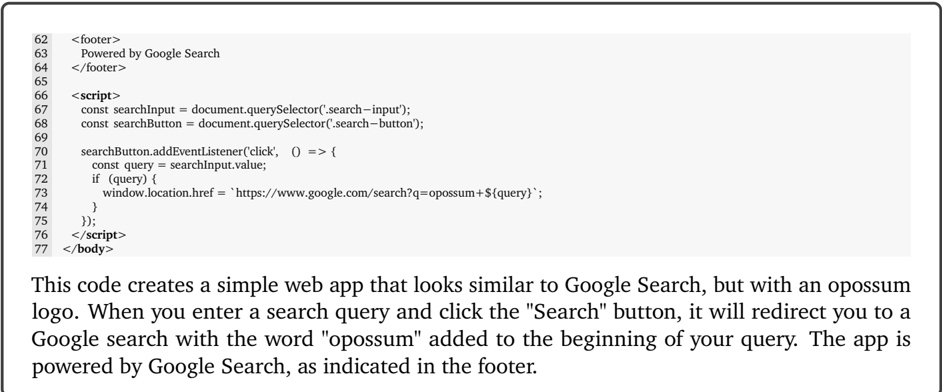
The image is a screenshot displaying a block of HTML and JavaScript code, accompanied by a descriptive paragraph below it. The code implements a simple web application that mimics a Google Search interface but modifies the search query by prepending the word "opossum". The screenshot includes line numbers on the left margin, indicating this is likely a view from a code editor or a documentation page.
### Components/Axes
The image is divided into two primary regions:
1. **Code Block (Top Region):** A monospaced font code snippet with line numbers (62-77) on the left. The code is contained within a light gray background box.
2. **Explanatory Text (Bottom Region):** A paragraph of descriptive text in a standard serif font, explaining the functionality of the code above.
### Content Details
#### Code Block Transcription (Lines 62-77):
```html
62 <footer>
63 Powered by Google Search
64 </footer>
65
66 <script>
67 const searchInput = document.querySelector('.search-input');
68 const searchButton = document.querySelector('.search-button');
69
70 searchButton.addEventListener('click', () => {
71 const query = searchInput.value;
72 if (query) {
73 window.location.href = `https://www.google.com/search?q=opossum+${query}`;
74 }
75 });
76 </script>
77 </body>
```
#### Explanatory Text Transcription:
"This code creates a simple web app that looks similar to Google Search, but with an opossum logo. When you enter a search query and click the "Search" button, it will redirect you to a Google search with the word "opossum" added to the beginning of your query. The app is powered by Google Search, as indicated in the footer."
### Key Observations
1. **Code Structure:** The code consists of a simple HTML `<footer>` element and a `<script>` block. The footer contains the static text "Powered by Google Search".
2. **JavaScript Functionality:** The script selects two DOM elements (`.search-input` and `.search-button`), attaches a click event listener to the button, and upon click, constructs a new URL. This URL redirects the user to a Google search where the user's input (`query`) is appended to the string `opossum+`.
3. **Spatial Layout:** The code block is positioned at the top of the image, with the explanatory text directly below it. The line numbers are aligned to the left of the code.
4. **Purpose:** The code is a client-side implementation for a themed search interface. It does not perform the search itself but leverages Google's search engine by constructing a specific URL.
### Interpretation
This screenshot documents a lightweight, client-side web component. Its primary function is to create a novelty or themed search experience by automatically modifying the user's search query. The inclusion of "opossum" suggests it could be part of a joke, a fan site, or a project with a specific thematic focus (e.g., an "Opossum Search Engine").
The code is minimal and relies entirely on the public Google search URL structure (`https://www.google.com/search?q=`). This makes it easy to implement but also means it is dependent on Google's service and URL format remaining consistent. The footer text "Powered by Google Search" serves as both an attribution and a functional disclaimer, clarifying that the actual search results are provided by Google, not the web app itself.
From a technical perspective, the code demonstrates basic DOM manipulation and event handling in vanilla JavaScript. It uses template literals for string interpolation and a simple conditional check to ensure a query exists before redirecting. The absence of any server-side code indicates this is a purely front-end solution.