## HTML Code Analysis
### Overview
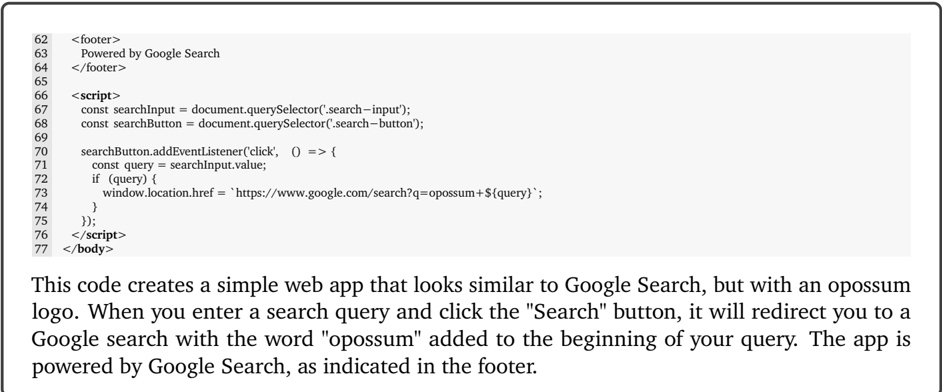
The image displays a snippet of HTML code that creates a simple web application resembling Google Search. The application includes a search input field and a search button. When the search button is clicked, the application redirects the user to a Google search page with the word "oppossum" appended to the search query.
### Components/Axes
- **Search Input Field**: Represented by the `search-input` element.
- **Search Button**: Represented by the `search-button` element.
- **JavaScript Code**: Contains event listeners and redirection logic.
### Detailed Analysis or ### Content Details
- **JavaScript Code**: The code uses `document.querySelector` to select the search input and button elements. It adds an event listener to the search button that triggers a function when clicked.
- **Redirection Logic**: The function retrieves the value from the search input field and constructs a URL with the word "oppossum" appended to the query. It then redirects the user to this URL using `window.location.href`.
### Key Observations
- **Redirection**: The application redirects the user to a Google search page with the word "oppossum" added to the query.
- **HTML Structure**: The code includes a footer with the text "Powered by Google Search".
### Interpretation
The HTML code creates a web application that mimics the functionality of Google Search. When a user enters a search query and clicks the search button, the application redirects them to a Google search page with the word "oppossum" added to the query. This is likely an educational or demonstrative example to show how web applications can be created to mimic popular search engines. The use of Google Search as the underlying technology is indicated by the text in the footer.