## Image Montage: Robotic Arm Interactions
### Overview
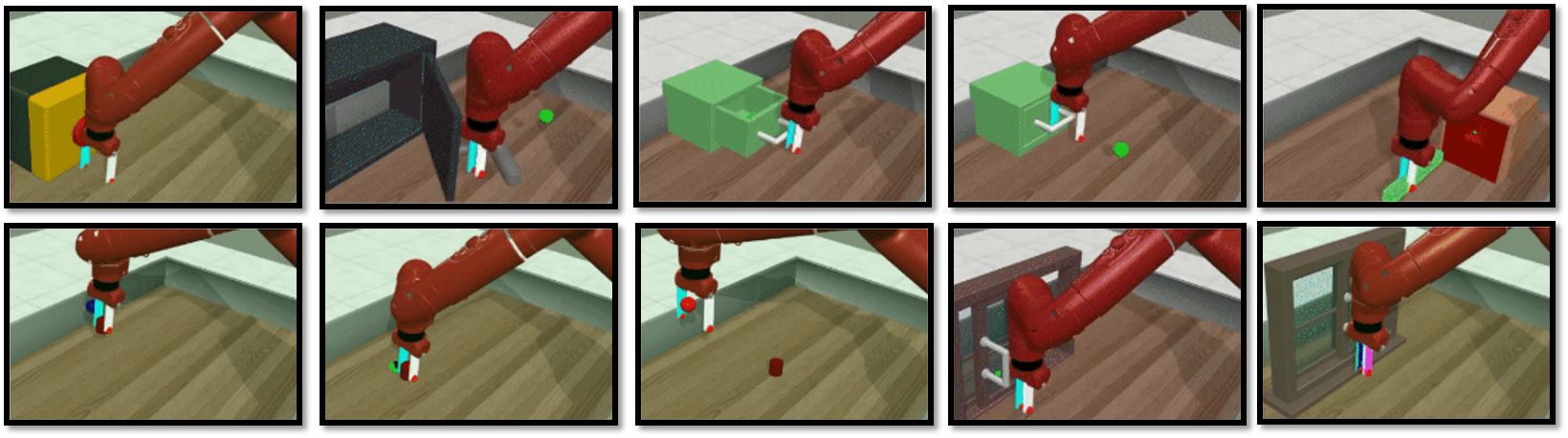
The image is a montage of ten separate scenes, each depicting a red robotic arm interacting with different objects in a simulated environment. The scenes show the arm manipulating objects of various shapes and colors, suggesting a sequence of tasks or a demonstration of the arm's capabilities.
### Components/Axes
* **Robotic Arm:** A red, articulated robotic arm is the central element in each scene. It has a gripper at the end, which appears to be equipped with sensors or markers of blue, white, and red.
* **Objects:** The objects being manipulated vary in shape, size, and color. They include:
* A yellow rectangular prism
* A dark gray cabinet with an open door
* A green cube
* A red cylinder
* A wooden frame
* A window
* **Environment:** The environment appears to be a simulated room with a light-colored floor and walls. Some scenes include a green circular marker on the floor.
### Detailed Analysis or ### Content Details
The montage presents a sequence of interactions. Here's a breakdown of each scene:
1. **Scene 1:** The robotic arm is positioned near a yellow rectangular prism. The gripper is close to the object, suggesting an attempt to grasp or manipulate it.
2. **Scene 2:** The robotic arm is interacting with a dark gray cabinet. The cabinet door is open, and the arm's gripper is inside, possibly retrieving or placing an object. A green circular marker is on the floor.
3. **Scene 3:** The robotic arm is positioned above a green cube. The gripper is open, suggesting it is about to pick up the cube. A green circular marker is on the floor.
4. **Scene 4:** The robotic arm is holding a green cube. The gripper is closed around the cube, and the arm is likely moving it to a new location.
5. **Scene 5:** The robotic arm is positioned near a red rectangular prism. The gripper is close to the object, suggesting an attempt to grasp or manipulate it. A green circular marker is on the floor.
6. **Scene 6:** The robotic arm is positioned near the floor. The gripper is open, suggesting it is about to pick up something.
7. **Scene 7:** The robotic arm is positioned above a red cylinder. The gripper is open, suggesting it is about to pick up the cylinder.
8. **Scene 8:** The robotic arm is positioned near a wooden frame. The gripper is close to the object, suggesting an attempt to grasp or manipulate it.
9. **Scene 9:** The robotic arm is positioned near a window. The gripper is close to the object, suggesting an attempt to grasp or manipulate it.
10. **Scene 10:** The robotic arm is positioned near a window. The gripper is close to the object, suggesting an attempt to grasp or manipulate it.
### Key Observations
* The robotic arm appears to be performing a variety of tasks, including picking up, placing, and manipulating objects.
* The green circular markers may indicate target locations or points of interest for the robotic arm.
* The objects being manipulated vary in shape, size, and color, suggesting the arm is capable of handling a variety of items.
### Interpretation
The montage likely demonstrates the capabilities of the robotic arm in a simulated environment. The different scenes showcase the arm's ability to interact with various objects and perform tasks such as picking, placing, and manipulating. The presence of green markers suggests a guided or programmed sequence of actions. The variety of objects indicates the arm's versatility in handling different shapes and sizes. Overall, the montage presents a visual representation of the robotic arm's functionality and potential applications.