## Table: Task Instructions and Required Abilities for Email/Code/Image Management
### Overview
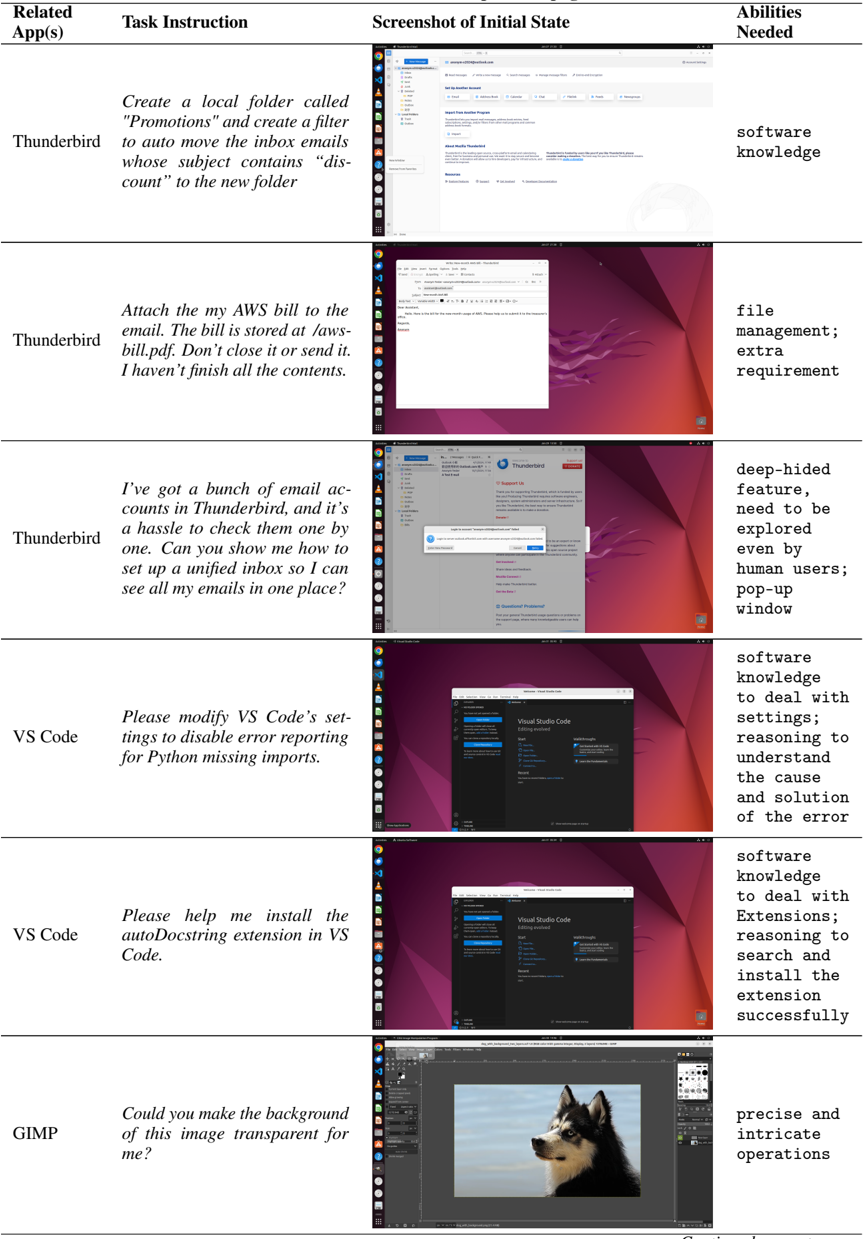
The table presents six technical tasks across three software platforms (Thunderbird, VS Code, GIMP), detailing required actions, initial interface states, and necessary skills. Each row combines a task description with visual context and ability requirements.
### Components/Axes
| Column Header | Content |
|------------------------|-------------------------------------------------------------------------|
| **Related App(s)** | Software platform associated with the task |
| **Task Instruction** | Specific action to be performed (e.g., folder creation, file attachment)|
| **Screenshot of Initial State** | Visual representation of the software interface at task initiation |
| **Abilities Needed** | Required competencies for task completion |
### Detailed Analysis
1. **Thunderbird Email Filtering**
- Task: Create "Promotions" folder + auto-filter "discount" emails
- Initial State: Thunderbird folder creation dialog open
- Abilities: Software knowledge
2. **AWS Bill Attachment**
- Task: Attach "aws-bill.pdf" to email (unsaved content)
- Initial State: Email composition window with attachment dialog
- Abilities: File management; Extra requirement
3. **Unified Inbox Setup**
- Task: Consolidate multiple Thunderbird accounts
- Initial State: Thunderbird account management interface
- Abilities: Deep-hidden feature exploration; Human user guidance
4. **VS Code Error Suppression**
- Task: Disable Python import error reporting
- Initial State: VS Code settings editor with Python section highlighted
- Abilities: Software knowledge; Settings reasoning; Error diagnosis
5. **VS Code Extension Installation**
- Task: Install autoDocstring extension
- Initial State: VS Code extensions marketplace
- Abilities: Software knowledge; Extension installation; Troubleshooting
6. **GIMP Transparency**
- Task: Make image background transparent
- Initial State: GIMP image editor with dog portrait
- Abilities: Precise operations; Layer manipulation
### Key Observations
- Thunderbird tasks emphasize email organization with varying complexity
- VS Code tasks focus on development environment customization
- GIMP task represents graphic design workflow
- Screenshots show progressive interface complexity from basic dialogs to advanced editors
- Abilities required increase from basic software knowledge to specialized technical skills
### Interpretation
This table demonstrates the relationship between software functionality and user competency requirements. The progression from simple folder organization to code extension installation reveals a skill hierarchy where basic email management requires fundamental software knowledge, while advanced tasks demand specialized technical reasoning. The inclusion of screenshots provides crucial spatial context for task execution, showing that visual interface familiarity is as important as technical knowledge. The "deep-hidden feature" requirement for Thunderbird suggests some features remain non-intuitive despite widespread software adoption. The GIMP task's "precise operations" requirement highlights the technical depth needed for graphic design compared to general software use.