\n
## Code Block: Rust Function `atoi` and `main`
### Overview
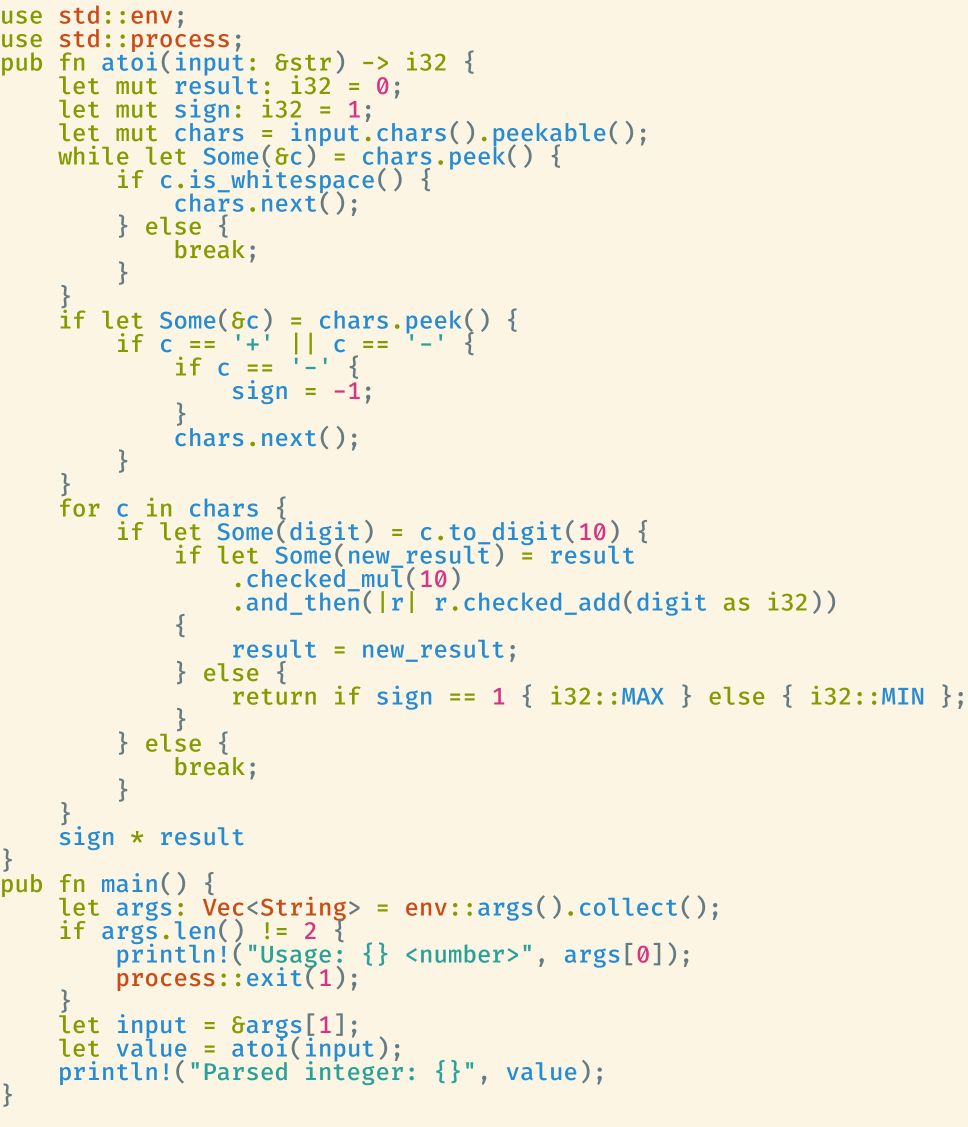
The image contains a block of Rust code defining a function `atoi` which parses a string into a signed 132-bit integer, and a `main` function that demonstrates its usage. The code handles optional leading plus or minus signs and performs error checking for integer overflow.
### Components/Axes
There are no axes or charts in this image. It is a code snippet. The code is structured into two main functions: `atoi` and `main`. The `atoi` function is the core logic for string-to-integer conversion. The `main` function handles command-line arguments and calls `atoi`.
### Detailed Analysis or Content Details
Here's a transcription of the Rust code:
```rust
use std::env;
use std::process;
pub fn atoi(input: &str) -> i32 {
let mut result: i32 = 0;
let mut sign: i32 = 1;
let mut chars = input.chars().peekable();
while let Some(&c) = chars.peek() {
if c.is_whitespace() {
chars.next();
} else {
break;
}
}
if let Some(&c) = chars.peek() {
if c == '+' || c == '-' {
if c == '-' {
sign = -1;
}
chars.next();
}
}
for c in chars {
if let Some(digit) = c.to_digit(10) {
if let Some(new_result) = result
.checked_mul(10)
.and_then(|r| r.checked_add(digit as i32)) {
result = new_result;
} else {
return if sign == 1 { i32::MAX } else { i32::MIN };
}
} else {
break;
}
}
sign * result
}
pub fn main() {
let args: Vec<String> = env::args().collect();
if args.len() != 2 {
println!("Usage: {} <number>", args[0]);
process::exit(1);
}
let input = &args[1];
let value = atoi(input);
println!("Parsed integer: {}", value);
}
```
**Breakdown of `atoi` function:**
1. **Initialization:**
* `result`: Initialized to 0 (i32).
* `sign`: Initialized to 1 (positive).
* `chars`: A peekable iterator over the characters of the input string.
2. **Whitespace Handling:**
* The `while` loop skips leading whitespace characters.
3. **Sign Handling:**
* Checks for an optional leading '+' or '-' sign.
* If '-' is found, `sign` is set to -1.
4. **Digit Conversion and Accumulation:**
* The `for` loop iterates through the remaining characters.
* `c.to_digit(10)` attempts to convert the character to a digit (base 10).
* `checked_mul(10)` multiplies the current `result` by 10, returning `None` if overflow occurs.
* `checked_add(digit as i32)` adds the digit to the multiplied result, returning `None` if overflow occurs.
* If both operations succeed, `result` is updated.
* If either operation fails (overflow), the function returns `i32::MAX` if the sign is positive, or `i32::MIN` if the sign is negative.
5. **Final Result:**
* The function returns the final `result` multiplied by the `sign`.
**Breakdown of `main` function:**
1. **Argument Handling:**
* `env::args().collect()` collects command-line arguments into a `Vec<String>`.
* Checks if exactly one argument (the number to parse) is provided.
* If not, prints a usage message and exits with an error code (1).
2. **Parsing and Output:**
* `input` is assigned the value of the first command-line argument.
* `atoi(input)` calls the `atoi` function to parse the input string.
* `println!("Parsed integer: {}", value)` prints the parsed integer to the console.
### Key Observations
The code demonstrates a robust approach to string-to-integer conversion, including handling whitespace, signs, and potential integer overflows. The use of `checked_mul` and `checked_add` is crucial for preventing unexpected behavior due to overflow. The `peekable()` iterator allows for looking ahead at the next character without consuming it, which is useful for handling the sign.
### Interpretation
This code snippet provides a practical example of how to implement a string-to-integer conversion function in Rust, with a focus on safety and error handling. The `atoi` function is designed to be resilient to invalid input and to prevent integer overflows, which are common sources of bugs in software. The `main` function demonstrates how to use the `atoi` function in a simple command-line application. The code is well-structured and easy to understand, making it a good example of Rust programming style. The use of `i32` limits the range of numbers that can be parsed, but this is a common trade-off for performance and memory usage.