\n
## Screenshot: Remote Employee Monitor Ordering Instructions
### Overview
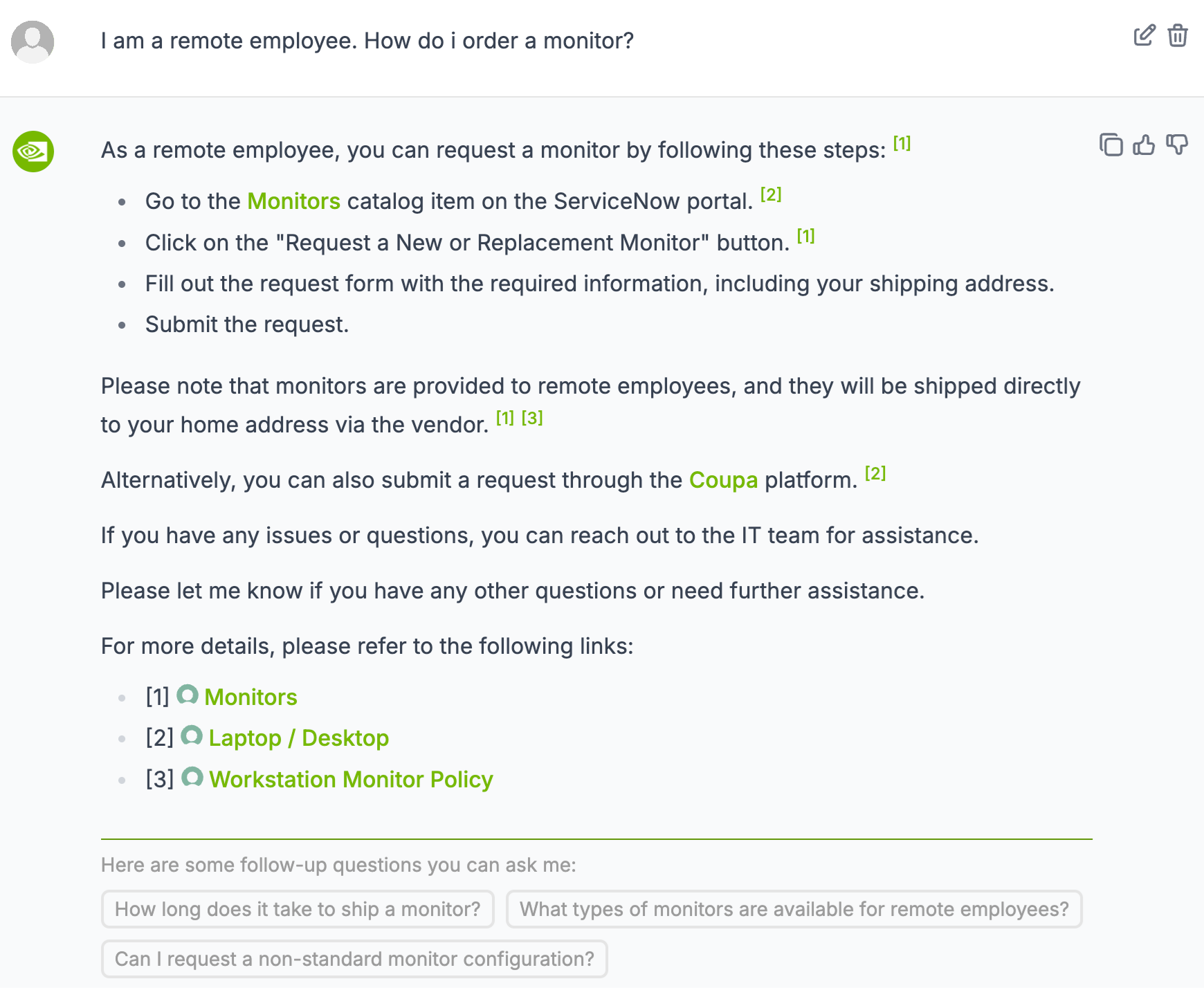
This is a screenshot of a chat or messaging interface, likely a help desk or internal support system. The content details the process for a remote employee to order a monitor, including steps, alternative methods, and links to relevant resources. The interface includes user input fields for follow-up questions.
### Components/Axes
The screenshot contains the following elements:
* **User Input:** "I am a remote employee. How do I order a monitor?" (Top-left)
* **Response Text:** A block of text detailing the monitor ordering process.
* **Numbered Steps:** A list of four steps for ordering a monitor.
* **Links:** Three links to additional resources, each with a corresponding icon.
* **Follow-up Questions:** Three pre-defined questions the user can select.
* **Icons:** Small circular icons next to the links.
* **Reference Numbers:** Numbers in brackets ([1], [2], [3]) within the text, linking to the resources.
### Detailed Analysis or Content Details
The response text provides the following information:
1. **Ordering Steps:**
* Go to the Monitors catalog item on the ServiceNow portal.
* Click on the "Request a New or Replacement Monitor" button.
* Fill out the request form with the required information, including your shipping address.
* Submit the request.
2. **Shipping Information:** Monitors are provided to remote employees and shipped directly to their home address via the vendor.
3. **Alternative Ordering Method:** Requests can also be submitted through the Coupa platform.
4. **Support Contact:** The IT team is available for assistance with any issues or questions.
5. **Links:**
* [1] Monitors
* [2] Laptop / Desktop
* [3] Workstation Monitor Policy
6. **Follow-up Questions:**
* How long does it take to ship a monitor?
* What types of monitors are available for remote employees?
* Can I request a non-standard monitor configuration?
### Key Observations
* The response is structured and provides clear, step-by-step instructions.
* Multiple ordering options are available (ServiceNow and Coupa).
* The inclusion of follow-up questions suggests common inquiries.
* The reference numbers link the text to specific resources, enhancing usability.
### Interpretation
The data suggests a well-defined process for remote employees to obtain monitors. The provision of multiple ordering channels and readily available support indicates a focus on employee convenience and satisfaction. The pre-defined follow-up questions highlight potential areas of confusion or frequent requests, allowing for proactive support. The links to policies and catalogs demonstrate a commitment to transparency and self-service. The overall tone is helpful and informative, aiming to resolve the user's query efficiently. The use of reference numbers is a good practice for linking information and reducing ambiguity. The interface is designed to be user-friendly and facilitate a smooth ordering experience.