## [Screenshot]: IT Support Chat Interface - Remote Employee Monitor Request
### Overview
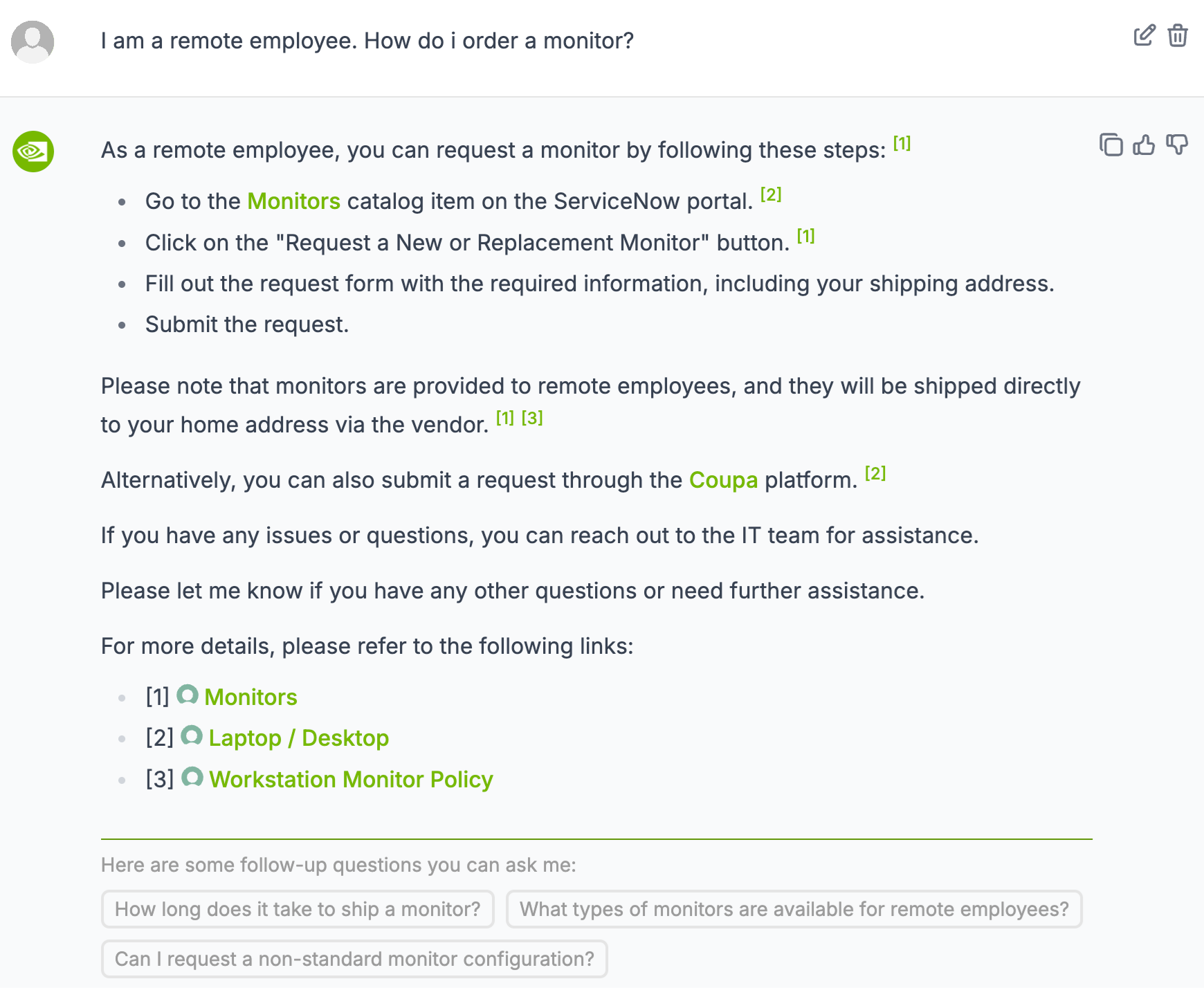
This image is a screenshot of a chat interface, likely from an internal IT support or helpdesk system. It displays a conversation where a user asks about ordering a monitor as a remote employee, and the system provides a detailed, step-by-step response with references and follow-up suggestions. The interface includes user and system avatars, action icons, and interactive elements.
### Components/Axes
* **UI Layout:** The interface is structured as a vertical chat log.
* **User Message (Top):**
* **Avatar:** A generic grey user silhouette icon (top-left).
* **Text:** "I am a remote employee. How do i order a monitor?"
* **Action Icons (Top-right):** A pencil (edit) icon and a trash can (delete) icon.
* **System Response (Main Body):**
* **Avatar:** A green circular icon containing a white eye symbol (left side).
* **Action Icons (Top-right of response block):** A copy icon, a thumbs-up (like) icon, and a thumbs-down (dislike) icon.
* **Text Content:** A multi-paragraph response with bulleted lists, notes, and hyperlinks.
* **Inline References:** Superscript numbers in green brackets (e.g., `[1]`, `[2]`, `[3]`) link to sources at the bottom.
* **Hyperlinks:** Certain terms ("Monitors", "Coupa") are highlighted in green, indicating they are clickable links.
* **Reference Links Section:**
* A list of three sources, each prefixed with a green circle icon and a bracketed number.
* **Follow-up Suggestions (Bottom):**
* A header: "Here are some follow-up questions you can ask me:"
* Three interactive buttons with suggested questions.
### Detailed Analysis / Content Details
**User Query:**
> "I am a remote employee. How do i order a monitor?"
**System Response:**
> "As a remote employee, you can request a monitor by following these steps: `[1]`
> * Go to the **Monitors** catalog item on the ServiceNow portal. `[2]`
> * Click on the "Request a New or Replacement Monitor" button. `[1]`
> * Fill out the request form with the required information, including your shipping address.
> * Submit the request.
>
> Please note that monitors are provided to remote employees, and they will be shipped directly to your home address via the vendor. `[1]` `[3]`
>
> Alternatively, you can also submit a request through the **Coupa** platform. `[2]`
>
> If you have any issues or questions, you can reach out to the IT team for assistance.
>
> Please let me know if you have any other questions or need further assistance.
>
> For more details, please refer to the following links:
> * `[1]` 🟢 **Monitors**
> * `[2]` 🟢 **Laptop / Desktop**
> * `[3]` 🟢 **Workstation Monitor Policy**"
**Follow-up Question Buttons:**
1. "How long does it take to ship a monitor?"
2. "What types of monitors are available for remote employees?"
3. "Can I request a non-standard monitor configuration?"
### Key Observations
1. **Structured Guidance:** The response is highly structured, using bullet points for clear, sequential steps.
2. **Source Attribution:** Information is meticulously cited with inline references (`[1]`, `[2]`, `[3]`), which are expanded in a dedicated "links" section. This suggests the information is pulled from a knowledge base.
3. **Multiple Pathways:** The system provides two primary methods for requesting a monitor: via the **ServiceNow portal** and the **Coupa platform**.
4. **Proactive Assistance:** The interface includes suggested follow-up questions, designed to anticipate the user's next needs and reduce further queries.
5. **UI Affordances:** Icons for editing, deleting, copying, and rating the response indicate this is an interactive, potentially AI-powered, support chat.
### Interpretation
This screenshot documents a standard operating procedure (SOP) for IT equipment provisioning in a remote-work environment. The data demonstrates a formalized, self-service process designed for efficiency and clarity.
* **Process Flow:** The core workflow is: Access Portal -> Select Item -> Submit Form with Address -> Await Vendor Shipment. The mention of direct vendor shipping indicates a drop-shipping model managed by IT.
* **System Integration:** The references to **ServiceNow** (an IT Service Management platform) and **Coupa** (a procurement platform) reveal the underlying enterprise software stack used to manage hardware requests and purchases.
* **Policy Enforcement:** The inclusion of a link to the "Workstation Monitor Policy" (`[3]`) implies that monitor requests are governed by specific rules, which may define eligibility, standard models, or approval chains.
* **User Experience Design:** The chat interface is designed to be a comprehensive, one-stop resource. It not only answers the immediate question but also provides authoritative references, offers alternative methods, and proactively suggests related queries, aiming to resolve the issue completely within a single interaction and minimize the need for human agent escalation.
**In essence, the image captures a knowledge-centric, automated IT support interaction that empowers employees to solve a common hardware request independently, while ensuring compliance with company policy and procurement systems.**