## Screenshot: Color-Coded Instructional Text
### Overview
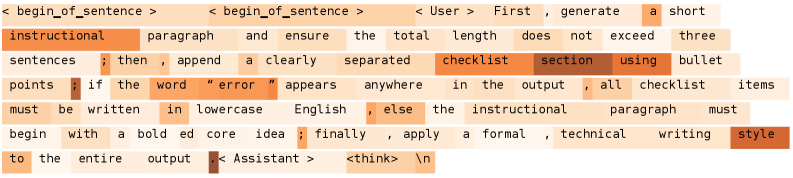
The image displays a block of text with color-coded segments, likely representing a set of instructions or guidelines for generating a technical document. The text is divided into distinct sections using varying shades of orange, brown, and light orange, with no explicit headings or bullet points. The content emphasizes structural requirements (e.g., paragraph length, error handling) and stylistic conventions (e.g., lowercase English, bold core ideas).
### Components/Axes
- **Text Segments**:
- **Orange**: Highlights key terms (e.g., "instructional," "checklist," "error," "bold," "formal," "technical").
- **Brown**: Emphasizes critical rules (e.g., "must be written in lowercase English," "apply a formal, technical writing style").
- **Light Orange**: Neutral text for general instructions (e.g., "generate a short paragraph," "append a clearly separated checklist section").
- **Spatial Grounding**:
- Color-coded terms are embedded within sentences, with no standalone legend.
- Relative positioning:
- "instructional" (orange) appears early, anchoring the document’s purpose.
- "checklist" (brown) is centrally placed, indicating its importance.
- "error" (orange) is isolated, drawing attention to error-handling rules.
- "formal, technical writing style" (brown) concludes the text, reinforcing stylistic requirements.
### Detailed Analysis
1. **Instructional Paragraph**:
- The text begins with a directive to generate a short paragraph, constrained to ≤3 sentences.
- Color coding emphasizes "instructional" (orange) and "checklist" (brown), suggesting these are core components of the output.
2. **Error Handling**:
- The phrase "if the word 'error' appears anywhere in the output" is highlighted in orange, with a strict rule that all checklist items must be written in lowercase English if triggered.
3. **Stylistic Requirements**:
- "Bold ed core idea" (orange) and "formal, technical writing style" (brown) are emphasized, indicating mandatory formatting rules.
4. **Structural Constraints**:
- The output must avoid exceeding three sentences, with a "clearly separated checklist section" appended.
### Key Observations
- **Color Coding as Hierarchy**: Orange highlights procedural terms (e.g., "instructional," "checklist"), while brown underscores non-negotiable rules (e.g., lowercase, formal style).
- **Ambiguity in "Error" Rule**: The instruction to write checklist items in lowercase if "error" appears is conditional but lacks context for when this applies.
- **Contradictory Directives**: The text demands both "lowercase English" and "formal, technical writing style," which may conflict depending on interpretation.
### Interpretation
The color-coded text appears to be a meta-instruction for generating a document with strict formatting and structural rules. The use of color likely serves to:
1. **Categorize Instructions**: Orange for procedural steps, brown for immutable rules.
2. **Prioritize Critical Elements**: Terms like "error" and "formal style" are visually emphasized to ensure compliance.
3. **Clarify Ambiguity**: The conditional "error" rule may require further clarification, as its trigger condition is unspecified.
The document’s purpose seems to be a template for automated or human-generated technical writing, where adherence to stylistic and structural guidelines is paramount. The absence of a legend or explicit hierarchy suggests the color coding is intuitive, relying on the reader’s ability to infer meaning from context.