## Heatmap: Text Highlighting
### Overview
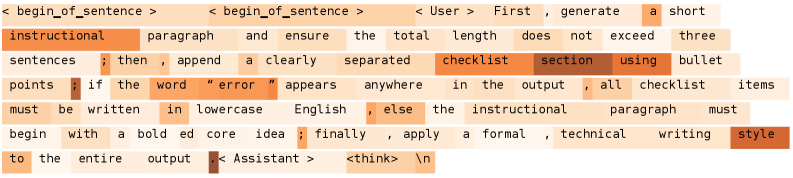
The image is a heatmap highlighting specific words and phrases within a block of text. The intensity of the orange color indicates the relative importance or focus on each word/phrase. The text appears to be a set of instructions or guidelines for generating text.
### Components/Axes
* **Text Content:** The main component is the block of text itself.
* **Highlighting:** Words and phrases are highlighted with varying shades of orange. Darker shades indicate higher importance.
* **Contextual Markers:** The text includes markers like `< begin_of_sentence >`, `< User >`, `< Assistant >`, and `<think> \n`, which seem to denote context or speaker.
### Detailed Analysis or ### Content Details
Here's the transcribed text with highlighting emphasis noted:
* `< begin_of_sentence >` (light orange)
* `instructional` (dark orange) `paragraph` (light orange) `and` (very light orange) `ensure` (light orange) `the` (very light orange) `total` (light orange) `length` (light orange) `does` (light orange) `not` (light orange) `exceed` (light orange) `three` (light orange)
* `sentences` (light orange) `;` (very light orange) `then` (light orange) `,` (very light orange) `append` (light orange) `a` (light orange) `clearly` (light orange) `separated` (light orange) `checklist` (dark orange) `section` (dark orange) `using` (dark orange) `bullet` (light orange)
* `points` (light orange) `;` (very light orange) `if` (light orange) `the` (very light orange) `word` (light orange) `"error"` (dark orange) `appears` (light orange) `anywhere` (light orange) `in` (very light orange) `the` (very light orange) `output` (light orange) `,` (very light orange) `all` (light orange) `checklist` (light orange) `items` (light orange)
* `must` (light orange) `be` (light orange) `written` (light orange) `in` (light orange) `lowercase` (light orange) `English` (light orange) `,` (very light orange) `else` (light orange) `the` (very light orange) `instructional` (light orange) `paragraph` (light orange) `must` (light orange)
* `begin` (light orange) `with` (light orange) `a` (light orange) `bold` (light orange) `ed` (light orange) `core` (light orange) `idea` (light orange) `;` (very light orange) `finally` (light orange) `,` (very light orange) `apply` (light orange) `a` (light orange) `formal` (light orange) `,` (very light orange) `technical` (light orange) `writing` (light orange) `style` (dark orange)
* `to` (light orange) `the` (very light orange) `entire` (light orange) `output` (light orange) `.` (very light orange) `< Assistant >` (dark orange) `<think>` (dark orange) `\n` (very light orange)
* `< begin_of_sentence >` (light orange)
* `< User >` (light orange) `First` (light orange) `,` (very light orange) `generate` (light orange) `a` (light orange) `short` (light orange)
### Key Observations
* The words "instructional", "checklist", "section", "error", "style", `< Assistant >`, and `<think>` are the most emphasized, suggesting they are key elements of the instructions.
* The phrases `< begin_of_sentence >` and `< User >` are less emphasized.
* Grammatical words like "the", "a", "in", and punctuation marks are the least emphasized.
### Interpretation
The heatmap visually represents the relative importance of different words and phrases within a set of instructions. The instructions likely guide an AI assistant on how to generate text, emphasizing the need for an instructional paragraph, a checklist section, and a formal technical writing style. The handling of the word "error" is also highlighted, suggesting a specific rule or procedure related to error handling. The `<think>` tag suggests an internal thought process or action by the assistant.