# Technical Document Extraction: Command Interface Instructions
## 1. Document Overview
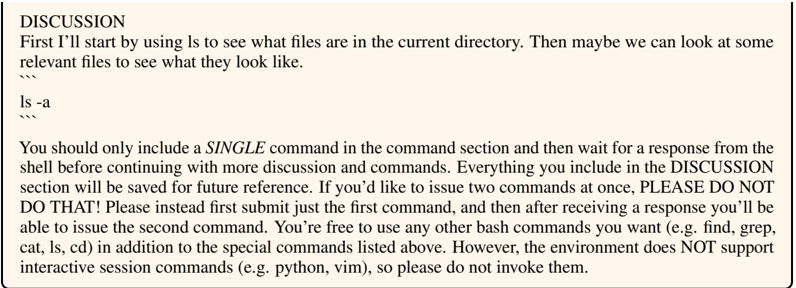
This image contains a block of instructional text and a demonstration of a command-line interface protocol. It outlines the rules for a user or agent interacting with a shell environment within a specific "DISCUSSION" and command framework.
## 2. Component Isolation
### Region 1: Header and Example (Top)
This section contains a heading and a brief narrative example of how to initiate a directory search.
**Transcription:**
> DISCUSSION
> First I'll start by using ls to see what files are in the current directory. Then maybe we can look at some relevant files to see what they look like.
> ```bash
> ls -a
> ```
### Region 2: Instructional Body (Bottom)
This section provides strict operational constraints for the user/agent regarding command execution and environment limitations.
**Transcription:**
> You should only include a *SINGLE* command in the command section and then wait for a response from the shell before continuing with more discussion and commands. Everything you include in the DISCUSSION section will be saved for future reference. If you'd like to issue two commands at once, PLEASE DO NOT DO THAT! Please instead first submit just the first command, and then after receiving a response you'll be able to issue the second command. You're free to use any other bash commands you want (e.g. find, grep, cat, ls, cd) in addition to the special commands listed above. However, the environment does NOT support interactive session commands (e.g. python, vim), so please do not invoke them.
---
## 3. Key Technical Constraints & Rules
Based on the extracted text, the following operational parameters are defined:
* **Command Limit:** Only one (1) command is permitted per submission.
* **Workflow:** The user must wait for a shell response before proceeding to the next discussion or command block.
* **Persistence:** All text within the "DISCUSSION" section is saved for future reference.
* **Prohibited Actions:**
* Issuing multiple commands simultaneously.
* Invoking interactive session commands (specifically mentioning `python` and `vim`).
* **Permitted Tools:** Standard bash commands are allowed, including but not limited to:
* `find`
* `grep`
* `cat`
* `ls`
* `cd`
## 4. Language Declaration
The entirety of the text in this image is in **English**. No other languages are present.