# Technical Document Extraction: Trinity-RFT Config Generator Interface
This document provides a comprehensive extraction of the textual and structural data from the provided image of a web-based configuration interface.
## 1. Header and Mode Selection
The top section of the interface contains the application title and global mode toggles.
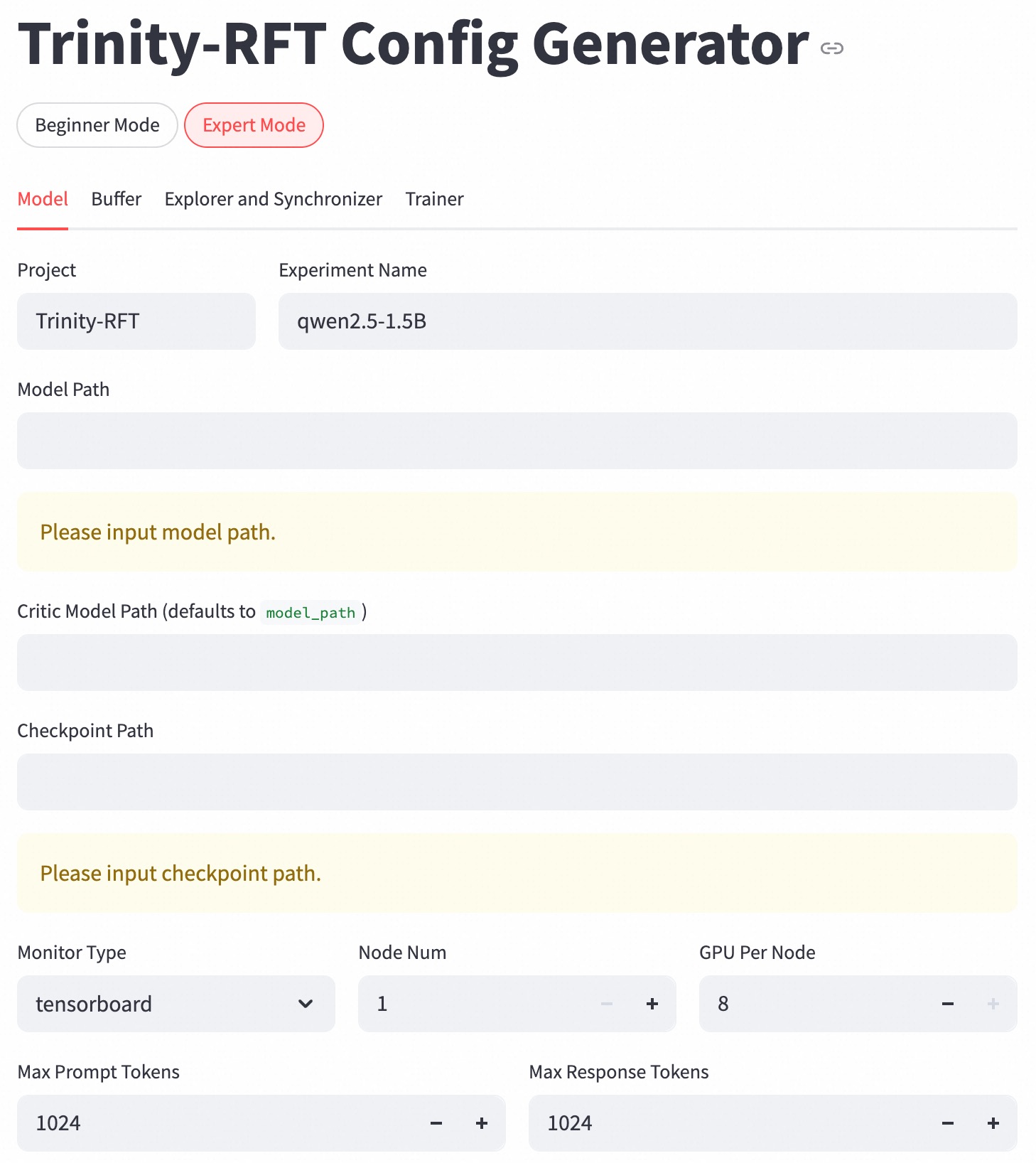
* **Main Title:** Trinity-RFT Config Generator (accompanied by a hyperlink icon).
* **Mode Selection Buttons:**
* **Beginner Mode:** (Inactive/Unselected) White background with grey border.
* **Expert Mode:** (Active/Selected) White background with a red border and red text.
---
## 2. Navigation Tabs
The interface uses a tabbed navigation system to categorize configuration settings. The "Model" tab is currently active.
* **Model** (Active: Indicated by red text and a red underline).
* **Buffer**
* **Explorer and Synchronizer**
* **Trainer**
---
## 3. Configuration Fields (Model Tab)
The main body of the interface consists of several input fields, dropdowns, and numerical incrementors.
### A. Project Identification
| Field Label | Current Value / Placeholder |
| :--- | :--- |
| **Project** | Trinity-RFT |
| **Experiment Name** | qwen2.5-1.5B |
### B. Path Configurations
These fields are currently empty and display validation warnings.
* **Model Path:** [Empty Input Field]
* *Warning Message:* "Please input model path." (Displayed in a yellow alert box).
* **Critic Model Path (defaults to `model_path`):** [Empty Input Field]
* **Checkpoint Path:** [Empty Input Field]
* *Warning Message:* "Please input checkpoint path." (Displayed in a yellow alert box).
### C. Hardware and Monitoring
This section uses a mix of dropdown menus and numerical steppers.
* **Monitor Type:** `tensorboard` (Dropdown menu).
* **Node Num:** `1` (Numerical stepper with `-` and `+` controls).
* **GPU Per Node:** `8` (Numerical stepper with `-` and `+` controls).
### D. Token Limits
Numerical constraints for the model's processing.
* **Max Prompt Tokens:** `1024` (Numerical stepper with `-` and `+` controls).
* **Max Response Tokens:** `1024` (Numerical stepper with `-` and `+` controls).
---
## 4. Component Analysis & Logic
* **Language:** The interface is entirely in **English**.
* **Validation Logic:** The interface employs real-time validation. The "Model Path" and "Checkpoint Path" are mandatory fields, as evidenced by the yellow warning blocks appearing immediately below the empty inputs.
* **Defaulting Logic:** The "Critic Model Path" field explicitly states a fallback logic: if left blank, it inherits the value provided in the "Model Path" field.
* **Visual Hierarchy:** The use of red for the "Expert Mode" and the active "Model" tab indicates the current state of the user's workflow. The numerical steppers suggest that the values for Nodes, GPUs, and Tokens are constrained to integer increments.