\n
## Screenshot: Trinity-RFT Config Generator
### Overview
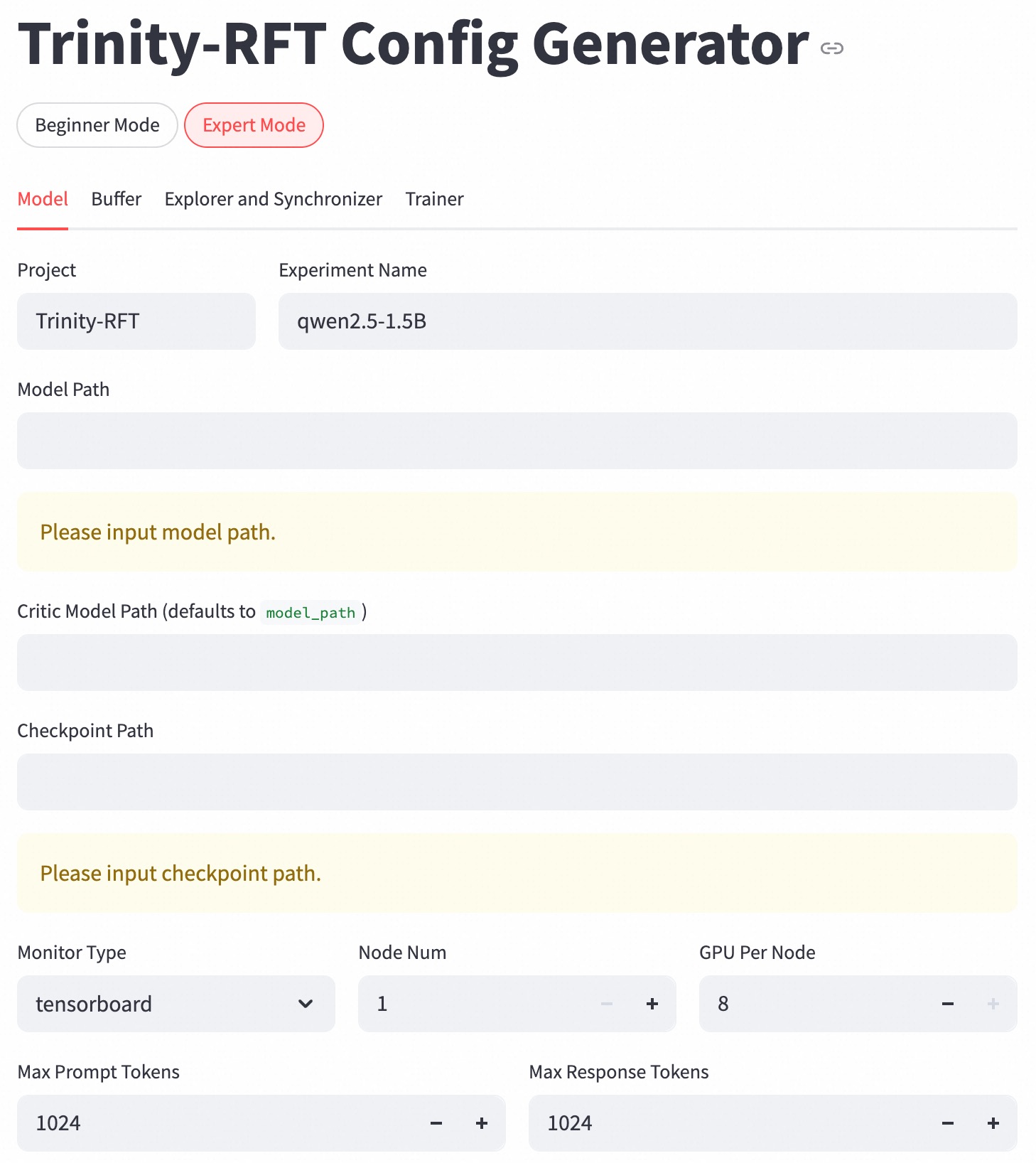
This is a screenshot of a web-based configuration generator for "Trinity-RFT". The interface allows users to set parameters for a machine learning project, likely related to large language models. The interface is divided into sections for different aspects of the configuration. The current view is in "Expert Mode".
### Components/Axes
The interface includes the following elements:
* **Title:** "Trinity-RFT Config Generator" (top-center)
* **Mode Selection:** Buttons for "Beginner Mode" and "Expert Mode" (top-left). "Expert Mode" is currently selected (orange background).
* **Tab Navigation:** Tabs for "Model", "Buffer", "Explorer and Synchronizer", and "Trainer" (below mode selection). "Model" is currently selected.
* **Project Field:** Labelled "Project", with a pre-filled value of "Trinity-RFT".
* **Experiment Name Field:** Labelled "Experiment Name", with a pre-filled value of "qwen2.5-1.5B".
* **Model Path Field:** Labelled "Model Path", with placeholder text "Please input model path.".
* **Critic Model Path Field:** Labelled "Critic Model Path (defaults to model_path )".
* **Checkpoint Path Field:** Labelled "Checkpoint Path", with placeholder text "Please input checkpoint path.".
* **Monitor Type Dropdown:** Labelled "Monitor Type", with a current selection of "tensorboard".
* **Node Num:** Labelled "Node Num", with a value of "1". Plus and minus buttons are present for incrementing/decrementing.
* **GPU Per Node:** Labelled "GPU Per Node", with a value of "8". Plus and minus buttons are present for incrementing/decrementing.
* **Max Prompt Tokens:** Labelled "Max Prompt Tokens", with a value of "1024". Plus and minus buttons are present for incrementing/decrementing.
* **Max Response Tokens:** Labelled "Max Response Tokens", with a value of "1024". Plus and minus buttons are present for incrementing/decrementing.
### Detailed Analysis or Content Details
The screenshot shows a configuration interface pre-populated with some default values.
* **Project:** Trinity-RFT
* **Experiment Name:** qwen2.5-1.5B
* **Model Path:** Empty (placeholder text present)
* **Critic Model Path:** Empty (defaults to model\_path)
* **Checkpoint Path:** Empty (placeholder text present)
* **Monitor Type:** tensorboard
* **Node Num:** 1
* **GPU Per Node:** 8
* **Max Prompt Tokens:** 1024
* **Max Response Tokens:** 1024
The plus and minus buttons next to "Node Num", "GPU Per Node", "Max Prompt Tokens", and "Max Response Tokens" suggest these values can be adjusted. The dropdown for "Monitor Type" allows selection of different monitoring tools.
### Key Observations
The interface is designed for configuring a machine learning training or inference process. The pre-filled values suggest a specific model ("qwen2.5-1.5B") is being used as a starting point. The presence of fields for "Model Path" and "Checkpoint Path" indicates the user needs to specify where the model and its saved states are located. The "Monitor Type" setting allows for tracking the training process.
### Interpretation
This configuration generator is likely part of a larger system for training or deploying large language models. The "Trinity-RFT" name suggests a specific framework or methodology. The "Expert Mode" indicates that more advanced configuration options are available beyond what is shown in this screenshot. The pre-filled values provide a reasonable default configuration for the specified model, but the user has the flexibility to customize the settings based on their specific needs and resources. The interface is designed to simplify the process of setting up and running machine learning experiments. The use of plus/minus buttons and dropdown menus makes it easy to adjust parameters without requiring manual input of values.