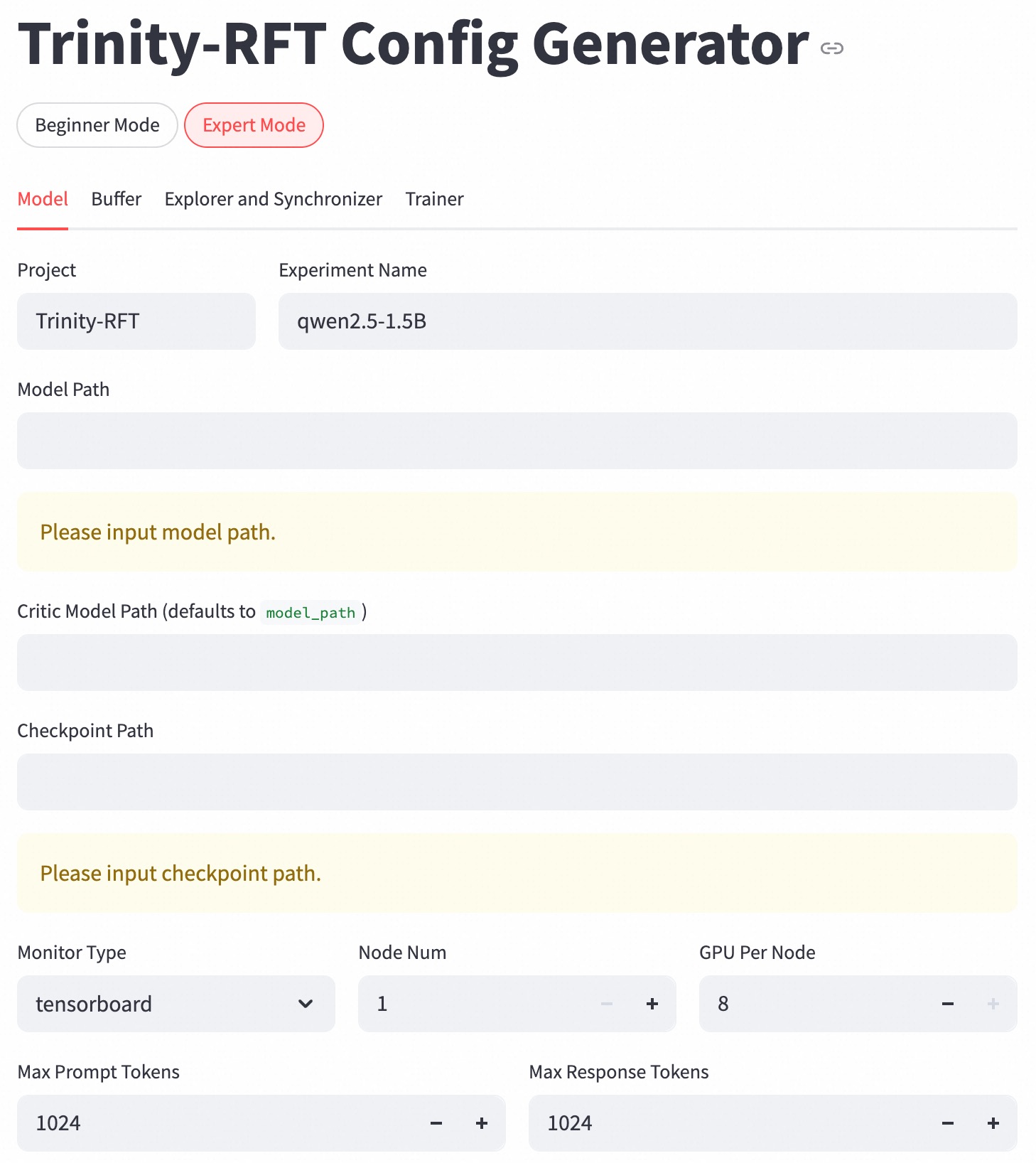
## Screenshot: Trinity-RFT Config Generator UI
### Overview
The image displays a configuration interface for the Trinity-RFT model generator. The UI is in "Expert Mode" with the "Model" tab active. Key configuration parameters include project details, model paths, resource allocation, and training constraints.
### Components/Axes
1. **Tabs**:
- Top-level tabs: "Beginner Mode" (unselected) and "Expert Mode" (selected, highlighted in red).
- Secondary tabs under "Expert Mode": "Model" (active), "Buffer," "Explorer and Synchronizer," "Trainer."
2. **Input Fields**:
- **Project**: "Trinity-RFT" (text field).
- **Experiment Name**: "qwen2.5-1.5B" (text field).
- **Model Path**: Empty with placeholder "Please input model path."
- **Critic Model Path**: Defaults to "model_path" (text field).
- **Checkpoint Path**: Empty with placeholder "Please input checkpoint path."
3. **Dropdowns/Selectors**:
- **Monitor Type**: "tensorboard" (selected from dropdown).
4. **Resource Allocation**:
- **Node Num**: 1 (numeric input with +/- controls).
- **GPU Per Node**: 8 (numeric input with +/- controls).
5. **Token Constraints**:
- **Max Prompt Tokens**: 1024 (numeric input with +/- controls).
- **Max Response Tokens**: 1024 (numeric input with +/- controls).
### Detailed Analysis
- **Required Fields**: "Model Path" and "Checkpoint Path" are mandatory, indicated by placeholder text in yellow-highlighted fields.
- **Default Values**: "Critic Model Path" defaults to "model_path," suggesting a fallback or placeholder value.
- **Resource Configuration**: "Node Num" and "GPU Per Node" define computational resources, with values 1 and 8 respectively.
- **Token Limits**: Both prompt and response tokens are capped at 1024, likely to manage model input/output size.
### Key Observations
- The interface enforces mandatory inputs for model and checkpoint paths, critical for training workflows.
- Default values (e.g., "model_path") may indicate incomplete configuration or placeholder text.
- Token limits suggest optimization for medium-sized language models, balancing context length and computational efficiency.
### Interpretation
This UI is designed for advanced users configuring a large language model (LLM) training pipeline. The "Model Path" and "Checkpoint Path" fields are essential for specifying training data and model states. The integration with TensorBoard implies real-time monitoring capabilities. Resource allocation (1 node, 8 GPUs) suggests a distributed computing setup, while token limits reflect constraints on sequence processing. The absence of filled paths indicates the configuration is incomplete, requiring user input to proceed. The design prioritizes flexibility (dropdowns, numeric controls) while enforcing critical dependencies (required fields).