# Technical Document Extraction: StarCraft II Gameplay Interface
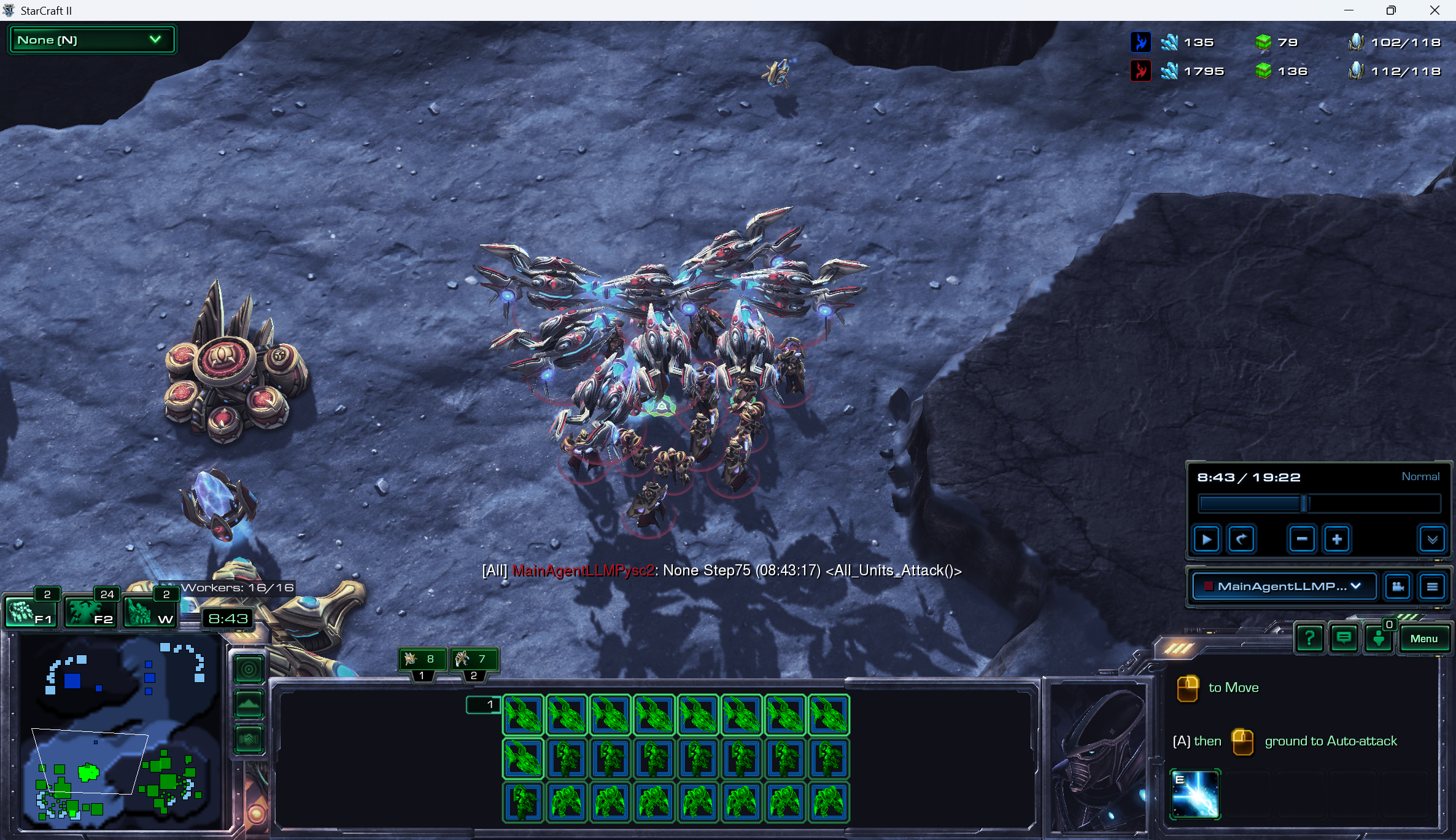
This document provides a comprehensive extraction of the textual and data-driven information contained within the provided image, which depicts a real-time strategy game interface (StarCraft II).
## 1. Component Isolation
The image is segmented into four primary functional regions:
* **Header (Top Bar):** Resource management and player status.
* **Main Viewport (Center):** Tactical unit display and chat log.
* **Minimap & Selection (Bottom Left/Center):** Spatial orientation and unit control groups.
* **Command & Replay Interface (Bottom Right):** Playback controls and unit abilities.
---
## 2. Header Data (Resource Management)
Located at the top right of the screen, tracking two players (Blue and Red).
| Player Icon | Minerals | Vespene Gas | Supply (Current/Max) |
| :--- | :--- | :--- | :--- |
| **Blue (Protoss)** | 135 | 79 | 102/118 |
| **Red (Protoss)** | 1795 | 136 | 112/118 |
* **Top Left Dropdown:** `None (N)`
---
## 3. Main Viewport (Tactical Information)
### Textual Overlay (Chat/Log)
Located in the lower-center of the viewport:
* **Text:** `[All] MainAgentLLMPysc2: None Step75 (08:43:17) <All_Units_Attack()>`
* **Context:** This indicates an automated agent command issued at the 8-minute, 43-second mark.
### Visual Components
* **Units:** A cluster of Protoss units (Void Rays and Stalkers) are grouped in the center.
* **Structures:** A Protoss Pylon and a Nexus (partially visible) are on the left.
* **Worker Status:** `Workers: 16/16` (displayed above the minimap area).
---
## 4. Minimap and Selection (Bottom Left/Center)
### Minimap Data
* **Location:** Bottom left corner.
* **Features:** Shows a blue base (top left) and a green unit cluster (bottom left) within a white boundary box.
* **Time Display:** `8:43`
### Control Groups
* **F1:** 2 units
* **F2:** 24 units
* **W:** 2 units
### Unit Selection Grid (Center Console)
The grid shows the currently selected army.
* **Top Row (Icons 1-8):** 8 Void Rays (indicated by green wireframe icons).
* **Middle Row (Icons 9-16):** 2 Void Rays, followed by 6 Stalkers.
* **Bottom Row (Icons 17-24):** 8 Stalkers.
* **Total Selection:** 10 Void Rays, 14 Stalkers.
* **Sub-selection Tabs:**
* Void Ray icon: `8`
* Stalker icon: `7` (Note: This indicates the active sub-group being viewed).
---
## 5. Command & Replay Interface (Bottom Right)
### Replay Controls (Top of Section)
* **Timer:** `8:43 / 19:22`
* **Speed:** `Normal`
* **Buttons:** Play/Pause, Rewind, Slow Down (-), Speed Up (+).
* **Active Player View:** `MainAgentLLMP...` (Dropdown menu).
### Command Card (Bottom Right Corner)
* **Instructional Text:**
* `[Right Click Icon] to Move`
* `[A] then [Left Click Icon] ground to Auto-attack`
* **Active Ability Icon:**
* **Label:** `E`
* **Visual:** Prismatic Alignment (Void Ray ability).
### Menu Buttons (Far Right)
* `?` (Help)
* `[Speech Bubble]` (Chat)
* `[List]` (Log)
* `Menu` (System Menu)
* **Unspent Points/Alerts:** `0` (Green circle above Menu).
---
## 6. Trend and Fact Summary
* **Economic Trend:** The Red player has a significant mineral lead (1795 vs 135) but similar supply counts, suggesting the Blue player (the agent) has spent more of their resources on the current army.
* **Game State:** The game is at the 08:43 mark of a 19:22 duration replay.
* **Action:** The command `<All_Units_Attack()>` has just been triggered, corresponding with the army cluster moving toward the center-right of the map.