## Screenshot: Answer Form Interface
### Overview
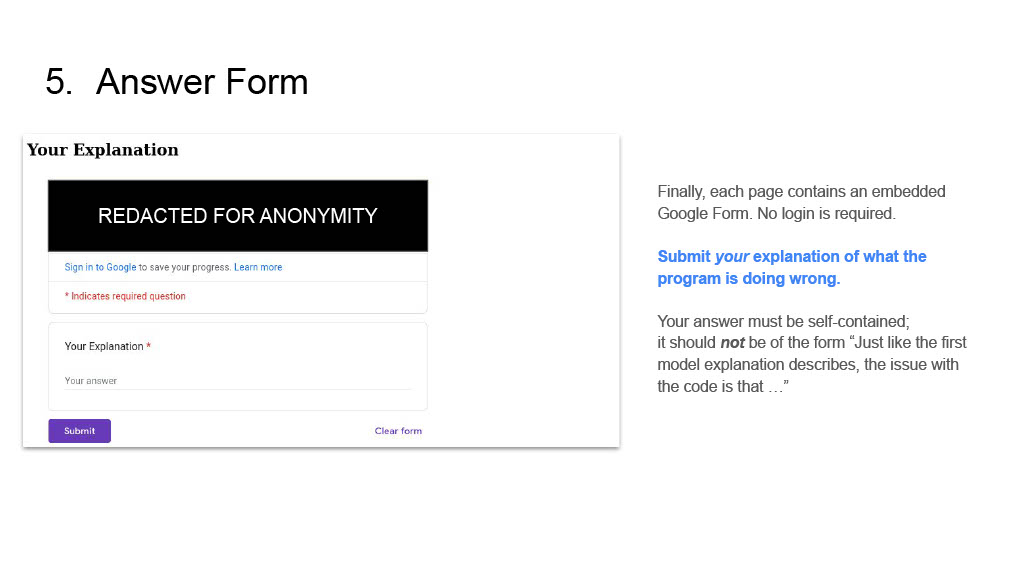
The image depicts a user interface for submitting an explanation of a program error. The form includes a redacted section for anonymity, input fields, and instructions for users. Key elements include a Google sign-in prompt, required field indicators, and submission guidelines.
### Components/Axes
- **Title**: "5. Answer Form" (top-left)
- **Redacted Section**: Black box with text "REDACTED FOR ANONYMITY" (center-left)
- **Sign-in Prompt**: "Sign in to Google to save your progress. Learn more" (blue text, below redacted section)
- **Required Field Indicator**: Red asterisk (*) next to "Your Explanation" (bottom-left)
- **Text Area**: Labeled "Your Explanation" with placeholder "Your answer" (below required indicator)
- **Buttons**:
- "Submit" (purple button, bottom-left)
- "Clear form" (purple text, bottom-right)
- **Instructions**: Right-aligned text block explaining form requirements (see below)
### Content Details
#### Left Panel (Form)
1. **Redacted Section**:
- Black box with white text: "REDACTED FOR ANONYMITY"
- Position: Center-left, above sign-in prompt
2. **Sign-in Prompt**:
- Text: "Sign in to Google to save your progress. Learn more"
- Position: Directly below redacted section
3. **Required Field**:
- Red asterisk (*) next to "Your Explanation"
- Position: Bottom-left, above text area
4. **Text Area**:
- Label: "Your Explanation"
- Placeholder: "Your answer"
- Position: Below required indicator
5. **Buttons**:
- "Submit" (purple button, bottom-left)
- "Clear form" (purple text, bottom-right)
#### Right Panel (Instructions)
- **Header**: "Finally, each page contains an embedded Google Form. No login is required."
- **Key Instruction**:
- Blue text: "Submit your explanation of what the program is doing wrong."
- **Answer Format Guidance**:
- Text: "Your answer must be self-contained; it should **not** be of the form 'Just like the first model explanation describes, the issue with the code is that ...'"
- Position: Bottom of right panel
### Key Observations
1. **Anonymity**: The redacted section ensures user privacy.
2. **Required Field**: The red asterisk (*) explicitly marks "Your Explanation" as mandatory.
3. **Submission Constraints**: Users must provide a self-contained explanation, avoiding generic responses.
4. **Google Integration**: The form is embedded in a page with no login required, but signing in saves progress.
### Interpretation
The form is designed for users to report program errors anonymously while ensuring detailed, self-contained explanations. The redaction emphasizes privacy, and the instructions discourage vague answers by requiring specific code-related analysis. The Google sign-in option balances convenience with data persistence, though it is optional. The color coding (red for required fields, purple for buttons) aids usability by highlighting critical elements.