\n
## Screenshot: Label Studio Interface - Question Answering Task
### Overview
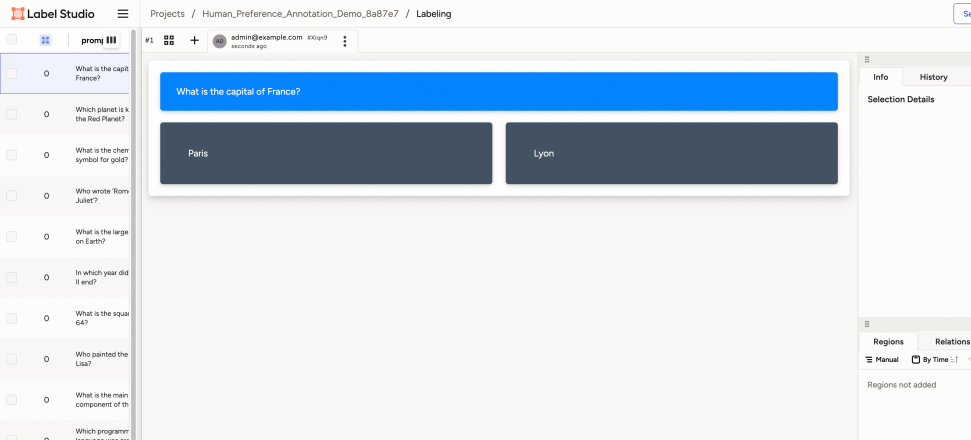
The image is a screenshot of the Label Studio interface, specifically showing a question answering task. It presents a series of multiple-choice questions, with one question actively highlighted for annotation. The interface elements suggest a data labeling workflow for training a machine learning model.
### Components/Axes
The screenshot displays the following components:
* **Header:** Contains the Label Studio logo, project navigation (Projects / Human\_Preference\_Annotation\_Demo\_8a87e7 / Labeling), user information ("admin@example.com"), and a version indicator ("v1").
* **Question List:** A vertical list on the left side of the screen containing multiple questions. Each question has a radio button next to it.
* **Active Question Area:** The central area displaying the currently selected question.
* **Answer Options:** Two rectangular boxes labeled "Paris" and "Lyon" representing the answer choices.
* **Sidebar:** A right-side sidebar with sections for "Info", "History", "Selection Details", "Regions", and "Relations". The "Regions" section indicates that no regions have been added.
### Detailed Analysis / Content Details
The active question is: "What is the capital of France?". The answer options are "Paris" and "Lyon".
The question list contains the following questions (transcribed):
1. What is the capital of France?
2. Which planet is known as the Red Planet?
3. What is the chemical symbol for gold?
4. Who wrote Romeo and Juliet?
5. What is the largest ocean on Earth?
6. In which year did WWII end?
7. What is the square root of 64?
8. Who painted the Mona Lisa?
9. What is the main component of the air we breathe?
10. Which programmer created WWW?
The sidebar shows the following sections:
* **Info:** (Empty)
* **History:** (Empty)
* **Selection Details:** (Empty)
* **Regions:** "Regions not added"
* **Relations:** (Empty)
### Key Observations
The interface is designed for annotators to select the correct answer to a question. The "Regions" section being empty suggests that this task does not involve bounding box or polygon annotation. The presence of "History" suggests that the interface tracks annotation changes.
### Interpretation
This screenshot demonstrates a typical setup for creating a labeled dataset for question answering. The Label Studio interface provides a user-friendly way to present questions and collect annotations (in this case, selecting the correct answer). The data collected through this interface would be used to train a machine learning model to answer similar questions. The interface is focused on simple selection-based annotation, indicating the task is likely to train a model to identify the correct answer from a limited set of options. The questions cover a range of general knowledge topics. The lack of any selected answer suggests the annotator has not yet completed the task.