\n
## Screenshot: Group Email Agent Instance Review
### Overview
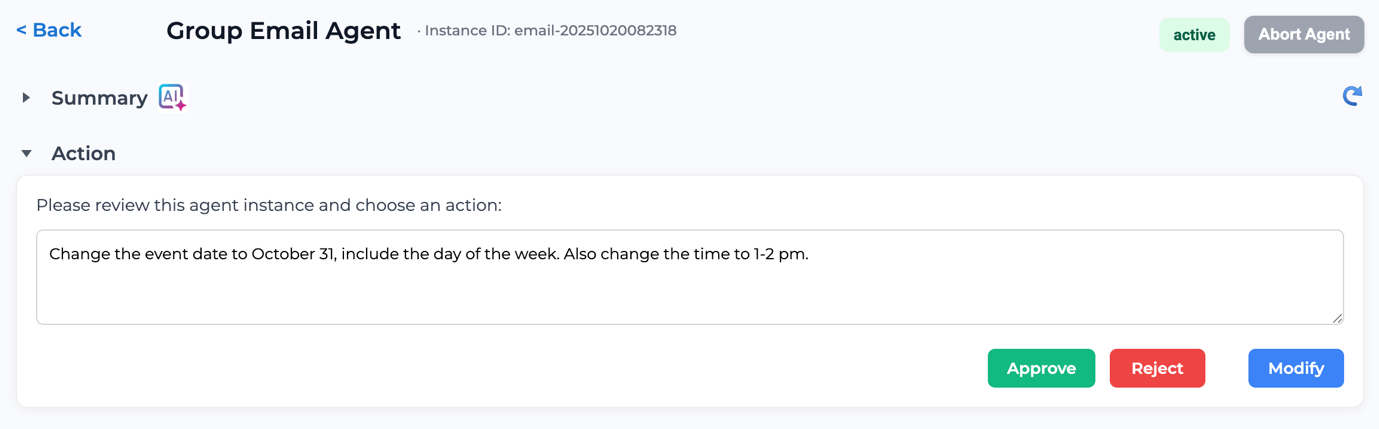
This is a screenshot of a user interface displaying a review screen for a "Group Email Agent" instance. The screen presents a summary and requests an action (Approve, Reject, or Modify) regarding a proposed change to an event date and time.
### Components/Axes
The screenshot contains the following UI elements:
* **Header:** Located at the top-left, includes a "Back" button, the title "Group Email Agent", and the instance ID "email-20251020082318". The status is indicated as "active" with an "Abort Agent" button to the right.
* **Summary Section:** Collapsed section labeled "Summary" with an AI icon.
* **Action Section:** Expanded section labeled "Action". This section contains the main instructions and action buttons.
* **Instruction Text:** A paragraph requesting a review and selection of an action.
* **Proposed Change Text:** A specific instruction to change the event date to October 31st, including the day of the week, and the time to 1-2 pm.
* **Action Buttons:** Three buttons at the bottom: "Approve" (green), "Reject" (red), and "Modify" (grey).
### Detailed Analysis or Content Details
The key textual content is as follows:
* **Instance ID:** email-20251020082318
* **Status:** active
* **Instruction:** "Please review this agent instance and choose an action:"
* **Proposed Change:** "Change the event date to October 31, include the day of the week. Also change the time to 1-2 pm."
### Key Observations
The interface is designed for a workflow approval process. The proposed change is clearly stated, and the user is presented with three distinct options: approve, reject, or modify. The color-coding of the action buttons (green for approve, red for reject) provides a visual cue for the intended action.
### Interpretation
This screenshot represents a step in an automated process where a "Group Email Agent" has suggested a modification to an event. A human reviewer is required to validate and either approve, reject, or further modify the proposed change. The system provides the necessary context (instance ID, proposed change) for informed decision-making. The presence of an "Abort Agent" button suggests the possibility of halting the automated process if necessary. The AI icon next to the "Summary" section indicates that an AI-generated summary of the agent's activity might be available. The date format used in the instance ID (YYYYMMDDHHMMSS) suggests a timestamp-based identification system.