## System Resource Monitor
### Overview
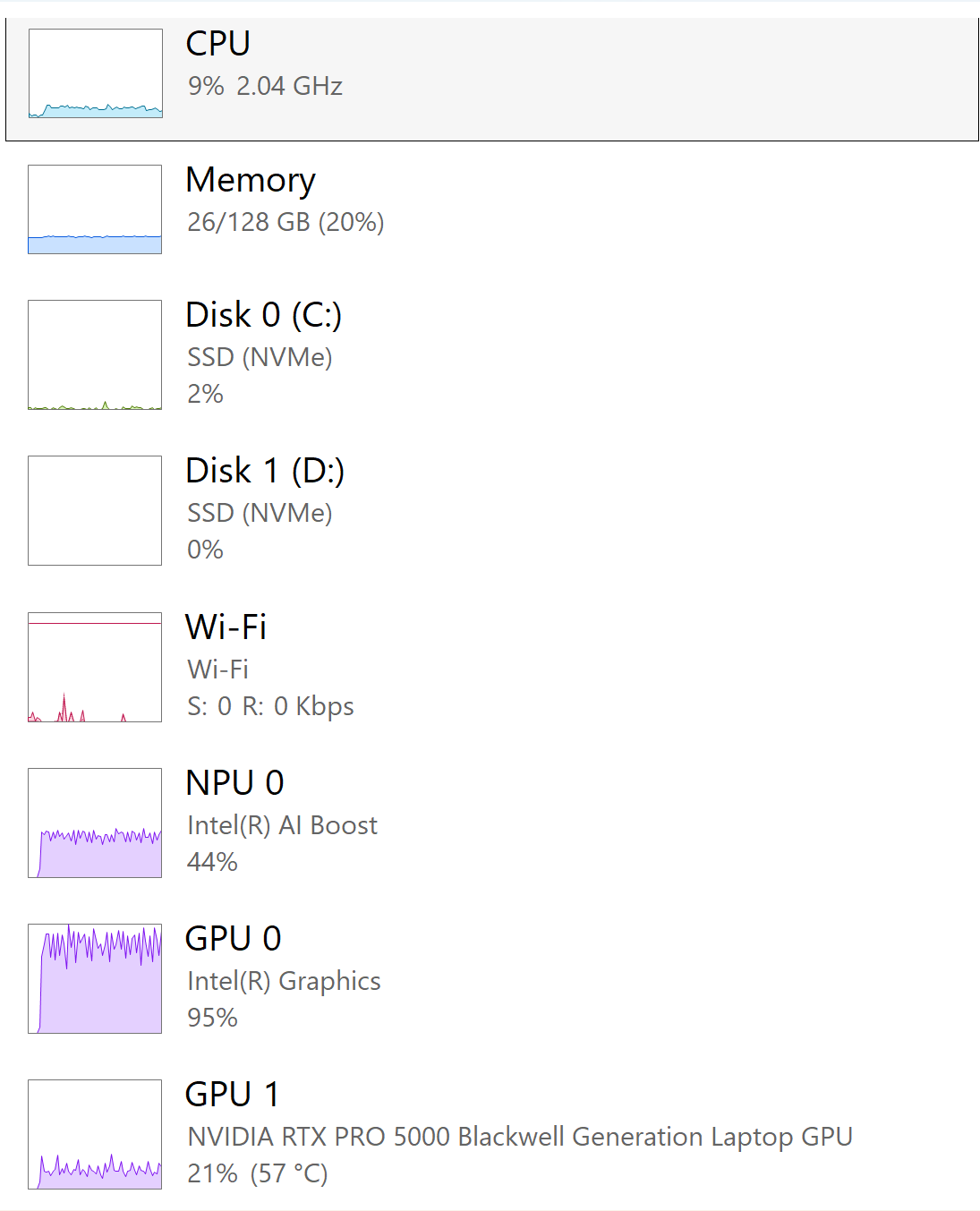
The image is a screenshot of a system resource monitor, displaying the utilization of various hardware components such as CPU, Memory, Disk, Wi-Fi, NPU, and GPU. Each component has a usage percentage and additional information like speed, capacity, or temperature.
### Components/Axes
* **CPU:** Shows CPU usage as a percentage and clock speed.
* **Memory:** Shows memory usage as used/total capacity and percentage.
* **Disk 0 (C:):** Shows disk usage percentage and indicates it's an SSD (NVMe).
* **Disk 1 (D:):** Shows disk usage percentage and indicates it's an SSD (NVMe).
* **Wi-Fi:** Shows Wi-Fi activity with send (S) and receive (R) rates.
* **NPU 0:** Shows NPU usage percentage and the brand (Intel(R) AI Boost).
* **GPU 0:** Shows GPU usage percentage and the brand (Intel(R) Graphics).
* **GPU 1:** Shows GPU usage percentage, the model (NVIDIA RTX PRO 5000 Blackwell Generation Laptop GPU), and temperature.
### Detailed Analysis or Content Details
* **CPU:** 9% utilization, 2.04 GHz. The usage graph shows minor fluctuations.
* **Memory:** 26/128 GB (20%) utilized. The usage graph shows a relatively stable level.
* **Disk 0 (C:):** 2% utilization, SSD (NVMe). The usage graph shows minimal activity.
* **Disk 1 (D:):** 0% utilization, SSD (NVMe). The usage graph shows no activity.
* **Wi-Fi:** Send rate (S): 0 Kbps, Receive rate (R): 0 Kbps. The usage graph shows very little activity.
* **NPU 0:** 44% utilization, Intel(R) AI Boost. The usage graph shows moderate fluctuations.
* **GPU 0:** 95% utilization, Intel(R) Graphics. The usage graph shows significant and frequent fluctuations.
* **GPU 1:** 21% utilization, NVIDIA RTX PRO 5000 Blackwell Generation Laptop GPU, 57 °C. The usage graph shows some fluctuations.
### Key Observations
* GPU 0 (Intel(R) Graphics) is under heavy load (95%).
* NPU 0 (Intel(R) AI Boost) has moderate usage (44%).
* GPU 1 (NVIDIA RTX PRO 5000) is at 21% utilization with a temperature of 57 °C.
* Disk 1 (D:) is not being utilized (0%).
* Wi-Fi is currently inactive (0 Kbps send and receive).
### Interpretation
The system is experiencing a high load on the integrated Intel graphics (GPU 0), suggesting that graphics-intensive tasks are being performed using this GPU. The dedicated NVIDIA GPU (GPU 1) is being utilized to a lesser extent, and the NPU is moderately active. The low disk and Wi-Fi activity indicate that the system is not heavily reading/writing to disk or using the network at the moment. The CPU and memory usage are relatively low, suggesting they are not the bottleneck in the current workload. The temperature of the NVIDIA GPU is within a normal range.