# Technical Document Extraction: pgAdmin Database Interface
## 1. Component Isolation
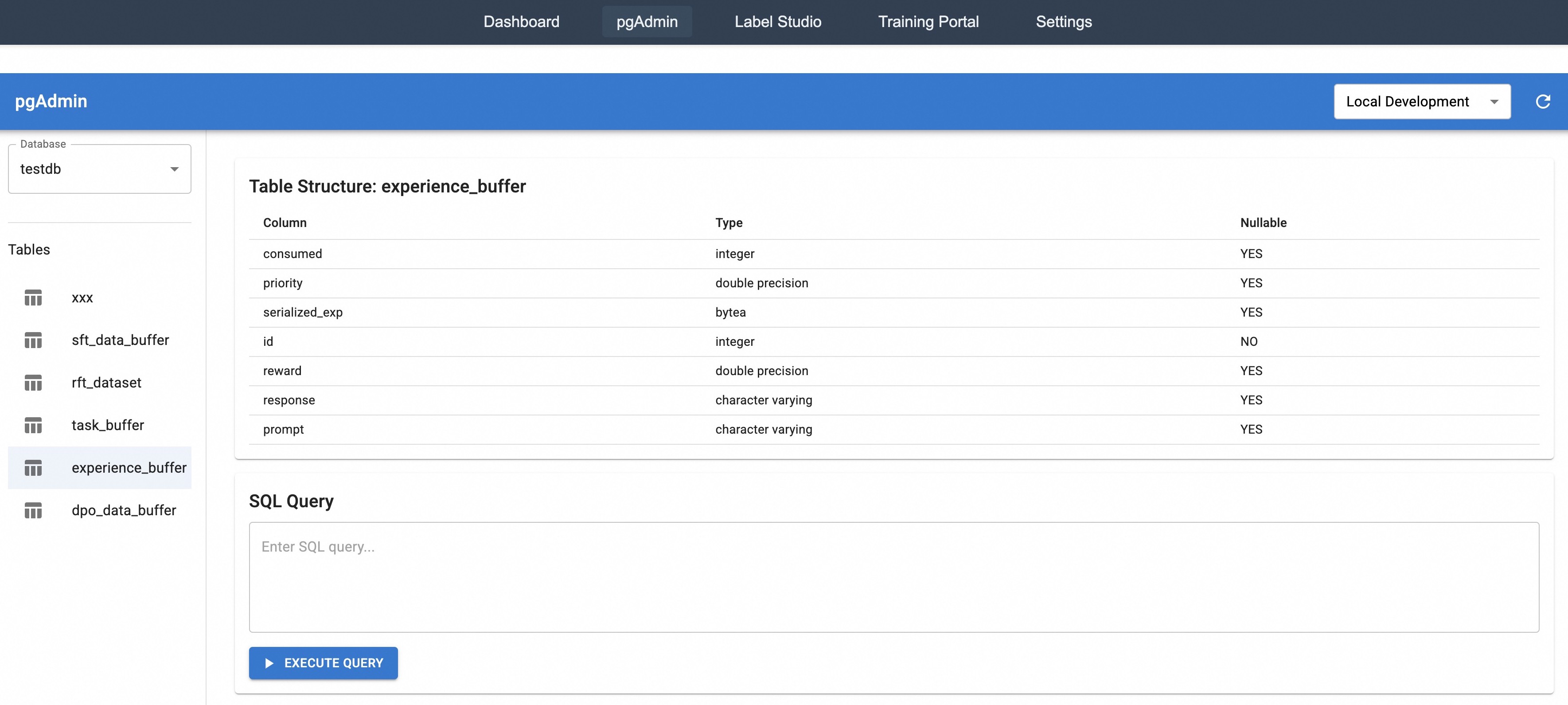
The image is a screenshot of a web-based database management interface, specifically a custom implementation of a **pgAdmin** dashboard. The interface is divided into four primary functional regions:
* **Global Navigation Header:** Top dark bar for application-level switching.
* **Context Header:** Blue bar indicating the current tool and environment selection.
* **Sidebar (Navigation Tree):** Left-hand panel for database and table selection.
* **Main Content Area:** Central workspace containing the table schema and a query editor.
---
## 2. Global Navigation Header
Located at the top of the screen, this bar contains the following navigation links:
* Dashboard
* **pgAdmin** (Highlighted/Active state with a grey background box)
* Label Studio
* Training Portal
* Settings
---
## 3. Context Header & Sidebar
### Context Header (Blue Bar)
* **Title:** pgAdmin (Left-aligned)
* **Environment Selector:** A dropdown menu (Right-aligned) currently set to **"Local Development"**.
* **Refresh Icon:** A circular arrow icon located to the far right.
### Sidebar (Navigation Tree)
* **Database Selector:** A dropdown labeled "Database" with the value **"testdb"** selected.
* **Tables List:** A vertical list of tables within the selected database. The table **"experience_buffer"** is currently selected (indicated by a light blue highlight).
* xxx
* sft_data_buffer
* rft_dataset
* task_buffer
* **experience_buffer** (Selected)
* dpo_data_buffer
---
## 4. Main Content Area: Table Structure
The primary data display shows the schema for the selected table.
### Header: Table Structure: experience_buffer
| Column | Type | Nullable |
| :--- | :--- | :--- |
| consumed | integer | YES |
| priority | double precision | YES |
| serialized_exp | bytea | YES |
| id | integer | NO |
| reward | double precision | YES |
| response | character varying | YES |
| prompt | character varying | YES |
**Data Observations:**
* The table contains 7 columns.
* The `id` column is the only field marked as **NOT NULL** (Nullable: NO), suggesting it is likely the Primary Key.
* The table stores a mix of numeric data (`integer`, `double precision`), binary data (`bytea`), and string data (`character varying`).
---
## 5. Main Content Area: SQL Query Editor
Located below the table structure section.
* **Section Title:** SQL Query
* **Input Field:** A text area with placeholder text: *"Enter SQL query..."*
* **Action Button:** A blue button at the bottom left of the section labeled **"▶ EXECUTE QUERY"**.
---
## 6. Technical Summary
This interface represents a PostgreSQL management tool focused on a Reinforcement Learning or LLM training pipeline, evidenced by table names like `experience_buffer`, `sft_data_buffer` (Supervised Fine-Tuning), and `dpo_data_buffer` (Direct Preference Optimization). The `experience_buffer` table specifically tracks training data components including rewards, prompts, responses, and serialized experience data.