## Screenshot: pgAdmin Database Management Interface
### Overview
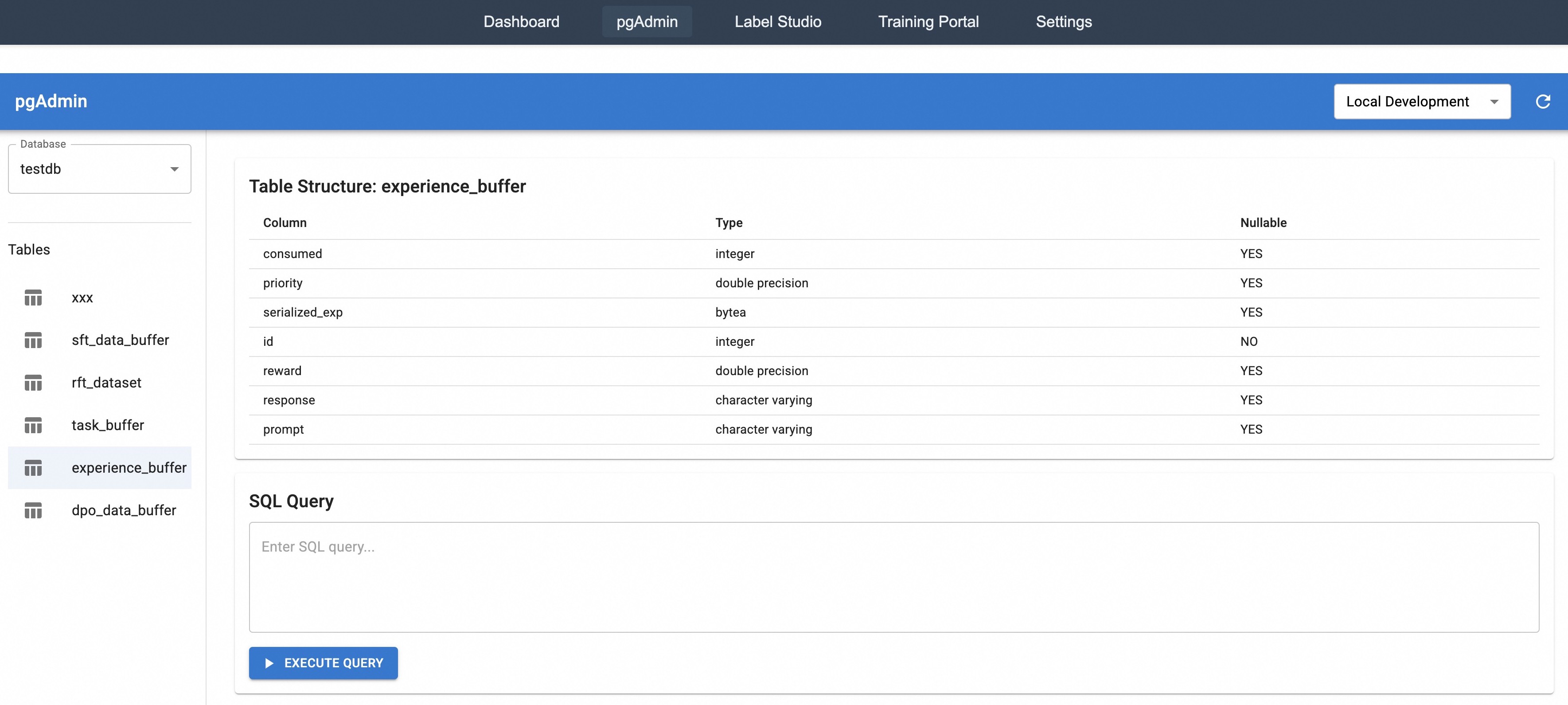
This image depicts a database management interface for PostgreSQL within the pgAdmin tool. The interface shows a table structure view for the `experience_buffer` table, along with navigation elements and an SQL query input area. The environment is labeled as "Local Development," indicating a non-production setup.
### Components/Axes
1. **Navigation Bar** (Top):
- Tabs: Dashboard, pgAdmin (active), Label Studio, Training Portal, Settings
- Blue banner with "pgAdmin" branding on the left
- "Local Development" dropdown menu on the right
2. **Left Sidebar**:
- Database dropdown labeled "testdb"
- Table list with icons:
- xxx
- sft_data_buffer
- rft_dataset
- task_buffer
- experience_buffer (highlighted)
- dpo_data_buffer
3. **Main Content Area**:
- Table structure header: "Table Structure: experience_buffer"
- Column metadata table with three columns:
- **Column**: Column names
- **Type**: Data types
- **Nullable**: YES/NO indicators
4. **SQL Query Section**:
- Text input box labeled "Enter SQL query..."
- Blue "EXECUTE QUERY" button with play icon
### Detailed Analysis
**Table Structure Details**:
| Column | Type | Nullable |
|-----------------|-------------------|----------|
| consumed | integer | YES |
| priority | double precision | YES |
| serialized_exp | bytea | YES |
| id | integer | NO |
| reward | double precision | YES |
| response | character varying | YES |
| prompt | character varying | YES |
**Key UI Elements**:
- All tables use identical vertical bar icons (5 horizontal bars)
- Nullable column shows "YES" for all except `id` (NO)
- Data types include integer, double precision, bytea, and character varying
- SQL input area has placeholder text "Enter SQL query..."
### Key Observations
1. The `id` column is the only non-nullable field in the table
2. All other columns allow NULL values
3. The interface uses consistent styling for data types:
- Numeric: integer/double precision
- Binary: bytea
- Text: character varying
4. The highlighted `experience_buffer` table suggests active user focus
5. "Local Development" environment implies testing/staging context
### Interpretation
This interface demonstrates a typical PostgreSQL database management workflow:
1. **Navigation**: Users switch between tools via the top tabs
2. **Database Selection**: The "testdb" database is currently active
3. **Table Inspection**: The `experience_buffer` table's structure reveals:
- A mix of numeric, binary, and text data types
- An auto-incrementing primary key (`id`)
- Potential machine learning/experiment tracking use case (buffer, reward, response)
4. **Query Execution**: The SQL input area enables direct database interaction
The "Local Development" label suggests this is a development environment, possibly for testing database schemas or running analytical queries before deployment to production. The highlighted table and SQL input area indicate active database exploration or modification.