# Technical Document Extraction: Label Studio Interface
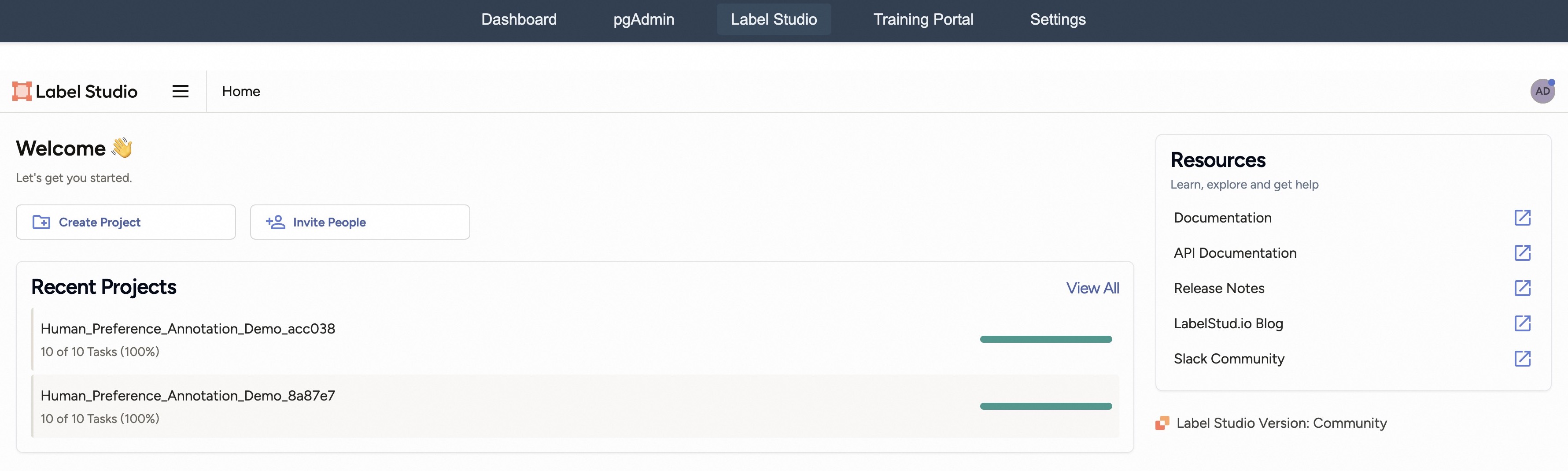
This document provides a comprehensive extraction of the textual and structural data from the provided image of the Label Studio web interface.
## 1. Global Navigation Header
The top-most section of the interface contains a dark-themed navigation bar with the following links:
* **Dashboard**
* **pgAdmin**
* **Label Studio** (Currently active/selected tab, indicated by a lighter background highlight)
* **Training Portal**
* **Settings**
## 2. Sub-Header / Brand Bar
Located immediately below the global navigation:
* **Logo:** Label Studio (accompanied by a square orange icon with white internal segments).
* **Menu Icon:** A three-line "hamburger" menu icon.
* **Breadcrumb/Location:** "Home"
* **User Profile:** A circular avatar on the far right with the initials "AD".
## 3. Main Content Area (Welcome Section)
This section serves as the primary landing area for the user.
### Header Text
* **Title:** Welcome 👋
* **Subtitle:** Let's get you started.
### Action Buttons
Two primary action buttons are positioned horizontally:
1. **Create Project:** Accompanied by a folder icon with a plus sign.
2. **Invite People:** Accompanied by a person icon with a plus sign.
## 4. Recent Projects Section
A large container displaying the user's most recent activity.
* **Section Title:** Recent Projects
* **Action Link:** View All (located at the top right of the container).
### Project List Data
The section contains two project entries, both showing 100% completion.
| Project Name | Task Progress | Completion Percentage | Visual Indicator |
| :--- | :--- | :--- | :--- |
| `Human_Preference_Annotation_Demo_acc038` | 10 of 10 Tasks | 100% | Solid teal progress bar (full) |
| `Human_Preference_Annotation_Demo_8a87e7` | 10 of 10 Tasks | 100% | Solid teal progress bar (full) |
**Trend Verification:** Both progress bars are visually identical, extending to the full width of their designated track, confirming the "100%" textual data.
## 5. Sidebar: Resources
Located on the right side of the screen.
* **Title:** Resources
* **Subtitle:** Learn, explore and get help
* **Links:** (Each link is accompanied by an "external link" icon)
* Documentation
* API Documentation
* Release Notes
* LabelStud.io Blog
* Slack Community
## 6. Footer Information
Located at the bottom right of the interface:
* **Label Studio Version:** Community (accompanied by the Label Studio logo icon).