\n
## Screenshot: Label Studio Home Page
### Overview
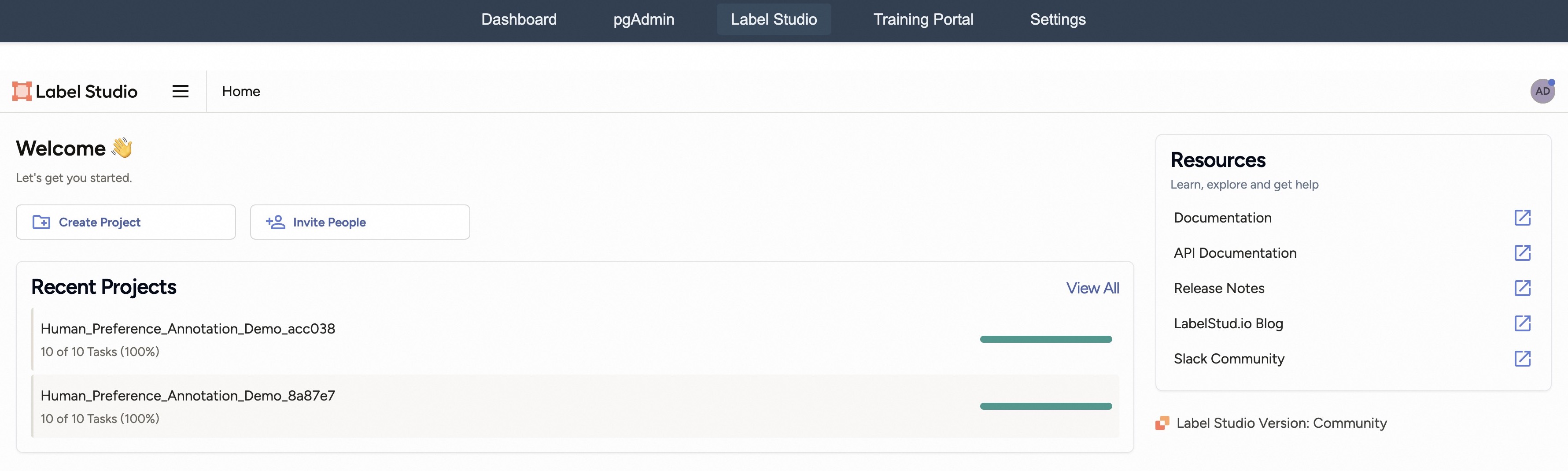
This is a screenshot of the Label Studio home page, a data labeling platform. The interface displays a welcome message, recent projects, and a resources section. The top navigation bar provides access to key sections like Dashboard, pgAdmin, Label Studio, Training Portal, and Settings.
### Components/Axes
The screenshot contains the following UI elements:
* **Top Navigation Bar:** Dashboard, pgAdmin, Label Studio, Training Portal, Settings.
* **Left Sidebar:** Label Studio logo and a hamburger menu icon.
* **Main Content Area:**
* Welcome section with a smiling face emoji and introductory text.
* "Create Project" button.
* "Invite People" button.
* "Recent Projects" section with project names and progress bars.
* "View All" link for Recent Projects.
* "Resources" section with links to Documentation, API Documentation, Release Notes, LabelStudio.io Blog, and Slack Community.
* **Footer:** Label Studio Version: Community.
* **Right Sidebar:** An advertisement labeled "AD".
### Detailed Analysis or Content Details
The screenshot displays the following specific information:
* **Top Navigation:** The navigation bar is positioned at the very top of the screen.
* **Welcome Message:** "Welcome 🥳 Let's get you started."
* **Recent Projects:**
* **Project 1:** "Human\_Preference\_Annotation\_Demo\_acc038" - 10 of 10 Tasks (100%) - Progress bar is fully filled.
* **Project 2:** "Human\_Preference\_Annotation\_Demo\_8a87e7" - 10 of 10 Tasks (100%) - Progress bar is fully filled.
* **Resources:**
* Documentation - Link icon.
* API Documentation - Link icon.
* Release Notes - Link icon.
* LabelStudio.io Blog - Link icon.
* Slack Community - Link icon.
* **Footer:** "Label Studio Version: Community"
### Key Observations
* Both listed recent projects are fully completed (100% of tasks finished).
* The interface is clean and straightforward, designed for ease of use.
* The resources section provides easy access to documentation and support.
* The presence of an advertisement suggests a freemium or community-supported model.
### Interpretation
The screenshot showcases the Label Studio platform's user-friendly interface, geared towards onboarding new users and providing quick access to essential features. The completed projects indicate a successful workflow, and the readily available resources suggest a commitment to user support. The "Community" version label in the footer implies that this is a free or open-source offering, potentially with limited features compared to a paid enterprise version. The overall design emphasizes simplicity and efficiency, aiming to streamline the data labeling process. The presence of an advertisement suggests a business model that relies on upselling to premium features or services.