## Screenshot: Label Studio Dashboard Interface
### Overview
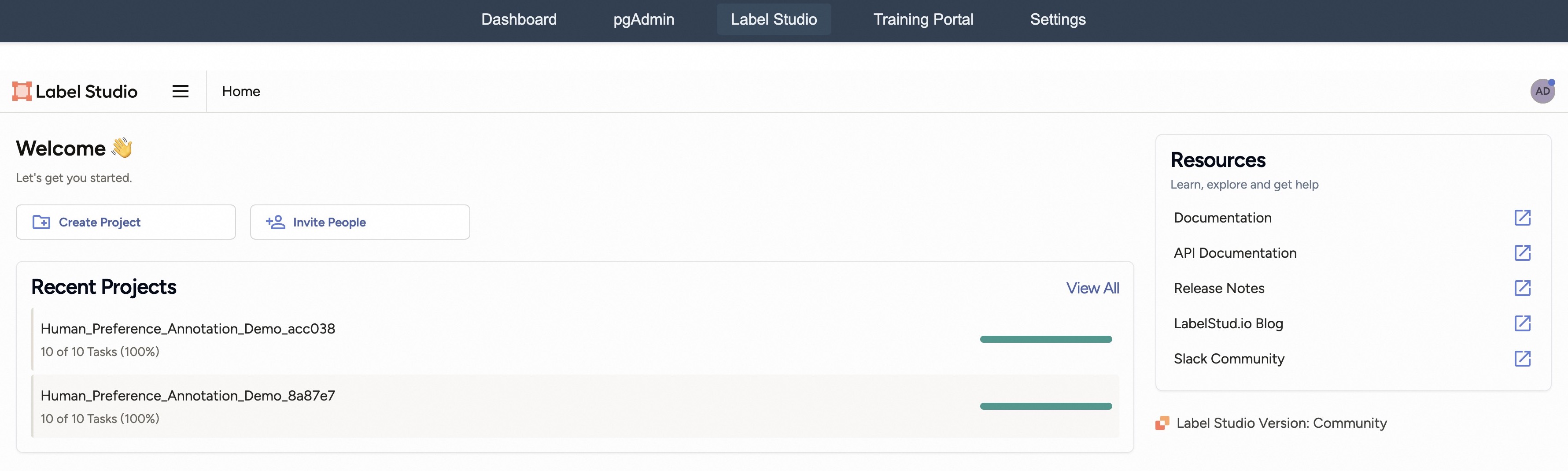
The image shows a web application dashboard for "Label Studio," a data labeling platform. The interface includes navigation controls, project management tools, and resource links. Key elements include a welcome message, project creation options, recent project tracking, and documentation resources.
### Components/Axes
1. **Navigation Bar (Top)**
- Tabs: Dashboard, pgAdmin, Label Studio (active), Training Portal, Settings
- Active tab: "Label Studio" (highlighted with darker background)
2. **Main Content Area**
- **Header Section**
- Logo: "Label Studio" with orange square icon
- Navigation: Hamburger menu icon (three horizontal lines)
- User indicator: Circular icon with "AD" initials and blue dot (unread notification)
- **Welcome Section**
- Text: "Welcome 👋 Let's get you started."
- Action buttons:
- "Create Project" (folder icon with "+")
- "Invite People" (person icon with "+")
- **Recent Projects Section**
- Header: "Recent Projects"
- "View All" link (blue text)
- Project entries:
1. `Human_Preference_Annotation_Demo_acc038`
- Status: "10 of 10 Tasks (100%)"
- Progress bar: Full (teal color)
2. `Human_Preference_Annotation_Demo_8a87e7`
- Status: "10 of 10 Tasks (100%)"
- Progress bar: Full (teal color)
- **Resources Section (Right Panel)**
- Header: "Resources"
- Subheader: "Learn, explore and get help"
- Links with icons:
- Documentation (📄 icon)
- API Documentation (📄 icon)
- Release Notes (📄 icon)
- LabelStudi.io Blog (📄 icon)
- Slack Community (📄 icon)
3. **Footer**
- Version note: "Label Studio Version: Community"
- Logo: Orange square icon (matches header)
### Detailed Analysis
- **Navigation**: Standard dashboard layout with persistent top navigation. Active tab styling indicates current context.
- **Project Management**:
- Two identical project names suggest template usage or duplicate entries.
- 100% completion for both projects implies successful task execution.
- **Resource Accessibility**:
- All resources have identical iconography (document symbol), suggesting unified documentation structure.
- Slack Community link indicates active user support channels.
### Key Observations
1. **Duplicate Projects**: Two projects share identical names but different UUIDs (`acc038` vs `8a87e7`), possibly indicating template variations.
2. **Completion Status**: Both projects show 100% completion, suggesting either:
- Immediate task finalization
- Test data with pre-filled annotations
3. **Resource Uniformity**: Consistent iconography across documentation links implies standardized documentation format.
### Interpretation
This dashboard serves as a centralized hub for data labeling workflows. The presence of identical 100% completed projects suggests either:
1. A demonstration environment with pre-configured test data
2. A production setup where tasks are completed rapidly
3. A potential UI inconsistency showing duplicate project entries
The resources section emphasizes community support and documentation accessibility, indicating the platform's focus on collaborative annotation work. The "AD" user initials suggest administrative access, with the blue dot indicating pending notifications that could relate to project updates or user activity.
The interface design prioritizes quick access to project management tools and documentation, with clear visual indicators for task completion status. The duplicate project entries warrant further investigation to determine if this represents intentional template usage or a potential UI bug.