## UI Screenshot: SemanticCite Configuration and Input Form
### Overview
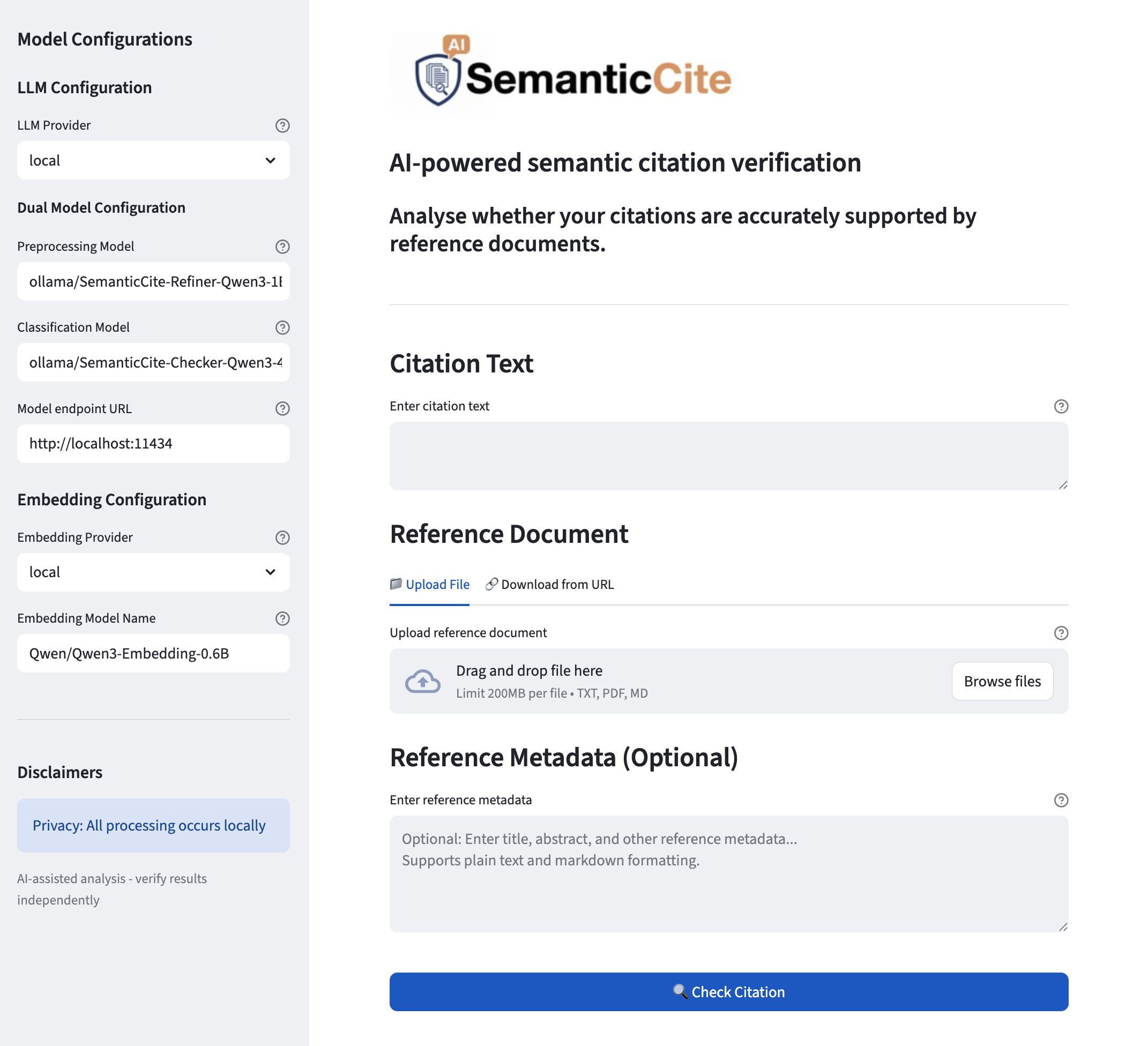
The image is a screenshot of a user interface for a tool called SemanticCite, which is designed for AI-powered semantic citation verification. The UI includes configuration options for the underlying language models, input fields for citation text and reference documents, and a section for optional reference metadata.
### Components/Axes
**Left Panel: Model Configurations**
* **Model Configurations:** A heading for the left panel.
* **LLM Configuration:** A sub-heading.
* **LLM Provider:** Label for a dropdown menu.
* **local:** The selected option in the dropdown.
* **Dual Model Configuration:** A sub-heading.
* **Preprocessing Model:** Label for a text input field.
* **ollama/SemanticCite-Refiner-Qwen3-11:** The value in the text input field.
* **Classification Model:** Label for a text input field.
* **ollama/SemanticCite-Checker-Qwen3-4:** The value in the text input field.
* **Model endpoint URL:** Label for a text input field.
* **http://localhost:11434:** The value in the text input field.
* **Embedding Configuration:** A sub-heading.
* **Embedding Provider:** Label for a dropdown menu.
* **local:** The selected option in the dropdown.
* **Embedding Model Name:** Label for a text input field.
* **Qwen/Qwen3-Embedding-0.6B:** The value in the text input field.
* **Disclaimers:** A sub-heading.
* **Privacy: All processing occurs locally:** A statement about privacy.
* **AI-assisted analysis - verify results independently:** A statement about the analysis process.
**Right Panel: SemanticCite Input Form**
* **Header:**
* **SemanticCite Logo:** A logo with the text "SemanticCite" and an AI icon.
* **AI-powered semantic citation verification:** A title.
* **Analyse whether your citations are accurately supported by reference documents.:** A description of the tool's purpose.
* **Citation Text:** A section for entering citation text.
* **Citation Text:** Section title.
* **Enter citation text:** Placeholder text in the input field.
* **Reference Document:** A section for uploading or linking to a reference document.
* **Reference Document:** Section title.
* **Upload File:** A link to upload a file.
* **Download from URL:** A link to download from a URL.
* **Upload reference document:** Label above the drag and drop area.
* **Drag and drop file here:** Text inside the drag and drop area.
* **Limit 200MB per file • TXT, PDF, MD:** File size and format limitations.
* **Browse files:** Button to browse files.
* **Reference Metadata (Optional):** A section for entering optional reference metadata.
* **Reference Metadata (Optional):** Section title.
* **Enter reference metadata:** Placeholder text in the input field.
* **Optional: Enter title, abstract, and other reference metadata... Supports plain text and markdown formatting.:** Description of the input field.
* **Check Citation:** A button to initiate the citation check.
### Detailed Analysis or ### Content Details
The UI is divided into two main sections: configuration and input. The configuration section on the left allows the user to select the language models and embedding models to be used for the citation verification process. The input section on the right allows the user to enter the citation text, upload a reference document, and enter optional reference metadata.
The configuration options include:
* LLM Provider: Set to "local".
* Preprocessing Model: Set to "ollama/SemanticCite-Refiner-Qwen3-11".
* Classification Model: Set to "ollama/SemanticCite-Checker-Qwen3-4".
* Model endpoint URL: Set to "http://localhost:11434".
* Embedding Provider: Set to "local".
* Embedding Model Name: Set to "Qwen/Qwen3-Embedding-0.6B".
The input fields include:
* Citation Text: An empty text field for entering the citation text.
* Reference Document: A file upload area with a drag-and-drop feature and a "Browse files" button. The file size limit is 200MB, and the supported file formats are TXT, PDF, and MD.
* Reference Metadata (Optional): An empty text field for entering optional reference metadata.
### Key Observations
* The UI is designed to be user-friendly, with clear labels and instructions.
* The configuration options allow the user to customize the citation verification process.
* The input fields are designed to accommodate different types of input, including text, files, and metadata.
* The privacy disclaimer indicates that all processing occurs locally.
### Interpretation
The SemanticCite UI provides a comprehensive set of tools for verifying citations using AI. The configuration options allow the user to fine-tune the verification process, while the input fields allow the user to provide the necessary information for the verification to be performed. The privacy disclaimer suggests that the tool is designed to be used in a secure environment. The tool appears to be designed for researchers, writers, and anyone who needs to ensure the accuracy of their citations.