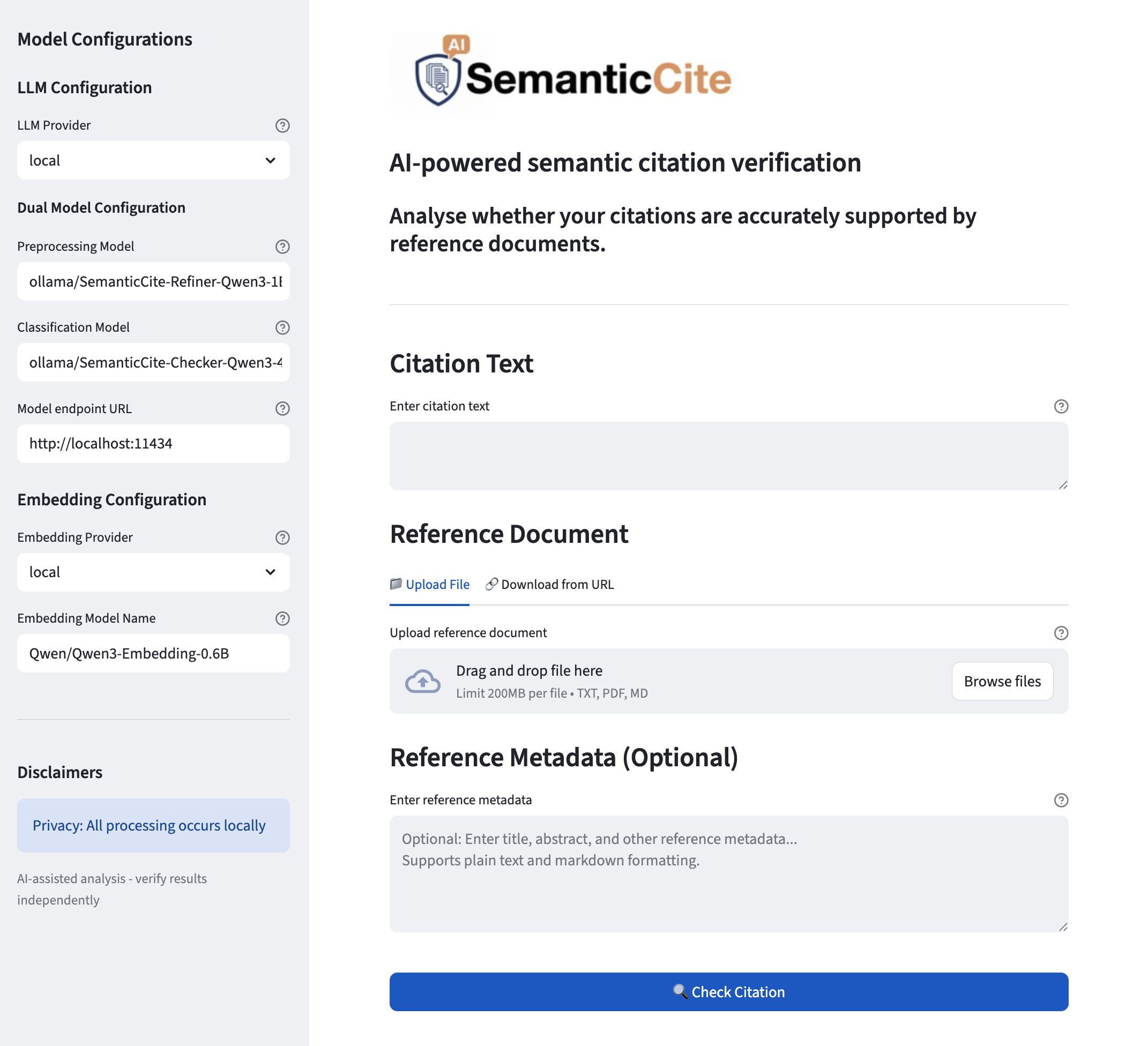
## Screenshot: SemanticCite AI-Powered Citation Verification Interface
### Overview
The image shows a web-based interface for SemanticCite, an AI tool for verifying citations against reference documents. The layout is divided into two primary sections: a left sidebar for model configuration and a right main area for inputting citation text and reference documents.
---
### Components/Axes
#### Left Sidebar (Model Configurations)
1. **LLM Configuration**
- **LLM Provider**: Dropdown with value "local"
- **Dual Model Configuration**
- **Preprocessing Model**: Input field with value "ollama/SemanticCite-Refiner-Qwen3-1l"
- **Classification Model**: Input field with value "ollama/SemanticCite-Checker-Qwen3-4"
- **Model Endpoint URL**: Input field with value "http://localhost:11434"
- **Embedding Configuration**
- **Embedding Provider**: Dropdown with value "local"
- **Embedding Model Name**: Input field with value "Qwen/Qwen3-Embedding-0.6B"
2. **Disclaimers**
- **Privacy**: "All processing occurs locally" (highlighted in blue)
- **AI-Assisted Analysis**: "Verify results independently"
#### Main Content Area
1. **Header**
- **Title**: "AI-powered semantic citation verification"
- **Subtitle**: "Analyse whether your citations are accurately supported by reference documents."
2. **Input Fields**
- **Citation Text**: Textarea labeled "Enter citation text"
- **Reference Document**
- **Upload Options**:
- "Upload File" (blue button)
- "Download from URL" (gray button)
- **Drag-and-Drop Zone**: "Drag and drop file here" with file type restrictions (TXT, PDF, MD, 200MB limit)
- **Reference Metadata (Optional)**: Textarea with placeholder "Enter title, abstract, and other reference metadata... Supports plain text and markdown formatting."
3. **Action Button**
- **Check Citation**: Blue button with magnifying glass icon
---
### Detailed Analysis
#### Left Sidebar
- **LLM Configuration**: Uses local models for language processing.
- **Dual Model Setup**: Separates preprocessing (refinement) and classification tasks using Qwen3-based models.
- **Embedding Configuration**: Local Qwen3 embedding model for vector representation.
- **URL Endpoint**: Localhost server at port 11434 for model communication.
#### Main Content Area
- **Input Workflow**:
1. Users enter citation text.
2. Upload or link reference documents.
3. Optional metadata enhances context for verification.
- **Privacy Emphasis**: Explicit disclaimer about local processing to address data security concerns.
---
### Key Observations
1. **Model Specialization**: The system uses distinct models for preprocessing (refinement) and classification (verification).
2. **Local Processing**: All operations occur on the user's device, avoiding cloud dependency.
3. **File Flexibility**: Supports multiple document formats and direct URL integration.
4. **Metadata Guidance**: Optional metadata field encourages users to provide contextual information for better verification accuracy.
---
### Interpretation
This interface demonstrates a privacy-focused, locally hosted AI tool for academic citation verification. The dual-model architecture suggests a two-stage process: first refining citations (preprocessing) and then validating them against references (classification). The emphasis on local processing and file format flexibility indicates a design prioritizing user control and data security. The optional metadata field implies that richer context improves verification outcomes, though the system remains functional without it. The clear separation of configuration and input areas enhances usability for technical users familiar with model customization.