# Technical Document Extraction: Software Task Analysis Table
This document provides a comprehensive extraction of the data contained within the provided image, which appears to be a table from a research paper or technical manual detailing user tasks, software environments, and required cognitive abilities for an AI or automated system.
## Table Structure and Content
| Related App(s) | Task Instruction | Screenshot of Initial State | Abilities Needed |
| :--- | :--- | :--- | :--- |
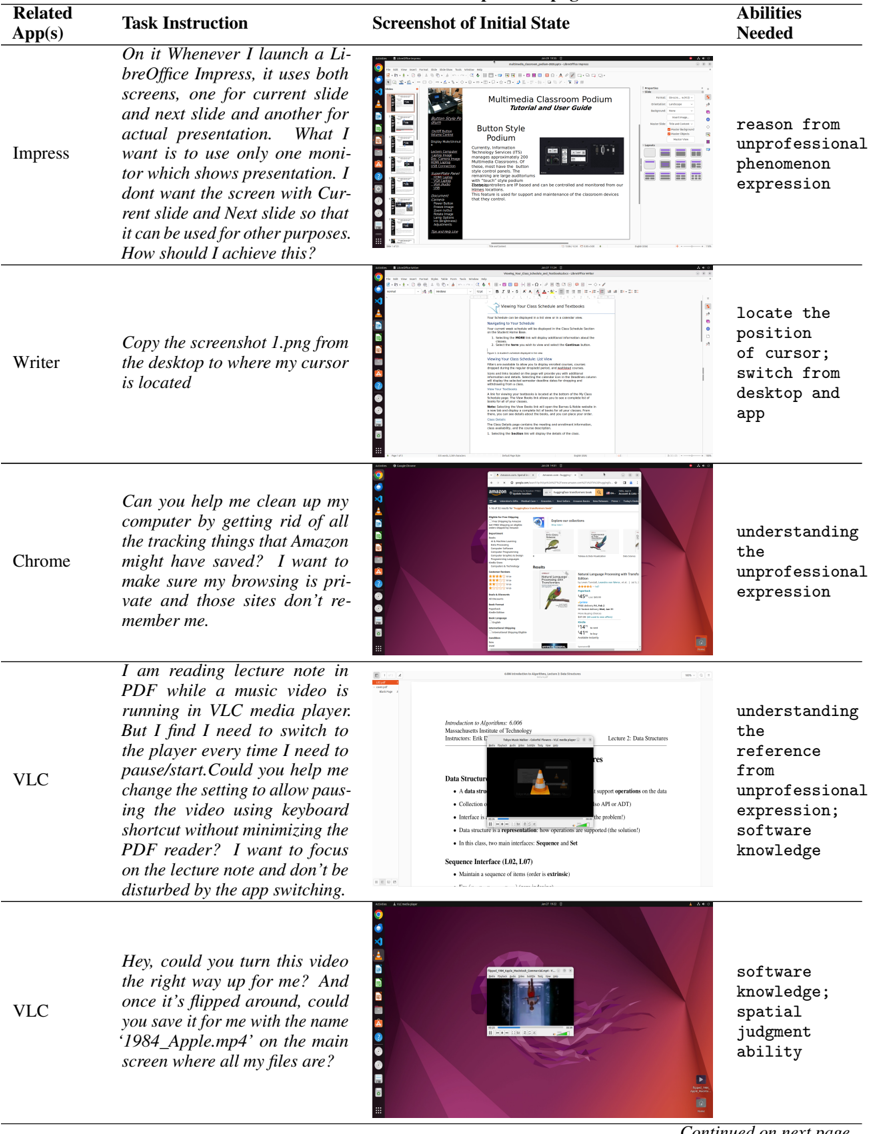
| Impress | "On it Whenever I launch a LibreOffice Impress, it uses both screens, one for current slide and next slide and another for actual presentation. What I want is to use only one monitor which shows presentation. I dont want the screen with Current slide and Next slide so that it can be used for other purposes. How should I achieve this?" | Shows a Linux desktop environment (Ubuntu/GNOME) with LibreOffice Impress open. The presentation software displays a slide titled "Multimedia Classroom Podium Tutorial and User Guide" with a sub-heading "Button Style Podium." A sidebar with slide thumbnails and a properties panel is visible. | reason from unprofessional phenomenon expression |
| Writer | "Copy the screenshot 1.png from the desktop to where my cursor is located" | Shows a Linux desktop with LibreOffice Writer open. The document is titled "Viewing Your Class Schedule and Textbooks." The cursor is positioned within the text body. The Ubuntu dock is visible on the left side of the screen. | locate the position of cursor; switch from desktop and app |
| Chrome | "Can you help me clean up my computer by getting rid of all the tracking things that Amazon might have saved? I want to make sure my browsing is private and those sites don't remember me." | Shows a Chrome browser window open to an Amazon search results page for "huggingface transformers book." The background is the default Ubuntu "Jammy Jellyfish" wallpaper. | understanding the unprofessional expression |
| VLC | "I am reading lecture note in PDF while a music video is running in VLC media player. But I find I need to switch to the player every time I need to pause/start. Could you help me change the setting to allow pausing the video using keyboard shortcut without minimizing the PDF reader? I want to focus on the lecture note and don't be disturbed by the app switching." | A PDF viewer (likely Evince) is open showing "Introduction to Algorithms: 6.006" lecture notes. A small VLC media player window is floating on top of the PDF, showing a video titled "Tokyo Night Walker - Colorful Presence - VLC media player." | understanding the reference from unprofessional expression; software knowledge |
| VLC | "Hey, could you turn this video the right way up for me? And once it's flipped around, could you save it for me with the name '1984_Apple.mp4' on the main screen where all my files are?" | A VLC media player window is open in the center of the desktop. The video content appears to be oriented sideways (90-degree rotation). The desktop background is visible behind the window. | software knowledge; spatial judgment ability |
---
### Technical Observations
* **Operating System:** The screenshots consistently show a Linux distribution, specifically Ubuntu (identifiable by the GNOME desktop environment, the "Activities" button, and the specific "Jammy Jellyfish" wallpaper in rows 3 and 5).
* **Language:** All text in the document is in **English**.
* **Task Nature:** The "Task Instructions" are written in natural, colloquial language (referred to in the "Abilities" column as "unprofessional expression"), suggesting the system being tested must translate informal user requests into specific software configurations or file operations.
* **Footer Information:** Continued on next page