# Technical Document: Image Analysis of Smartphone Screenshots
## Overview
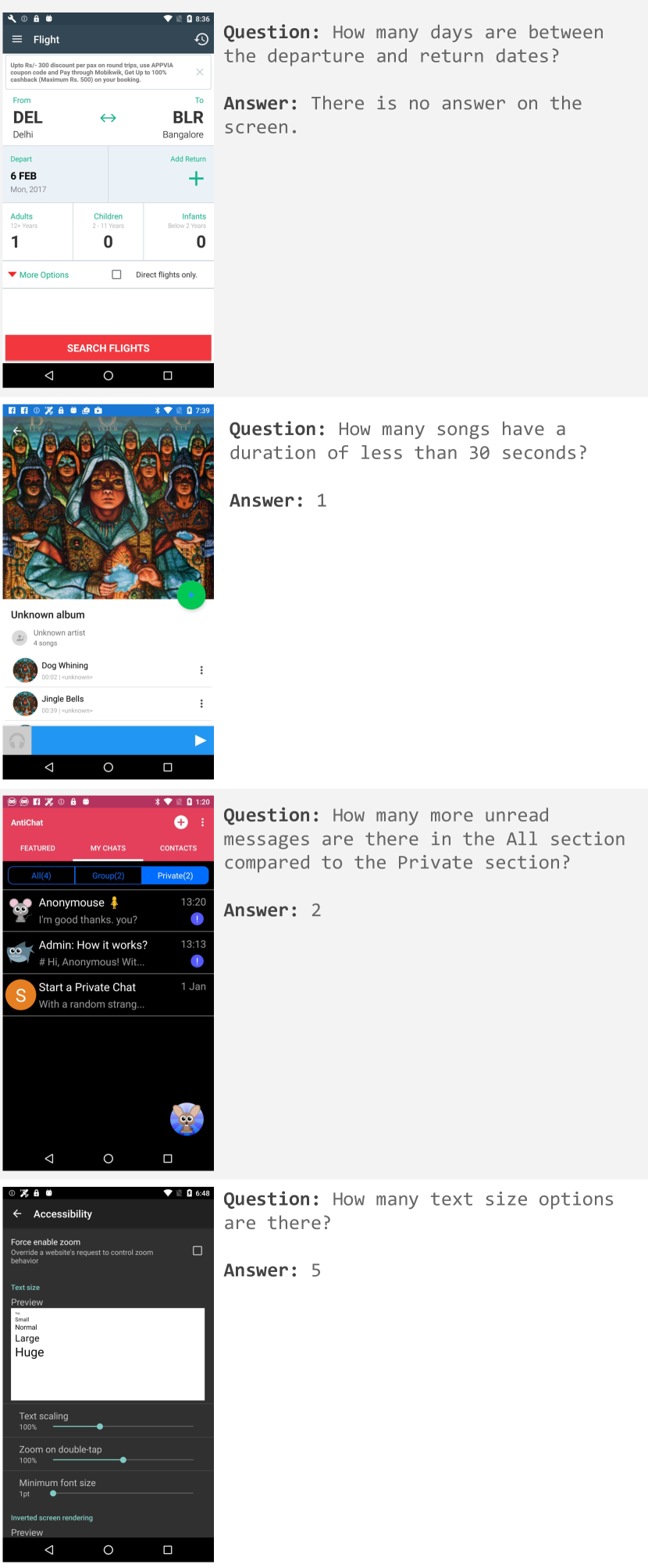
The image contains four smartphone screenshots, each displaying a distinct application interface with embedded questions and answers. Below is a detailed extraction of textual information, structured by screenshot.
---
### Screenshot 1: Flight Booking App
**Question**:
"How many days are between the departure and return dates?"
**Answer**:
"There is no answer on the screen."
**Flight Details**:
- **Route**: Delhi (DEL) → Bangalore (BLR)
- **Departure Date**: 6 FEB 2017 (Mon)
- **Passengers**:
- Adults (12+ years): 1
- Children (2–11 years): 0
- Infants (Below 2 years): 0
- **Additional Options**:
- "More Options" (red dropdown)
- "Direct flights only" (checkbox)
- **Action Button**: Red "SEARCH FLIGHTS" button
---
### Screenshot 2: Music Player App
**Question**:
"How many songs have a duration of less than 30 seconds?"
**Answer**:
"1"
**Album Details**:
- **Album Name**: Unknown
- **Artist**: Unknown
- **Songs**:
1. "Dog Whining" (Duration: 0:02)
2. "Jingle Bells" (Duration: 0:39)
- **Playback Controls**: Blue play button
---
### Screenshot 3: Messaging App (AntiChat)
**Question**:
"How many more unread messages are there in the All section compared to the Private section?"
**Answer**:
"2"
**Message Statistics**:
- **All Section**: 4 messages (2 unread)
- **Private Section**: 2 messages (0 unread)
- **Sample Messages**:
- Anonymous: "I'm good thanks. you?" (13:20)
- Admin: "How it works? # Hi, Anonymous! Wit..." (13:13)
- Prompt: "Start a Private Chat with a random strang..." (1 Jan)
---
### Screenshot 4: Accessibility Settings Screen
**Question**:
"How many text size options are there?"
**Answer**:
"5"
**Text Size Options**:
1. Small
2. Normal
3. Large
4. Huge
5. [Unlabeled Option] (Visible in preview but not explicitly named)
**Settings Preview**:
- **Text Scaling**: 100%
- **Zoom on Double-Tap**: Enabled (100%)
- **Minimum Font Size**: 1pt
- **Inverted Screen Rendering**: Preview available
---
### Notes
- **Language**: All text is in English.
- **Missing Data**:
- First screenshot lacks a return date, preventing day-count calculation.
- Fifth text size option in Screenshot 4 is unlabeled but visually distinct.
- **Visual Trends**:
- Screenshot 2 shows a single short song ("Dog Whining") among longer tracks.
- Screenshot 3 highlights unread message disparity between sections.
- Screenshot 4 emphasizes accessibility customization options.
---
**Conclusion**: The screenshots represent diverse app functionalities (travel, music, messaging, accessibility) with embedded analytical questions. Data extraction focuses on explicit textual content, with spatial grounding of UI elements (e.g., buttons, dropdowns) and numerical answers.