## Code Snippet: Custom `atoi` Implementation in C
### Overview
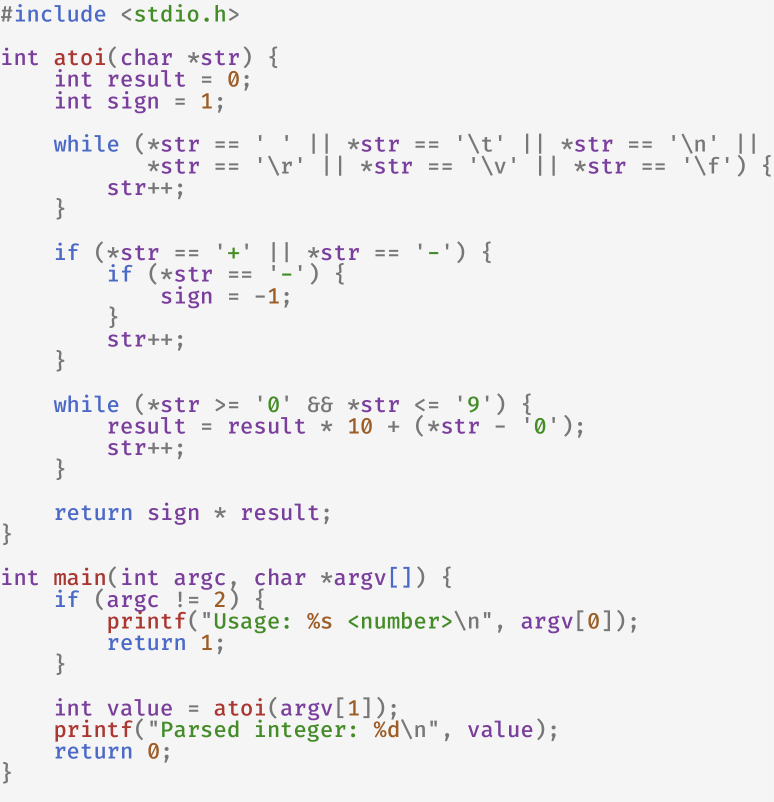
The image displays a complete C program containing a custom implementation of the `atoi` (ASCII to integer) function and a `main` function to demonstrate its usage. The code is presented in a monospaced font with syntax highlighting on a light gray background. The language is **C**.
### Components/Axes
The code is structured into two primary components:
1. **`atoi` Function:** A function that converts a string to an integer.
2. **`main` Function:** A driver program that accepts a command-line argument, passes it to `atoi`, and prints the result.
### Detailed Analysis / Content Details
Below is the precise transcription of the code text.
```c
#include <stdio.h>
int atoi(char *str) {
int result = 0;
int sign = 1;
while (*str == ' ' || *str == '\t' || *str == '\n' ||
*str == '\r' || *str == '\v' || *str == '\f') {
str++;
}
if (*str == '+' || *str == '-') {
if (*str == '-') {
sign = -1;
}
str++;
}
while (*str >= '0' && *str <= '9') {
result = result * 10 + (*str - '0');
str++;
}
return sign * result;
}
int main(int argc, char *argv[]) {
if (argc != 2) {
printf("Usage: %s <number>\n", argv[0]);
return 1;
}
int value = atoi(argv[1]);
printf("Parsed integer: %d\n", value);
return 0;
}
```
**Code Logic Breakdown:**
1. **Header Inclusion:** `#include <stdio.h>` - Includes the standard input/output library for `printf`.
2. **`atoi` Function:**
* Initializes `result` to 0 and `sign` to 1 (positive).
* **Whitespace Skipping Loop:** Advances the string pointer `str` past any leading whitespace characters (space, tab, newline, carriage return, vertical tab, form feed).
* **Sign Handling:** Checks for an optional leading '+' or '-' sign. If a '-' is found, `sign` is set to -1. The pointer is then advanced.
* **Digit Conversion Loop:** Iterates through consecutive digit characters ('0'-'9'). For each digit, it updates `result` using the formula: `result = result * 10 + (current_digit_char - '0')`. This effectively builds the integer value.
* **Return:** Returns the final integer value multiplied by the determined sign.
3. **`main` Function:**
* **Argument Check:** Verifies that exactly one command-line argument (`argc == 2`) is provided. If not, it prints a usage message and returns 1 (error).
* **Conversion & Output:** Calls `atoi` with the provided argument (`argv[1]`), stores the result in `value`, and prints it using `printf`.
### Key Observations
* **Error Handling:** The `main` function checks for the correct number of arguments. However, the `atoi` function itself does not perform robust error checking. It will stop conversion at the first non-digit character (after the sign) and return the value parsed up to that point. It does not distinguish between a valid "0" and an invalid string with no digits.
* **Whitespace Handling:** The implementation correctly handles a comprehensive set of C whitespace characters.
* **Return Type:** The function returns an `int`. There is no protection against integer overflow if the parsed number exceeds the range of `int`.
* **Syntax Highlighting:** The code uses color to distinguish elements: blue for keywords (`int`, `while`, `if`, `return`), green for string literals, and brown/orange for numeric literals and character constants.
### Interpretation
This code provides a foundational, from-scratch implementation of a common C library function. It demonstrates core programming concepts: string manipulation via pointers, character arithmetic (converting a digit character to its numeric value by subtracting `'0'`), conditional logic, and basic command-line interface interaction.
The implementation is pedagogically clear but lacks the robustness of a production-grade `atoi`. A production version would typically include:
1. **Overflow/Underflow Checking:** To handle numbers outside the `INT_MIN`/`INT_MAX` range.
2. **Error Reporting:** A way to indicate if no conversion was performed (e.g., returning 0 and setting an error flag, or using a different return pattern).
3. **Locale Awareness:** The standard `atoi` behavior is affected by the program's locale; this custom version is not.
The `main` function serves as a simple test harness, making the code immediately runnable and verifiable from the command line. The overall purpose is likely educational—to illustrate how string-to-integer conversion works at a low level.