## [Web Interface Screenshot]: Crowdsourcing Task for Machine Statement Evaluation
### Overview
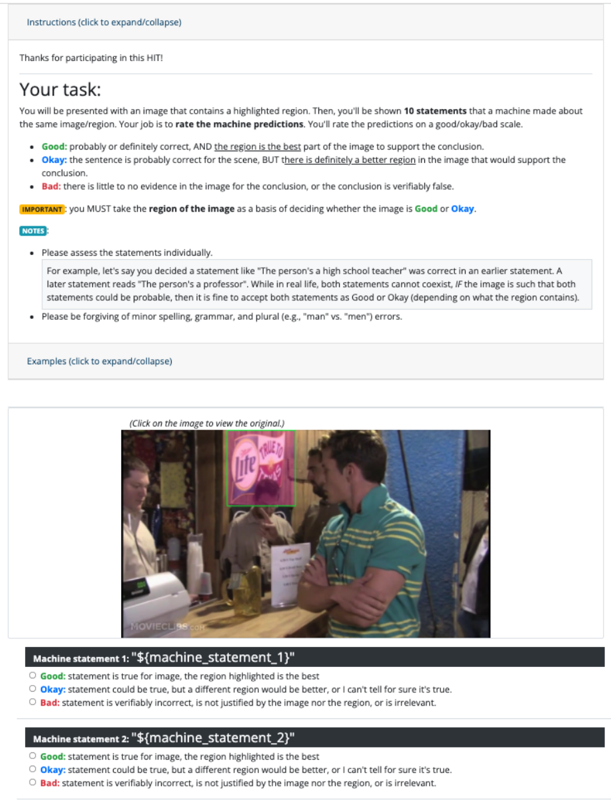
This image is a screenshot of a web-based Human Intelligence Task (HIT). The interface is designed to collect human feedback on machine-generated statements regarding specific regions within an image. The user is presented with instructions, an image containing a highlighted region (a bounding box), and a set of rating options to evaluate the accuracy and relevance of machine-generated statements about that region.
### Components/Axes
The interface is vertically organized into three distinct sections:
1. **Header (Instructions):** Contains the task description, rating criteria, and notes.
2. **Main (Visual Content):** Displays the image to be evaluated, featuring a green bounding box around a specific object.
3. **Footer (Interaction):** Contains the rating forms for the machine-generated statements.
### Detailed Analysis
#### 1. Header: Instructions
The text provides the following guidelines for the task:
* **"Instructions (click to expand/collapse)"**
* **"Thanks for participating in this HIT!"**
* **"Your task:"** The user must rate machine predictions on a "good/okay/bad" scale.
* **Good:** "probably or definitely correct, AND the region is the best part of the image to support the conclusion."
* **Okay:** "the sentence is probably correct for the scene, BUT there is definitely a better region in the image that would support the conclusion."
* **Bad:** "there is little to no evidence in the image for the conclusion, or the conclusion is verifiably false."
* **"IMPORTANT: you MUST take the region of the image as a basis of deciding whether the image is Good or Okay."**
* **"NOTES:"**
* "Please assess the statements individually."
* "For example, let's say you decided a statement like 'The person's a high school teacher' was correct in an earlier statement. A later statement reads 'The person's a professor'. While in real life, both statements cannot coexist, IF the image is such that both statements could be probable, then it is fine to accept both statements as Good or Okay (depending on what the region contains)."
* "Please be forgiving of minor spelling, grammar, and plural (e.g., 'man' vs. 'men') errors."
* **"Examples (click to expand/collapse)"**
#### 2. Main: Visual Content
* **Image:** A scene inside a bar or restaurant.
* **Foreground:** A man wearing a green and yellow striped shirt, standing with his arms crossed.
* **Background:** A person behind a counter.
* **Highlighted Region:** A green bounding box is drawn around a "Miller Lite" sign hanging on the wall behind the counter.
* **Watermark:** "MOVIECLIPS.COM" is visible in the bottom-left corner of the image.
* **Caption:** "(Click on the image to view the original.)"
#### 3. Footer: Interaction
The interface displays two placeholders for machine statements:
* **Machine statement 1: "${machine_statement_1}"**
* Radio buttons: Good, Okay, Bad (with definitions provided for each).
* **Machine statement 2: "${machine_statement_2}"**
* Radio buttons: Good, Okay, Bad (with definitions provided for each).
### Key Observations
* **Template State:** The presence of `${machine_statement_1}` and `${machine_statement_2}` indicates that this is a template or a preview of the task, rather than a live, populated task with actual machine-generated text.
* **Constraint-Driven:** The instructions emphasize that the "region of the image" (the area inside the green box) is the primary source of truth for the evaluation, not the entire image.
* **Subjectivity:** The distinction between "Good" and "Okay" relies on the rater's judgment regarding whether the highlighted region is the *best* possible region to support the statement.
### Interpretation
This interface is a classic example of a "Ground Truth" data collection task used in Machine Learning (ML) and Computer Vision (CV).
* **Purpose:** The goal is to evaluate the performance of an AI model (likely a Vision-Language Model or an Object Detection model with captioning capabilities). By having humans rate the statements, the developers can calculate accuracy metrics for the AI.
* **The "Region" Constraint:** The specific instruction to focus on the "region of the image" suggests the AI is being tested on its ability to perform *localized* reasoning (i.e., "Does this specific bounding box contain the object described in the text?").
* **Peircean Investigative View:** The use of placeholders suggests this is a system-level view or a developer's preview. The task design forces the human rater to act as a judge of semantic relevance, ensuring that the AI's output is not just factually correct, but also contextually grounded in the visual data provided.