## Task Execution Diagram: Robotic Table Clearing
### Overview
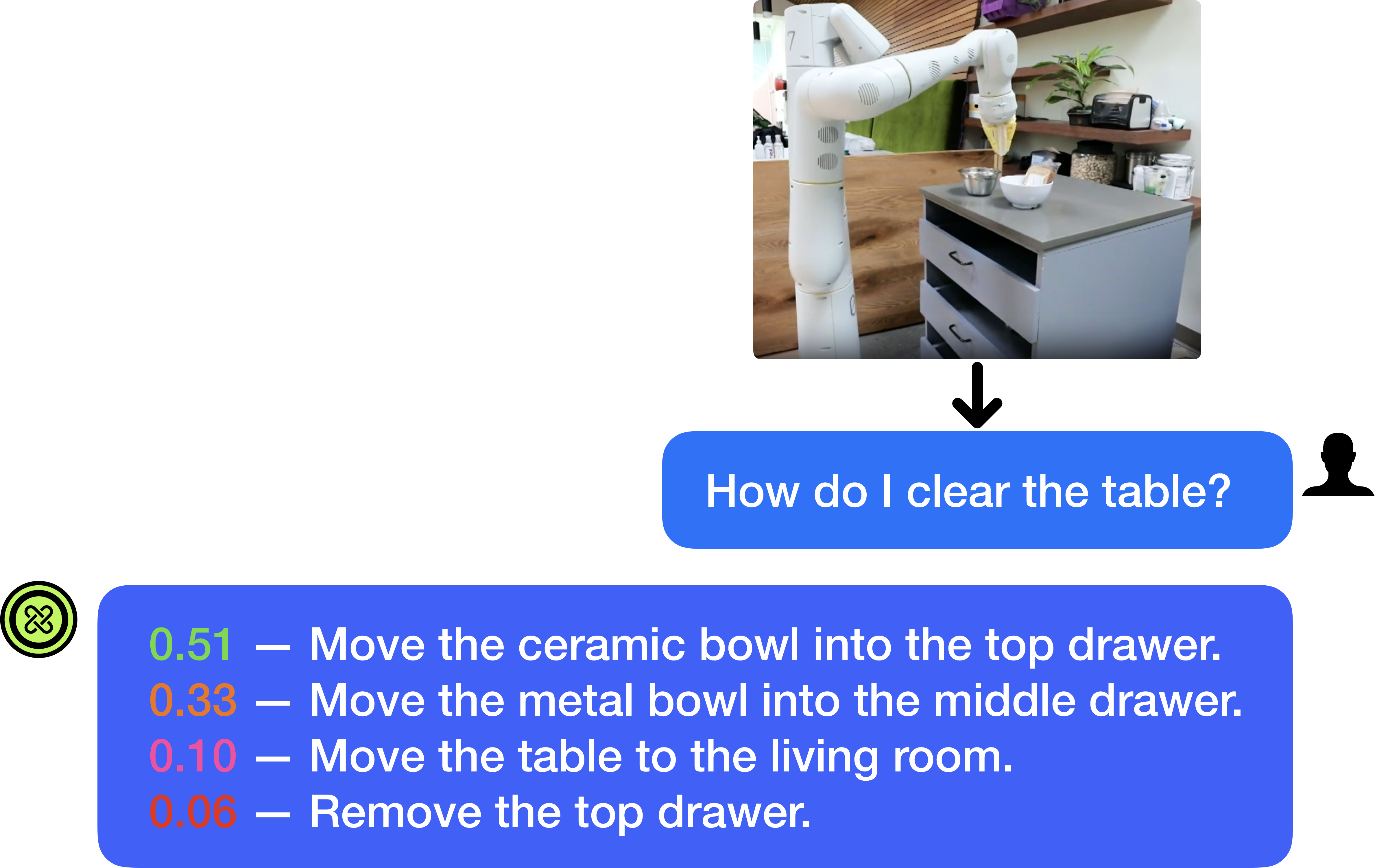
The image depicts a task execution diagram for a robot clearing a table. It shows a robotic arm interacting with objects on a table, followed by a question prompt and a list of possible actions with associated confidence scores.
### Components/Axes
* **Image:** A photograph showing a robotic arm positioned above a table with bowls. The table has three drawers.
* **Arrow:** A downward-pointing arrow indicating a progression or flow.
* **Question Prompt:** A blue speech bubble containing the text "How do I clear the table?". A silhouette of a person is present to the right of the speech bubble.
* **Action List:** A blue rounded rectangle containing a list of actions, each preceded by a confidence score (a decimal number).
* **Icon:** A green circle with a white infinity-like symbol inside.
### Detailed Analysis
* **Image Details:** The robotic arm is white and appears to be holding an object. The table is gray with three drawers. There are two bowls on the table, one metal and one ceramic.
* **Question Prompt:** The question "How do I clear the table?" suggests the diagram is part of an interactive system where a user is seeking guidance.
* **Action List:** The list provides possible actions the robot could take, along with associated confidence scores. The actions are:
* **0.51 (Green):** Move the ceramic bowl into the top drawer.
* **0.33 (Orange):** Move the metal bowl into the middle drawer.
* **0.10 (Pink):** Move the table to the living room.
* **0.06 (Red):** Remove the top drawer.
### Key Observations
* The confidence scores vary significantly, with moving the ceramic bowl into the top drawer having the highest confidence (0.51).
* The actions involve manipulating objects on the table and potentially moving the table itself.
* The color of the confidence score is different for each action.
### Interpretation
The diagram represents a decision-making process for a robot tasked with clearing a table. The robot is presented with a question, "How do I clear the table?", and the diagram provides a set of possible actions with associated confidence scores. The confidence scores likely reflect the robot's assessment of the feasibility and appropriateness of each action based on its perception of the environment and its programming. The higher the confidence score, the more likely the robot is to perform that action. The diagram suggests a system where the robot can provide multiple options, allowing for flexibility in task execution. The user's silhouette suggests that this is an interactive system where a human is involved in the decision-making process.