## Screenshot: Configuration Interface
### Overview
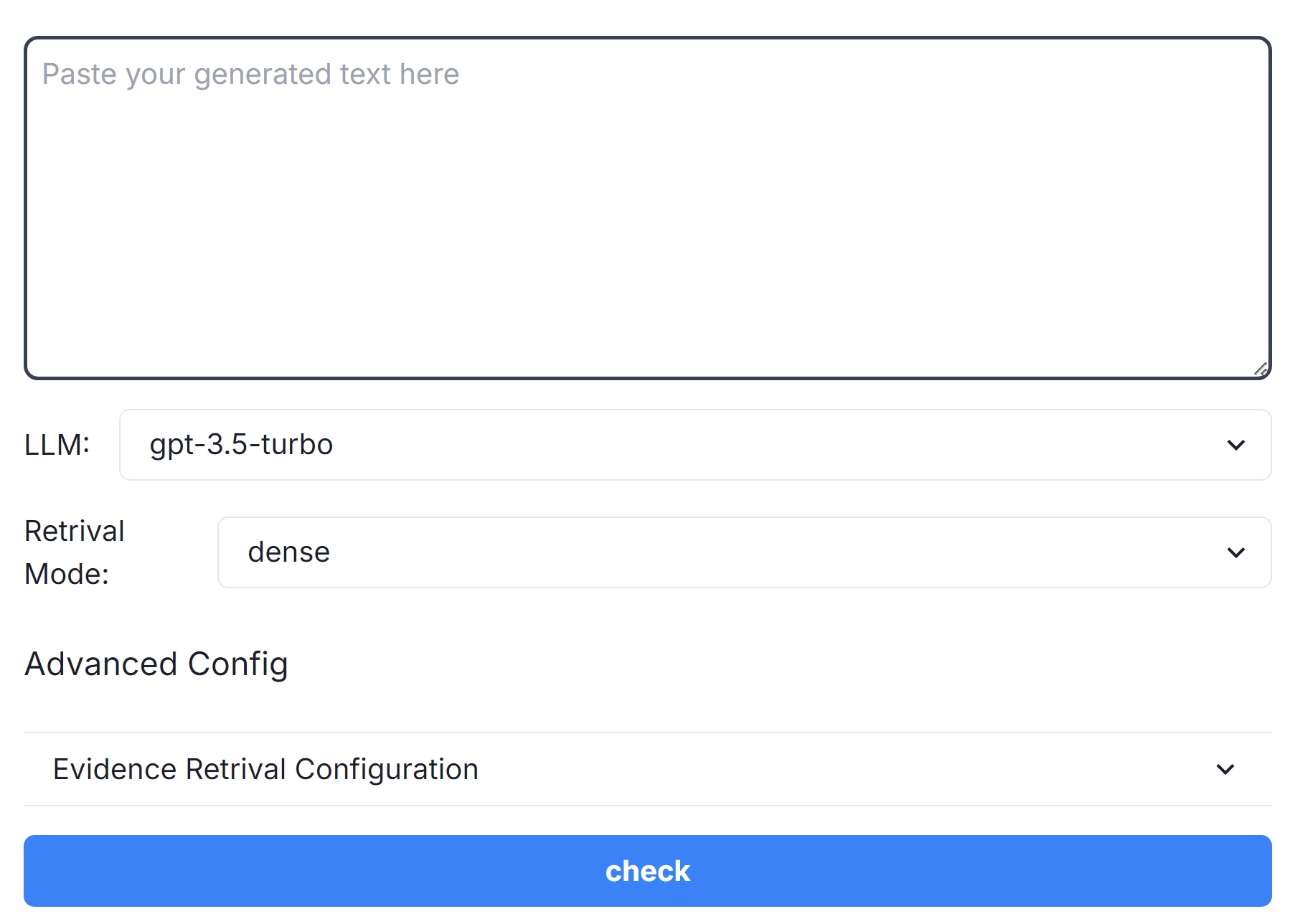
The image is a screenshot of a configuration interface, likely for a software application or web service. It includes a text input area, dropdown menus for selecting options, and a button to initiate a check.
### Components/Axes
* **Text Input Area:** Located at the top, labeled "Paste your generated text here".
* **LLM:** A dropdown menu labeled "LLM:" with the selected option "gpt-3.5-turbo".
* **Retrieval Mode:** A dropdown menu labeled "Retrieval Mode:" with the selected option "dense".
* **Advanced Config:** A section header labeled "Advanced Config".
* **Evidence Retrieval Configuration:** A dropdown menu labeled "Evidence Retrieval Configuration".
* **Check Button:** A blue button at the bottom labeled "check".
### Detailed Analysis or ### Content Details
* **Text Input Area:** The text input area is a large, empty box with rounded corners. It is intended for users to paste text.
* **LLM Dropdown:** The "LLM:" dropdown menu currently has "gpt-3.5-turbo" selected. This likely refers to the Large Language Model being used.
* **Retrieval Mode Dropdown:** The "Retrieval Mode:" dropdown menu currently has "dense" selected. This likely refers to the method used for retrieving information.
* **Advanced Config Section:** The "Advanced Config" section contains a dropdown menu for "Evidence Retrieval Configuration". The dropdown is currently collapsed.
* **Check Button:** The "check" button is a solid blue rectangle with white text.
### Key Observations
* The interface appears to be designed for configuring a system that uses a Large Language Model and a retrieval mechanism.
* The user can paste text into the input area and then initiate a check using the configured settings.
### Interpretation
The screenshot depicts a configuration panel for a system that likely involves text processing, information retrieval, and potentially some form of evaluation or validation. The user can paste text, select an LLM (likely for processing the text), choose a retrieval mode (likely for finding relevant information), and configure evidence retrieval. The "check" button likely initiates a process that uses these configurations. The specific functionality depends on the application or service the interface belongs to.