\n
## Screenshot: User Interface Configuration Panel
### Overview
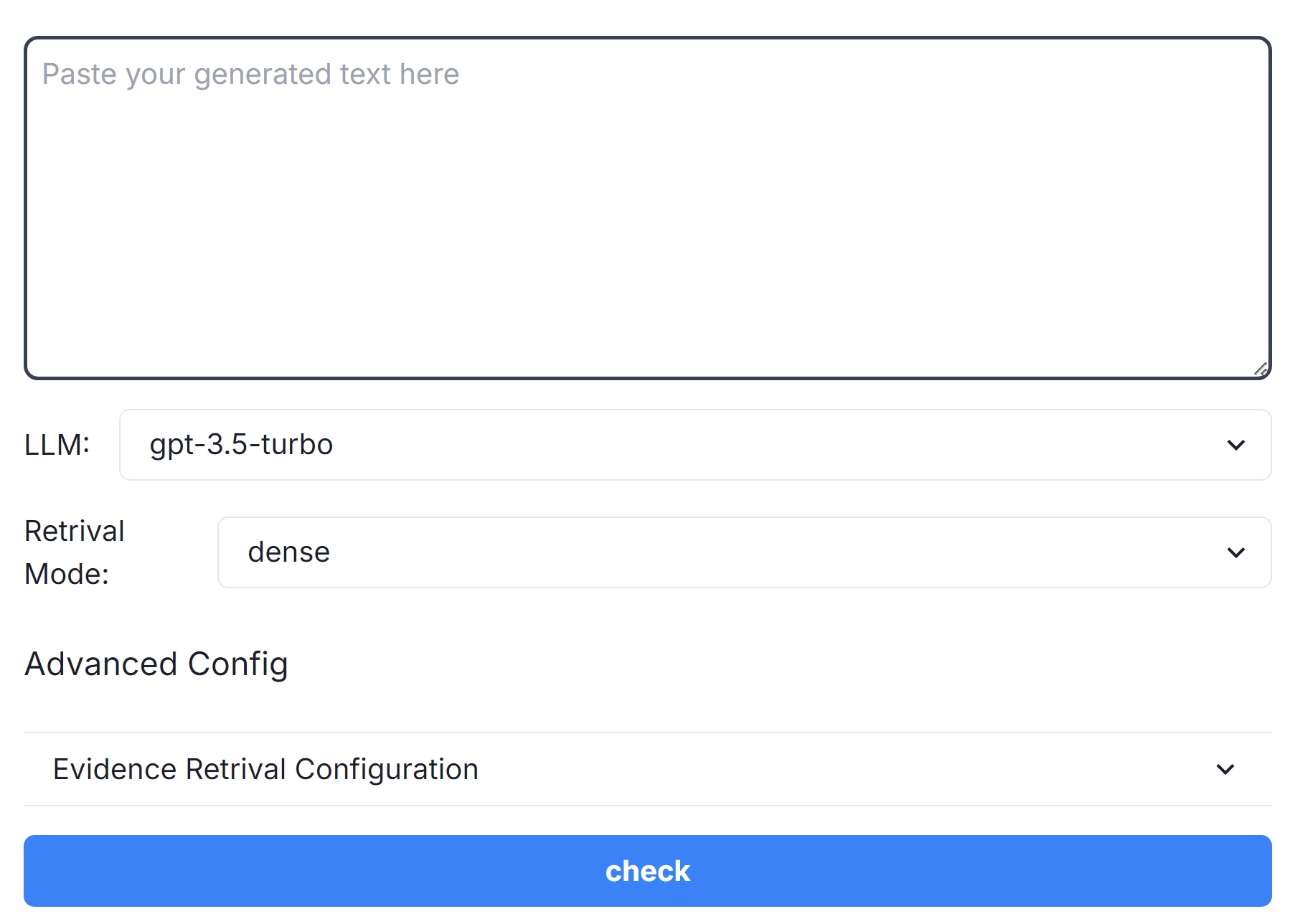
The image is a screenshot of a user interface panel, likely from a software application or web service. It displays configuration options related to a Large Language Model (LLM) and retrieval modes. The panel allows the user to select the LLM, retrieval mode, and configure advanced settings.
### Components/Axes
The UI elements present are:
* **LLM:** A dropdown menu with "gpt-3.5-turbo" selected.
* **Retrieval Mode:** A dropdown menu with "dense" selected.
* **Advanced Config:** A section header.
* **Evidence Retrieval Configuration:** A dropdown menu, currently displaying its label.
* **Check Button:** A blue button labeled "check".
* **Text Input Area:** A large text area labeled "Paste your generated text here".
### Detailed Analysis or Content Details
The dropdown menus provide the following options:
* **LLM:** The only visible option is "gpt-3.5-turbo". It is currently selected.
* **Retrieval Mode:** The only visible option is "dense". It is currently selected.
* **Evidence Retrieval Configuration:** The dropdown is collapsed, so the options are not visible.
The "Paste your generated text here" text area is empty. The "check" button is a prominent blue color, suggesting it initiates a process or validation.
### Key Observations
The interface focuses on configuring the backend processing of text generation or retrieval. The selection of "gpt-3.5-turbo" and "dense" suggests a specific configuration for a language model and its associated retrieval mechanism. The presence of an "Evidence Retrieval Configuration" suggests the system is capable of retrieving supporting evidence for its outputs.
### Interpretation
This UI panel is designed for users who need to fine-tune the parameters of a text generation or retrieval system. The options available suggest a focus on performance and accuracy. The "dense" retrieval mode likely refers to a vector-based search method, while the "Evidence Retrieval Configuration" indicates a capability for explainability or verification of the system's outputs. The "check" button likely triggers a process that utilizes the selected configurations to process the text pasted into the input area. The interface is relatively simple and straightforward, suggesting it is intended for users with some technical understanding of LLMs and retrieval methods. The fact that only one option is visible in each dropdown suggests that these are the default or recommended settings.