# Technical Document Extraction: FaceX Image Analysis
## Overview
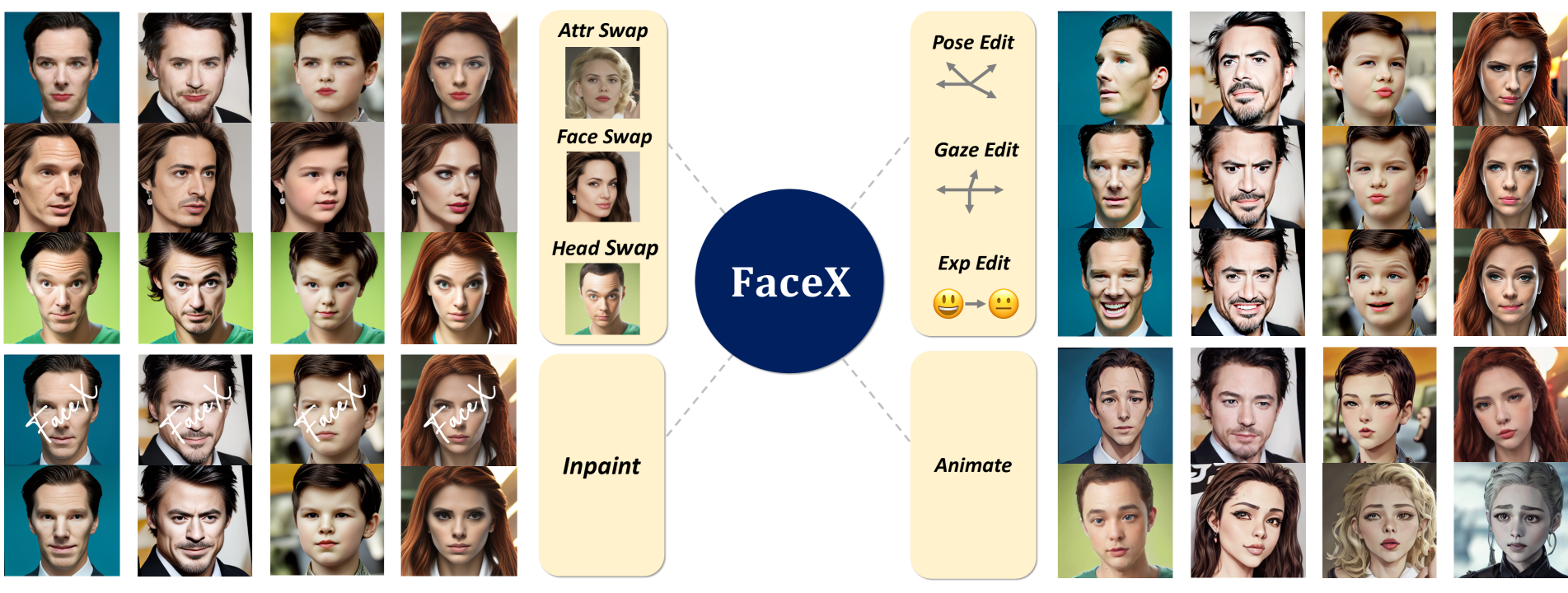
The image depicts a collage of facial manipulations organized around a central "FaceX" component. The layout demonstrates various facial editing techniques through visual examples. No numerical data or charts are present; the focus is on categorical demonstrations of facial transformation methods.
## Central Component
- **Label**: `FaceX` (bold white text on dark blue circular background)
- **Position**: Center of the image
- **Connections**: Dashed lines connect to four quadrants (left and right)
## Left Quadrant Components
### 1. Attribute Swap (`Attr Swap`)
- **Label**: `Attr Swap` (bold black text on light yellow background)
- **Example Image**:
- Original: Blonde woman with red lipstick
- Edited: Same facial structure with altered hair color/texture
- **Spatial Position**: Top-left quadrant
### 2. Face Swap (`Face Swap`)
- **Label**: `Face Swap` (bold black text on light yellow background)
- **Example Image**:
- Original: Woman with brown hair
- Edited: Same facial features with different hair color/texture
- **Spatial Position**: Top-middle quadrant
### 3. Head Swap (`Head Swap`)
- **Label**: `Head Swap` (bold black text on light yellow background)
- **Example Image**:
- Original: Boy with short brown hair
- Edited: Same facial features with different head shape/hair
- **Spatial Position**: Bottom-left quadrant
### 4. Inpainting (`Inpaint`)
- **Label**: `Inpaint` (bold black text on light yellow background)
- **Example Image**:
- Original: Man with clean-shaven face
- Edited: Beard added via inpainting
- **Spatial Position**: Bottom-left quadrant
## Right Quadrant Components
### 1. Pose Editing (`Pose Edit`)
- **Label**: `Pose Edit` (bold black text on light yellow background)
- **Visual Cues**:
- Arrow diagram showing directional pose changes
- Example: Man's face rotated 90° from front to profile view
- **Spatial Position**: Top-right quadrant
### 2. Gaze Editing (`Gaze Edit`)
- **Label**: `Gaze Edit` (bold black text on light yellow background)
- **Visual Cues**:
- Crosshair diagram indicating eye movement
- Example: Man's eyes shifting from forward to upward gaze
- **Spatial Position**: Middle-right quadrant
### 3. Expression Editing (`Exp Edit`)
- **Label**: `Exp Edit` (bold black text on light yellow background)
- **Visual Cues**:
- Emoji sequence: 😊 → 😐
- Example: Man's face transitioning from smiling to neutral
- **Spatial Position**: Bottom-right quadrant
### 4. Animation (`Animate`)
- **Label**: `Animate` (bold black text on light yellow background)
- **Example Images**:
- Sequence showing progressive facial expressions:
- Neutral → Smiling → Surprised → Angry
- Includes multiple subjects (man, woman, child)
- **Spatial Position**: Bottom-right quadrant
## Image Composition
- **Grid Structure**:
- 3x3 grid of facial examples per quadrant
- Total: 12 unique facial examples across all quadrants
- **Color Coding**:
- All background boxes: Light yellow (#FFFACD)
- Central component: Dark blue (#00008B)
- No additional color-coding beyond background consistency
## Technical Notes
1. **Spatial Grounding**:
- All labels positioned at quadrant centers
- Example images aligned with corresponding labels
2. **Legend Verification**:
- No traditional legend present
- Color consistency maintained across all background elements
3. **Trend Verification**:
- Not applicable (no numerical data)
4. **Component Isolation**:
- Each quadrant processed independently
- No cross-quadrant dependencies observed
## Conclusion
The image demonstrates a facial manipulation framework called FaceX, showcasing eight distinct editing capabilities through visual examples. Each quadrant represents a specific transformation type with corresponding before/after demonstrations.