\n
## Screenshot: Task Instructions List
### Overview
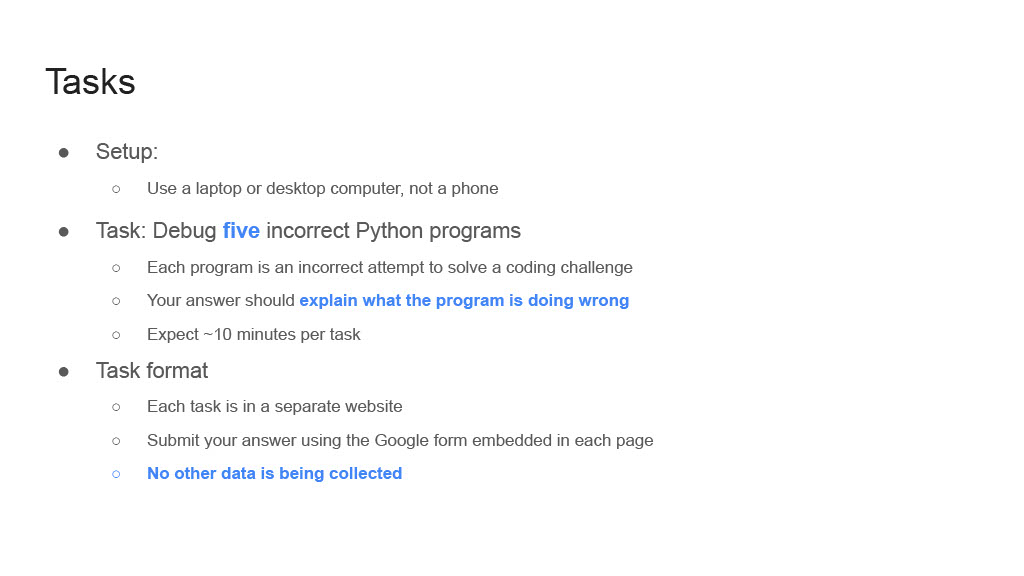
The image is a screenshot of a text-based instructional list titled "Tasks." It outlines the requirements for a coding-related assignment, presented in a clean, digital document format with a white background and dark text. The content is structured as a hierarchical bulleted list.
### Content Structure
The content is organized under a main heading and three primary bullet points, each with nested sub-bullets.
**Main Heading:**
* **Title:** "Tasks" (displayed in a large, bold font at the top-left).
**Primary Bullet Points & Nested Content:**
1. **Setup:**
* Sub-bullet: "Use a laptop or desktop computer, not a phone"
2. **Task: Debug five incorrect Python programs**
* The word "five" is highlighted in blue.
* Sub-bullet 1: "Each program is an incorrect attempt to solve a coding challenge"
* Sub-bullet 2: "Your answer should explain what the program is doing wrong"
* The phrase "explain what the program is doing wrong" is highlighted in blue.
* Sub-bullet 3: "Expect ~10 minutes per task"
3. **Task format**
* Sub-bullet 1: "Each task is in a separate website"
* Sub-bullet 2: "Submit your answer using the Google form embedded in each page"
* Sub-bullet 3: "No other data is being collected"
* This entire line is highlighted in blue and appears in italics.
### Detailed Analysis
The text provides specific, actionable instructions:
* **Hardware Requirement:** The task must be performed on a laptop or desktop computer.
* **Core Activity:** The user must debug five separate, incorrect Python programs. Each program represents a flawed solution to a coding problem.
* **Expected Output:** For each program, the user must provide an explanation of its errors.
* **Time Estimate:** Approximately 10 minutes should be allocated per debugging task.
* **Submission Process:** Each of the five tasks is hosted on its own website. Answers are to be submitted via an embedded Google Form on each respective page.
* **Data Privacy Note:** An explicit assurance is given that "No other data is being collected" beyond the form submission.
### Key Observations
* **Visual Emphasis:** Key pieces of information are emphasized using blue text color: the quantity ("five"), the required action ("explain what the program is doing wrong"), and the data privacy statement.
* **Clear Hierarchy:** The use of main bullets and nested sub-bullets creates a clear, easy-to-follow structure for the instructions.
* **Concise Language:** The instructions are direct and use imperative sentences (e.g., "Use," "Debug," "Submit").
### Interpretation
This image documents the instructions for a structured technical assessment or learning exercise. The design prioritizes clarity and sets clear expectations for the participant.
* **Purpose:** The primary goal is to evaluate or practice Python debugging skills. The format suggests it could be part of a coding interview, a course assignment, or a skills test.
* **Process Flow:** The instructions define a linear workflow: 1) Ensure correct hardware, 2) Access five separate web-based tasks, 3) For each, analyze a broken Python script, 4) Document the errors in an explanation, 5) Submit the explanation via a form.
* **Notable Design Choices:** The highlighting draws immediate attention to the scope (five tasks), the critical deliverable (the explanation), and a reassurance about privacy. The privacy note is particularly significant, as it addresses potential user concerns about data collection in an online assessment context, likely to encourage honest participation.
* **Underlying Assumptions:** The instructions assume the user has foundational Python knowledge and access to the internet. The time estimate (~10 minutes per task) implies the problems are of moderate complexity, designed to be solvable within a short, focused session.