# Technical Document Extraction: Error Message Interface
## 1. Component Isolation
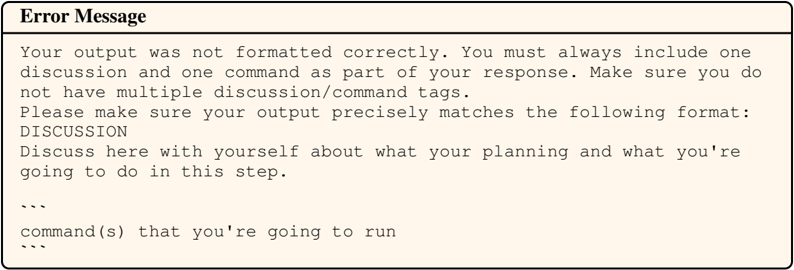
The image is a digital interface element, specifically a system error notification box. It is segmented into two primary regions:
* **Header:** Contains the title of the notification.
* **Main Body:** Contains the descriptive error text and a required formatting template.
---
## 2. Textual Transcription
### Header Region
* **Title:** `Error Message` (Bold, Serif font)
### Main Body Region
The body text is rendered in a monospaced (typewriter-style) font, indicating technical instructions or code-related requirements.
**Transcribed Text:**
> Your output was not formatted correctly. You must always include one discussion and one command as part of your response. Make sure you do not have multiple discussion/command tags.
> Please make sure your output precisely matches the following format:
> DISCUSSION
> Discuss here with yourself about what your planning and what you're going to do in this step.
>
> ```
> command(s) that you're going to run
> ```
---
## 3. Technical Analysis and Flow
This image represents a **Validation Error** from a system that requires a specific two-part response structure from a user or an AI agent.
### Required Components:
1. **Discussion Segment:** A self-reflective planning phase where the agent describes its intended actions.
2. **Command Segment:** The actual execution code or command.
### Constraints Identified:
* **Cardinality:** Exactly one "discussion" and one "command" per response.
* **Uniqueness:** Multiple tags of the same type are prohibited.
* **Formatting:** The output must strictly adhere to the provided template, which uses the keyword `DISCUSSION` followed by a triple-backtick code block for the command.
---
## 4. Visual Specifications
* **Background Color:** Light cream/off-white.
* **Border:** Thin black solid line with rounded corners.
* **Layout:** A horizontal line separates the "Error Message" header from the body content.
* **Language:** English (100%). No other languages are present.