# Technical Document Extraction: Task and Ability Matrix
This document provides a comprehensive extraction of the data contained within the provided image, which functions as a comparative table for software task automation and required cognitive/technical abilities.
## Table Structure and Content
The image is organized into a four-column table. Each row represents a specific complex task involving one or more software applications.
| Related App(s) | Task Instruction | Screenshot of Initial State | Abilities Needed |
| :--- | :--- | :--- | :--- |
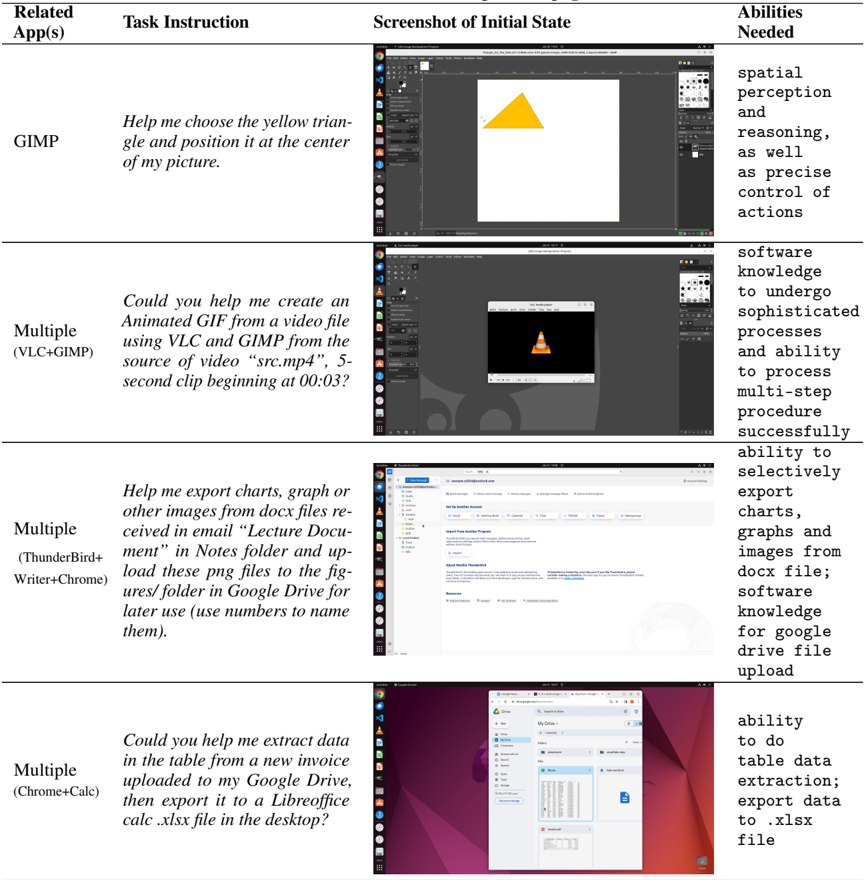
| **GIMP** | Help me choose the yellow triangle and position it at the center of my picture. | *[Image shows the GIMP interface with a yellow triangle on a white canvas, positioned off-center to the left.]* | spatial perception and reasoning, as well as precise control of actions |
| **Multiple** (VLC + GIMP) | Could you help me create an Animated GIF from a video file using VLC and GIMP from the source of video "src.mp4", 5-second clip beginning at 00:03? | *[Image shows the VLC media player window open on top of the GIMP interface. The VLC window displays the iconic orange traffic cone logo.]* | software knowledge to undergo sophisticated processes and ability to process multi-step procedure successfully |
| **Multiple** (Thunderbird + Writer + Chrome) | Help me export charts, graph or other images from docx files received in email "Lecture Document" in Notes folder and upload these png files to the figures/ folder in Google Drive for later use (use numbers to name them). | *[Image shows the Mozilla Thunderbird email client interface. The folder pane on the left is visible, and the main pane shows account setup options.]* | ability to selectively export charts, graphs and images from docx file; software knowledge for google drive file upload |
| **Multiple** (Chrome + Calc) | Could you help me extract data in the table from a new invoice uploaded to my Google Drive, then export it to a LibreOffice Calc .xlsx file in the desktop? | *[Image shows a Google Chrome browser window displaying a Google Drive interface. A PDF file named "invoice.pdf" is selected, showing a preview of a data table.]* | ability to do table data extraction; export data to .xlsx file |
---
## Component Analysis
### 1. Header Row
The header defines the four categories of information:
* **Related App(s):** Identifies the software environment.
* **Task Instruction:** The natural language prompt or goal.
* **Screenshot of Initial State:** A visual representation of the starting point in a Linux-based desktop environment (Ubuntu/GNOME).
* **Abilities Needed:** The technical and cognitive requirements to complete the task.
### 2. Visual Environment Details
Across all screenshots, the following environmental constants are observed:
* **Operating System:** A Linux distribution, likely Ubuntu, indicated by the left-side vertical dock (Activity Bar) and the top status bar.
* **UI Elements:** The screenshots include standard window decorations (close, minimize, maximize) and application-specific menus (File, Edit, View, etc.).
### 3. Task Complexity Trends
* **Row 1:** Focuses on **Spatial Manipulation** within a single creative application.
* **Row 2:** Focuses on **Inter-app Workflow** (Video to Image) requiring temporal synchronization (start times/durations).
* **Row 3:** Focuses on **Data Migration and Transformation** across three distinct platforms (Email -> Document Processor -> Cloud Storage).
* **Row 4:** Focuses on **Information Extraction** (OCR/Table Parsing) and file format conversion (.pdf to .xlsx).
## Language Declaration
The primary language of the document is **English**. No other languages are present in the text.