## Image Analysis: Robot Arm Simulation Examples
### Overview
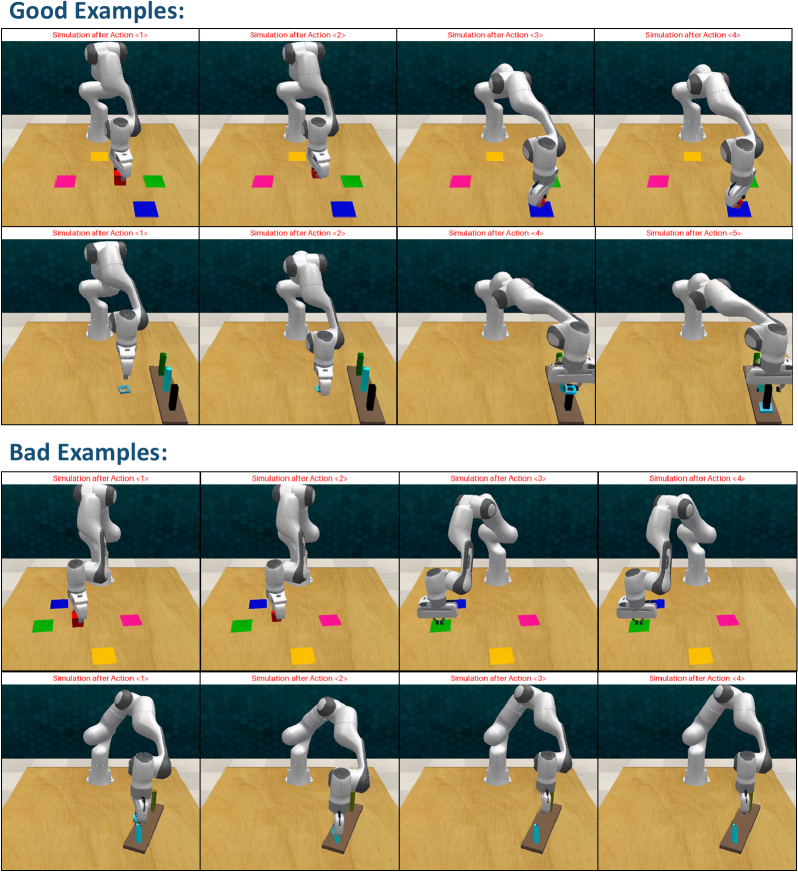
The image presents a comparative analysis of robot arm simulations, divided into two sections: "Good Examples" (top) and "Bad Examples" (bottom). Each section contains four sequential frames labeled "Simulation after Action 1>" through "Simulation after Action 4>". The robot arm interacts with colored squares (pink, blue, green, yellow) on a wooden surface against a dark background.
### Components/Axes
- **Section Headers**:
- "Good Examples:" (top)
- "Bad Examples:" (bottom)
- **Action Labels**:
- "Simulation after Action 1>" to "Simulation after Action 4>" (repeated in both sections)
- **Visual Elements**:
- Robot arm (white with gray joints)
- Colored squares (pink, blue, green, yellow)
- Wooden surface (light brown)
- Dark wall background
### Detailed Analysis
#### Good Examples:
1. **Action 1>**: Robot arm approaches pink square, hovers above it.
2. **Action 2>**: Arm descends to pick up pink square, lifts it.
3. **Action 3>**: Arm moves to blue square, places pink square beside it.
4. **Action 4>**: Arm picks up blue square, positions it next to pink square.
#### Bad Examples:
1. **Action 1>**: Arm approaches pink square but misaligns.
2. **Action 2>**: Arm fails to grasp pink square, remains stationary.
3. **Action 3>**: Arm moves to blue square but drops pink square.
4. **Action 4>**: Arm attempts to pick up blue square but collides with wall.
### Key Observations
- **Good Examples**: Consistent, precise movements with successful object manipulation.
- **Bad Examples**: Misalignment, failed grasps, and collisions with objects/walls.
- **Color Consistency**: Colored squares (pink, blue, green, yellow) appear in both sections but are repositioned in bad examples.
### Interpretation
The image demonstrates a failure analysis of robot arm operations. The "Good Examples" illustrate successful task execution with accurate positioning and object handling. In contrast, the "Bad Examples" highlight common failure modes: misalignment during approach, failed grasps due to improper positioning, and collisions from incorrect trajectory planning. The consistent use of colored squares suggests a standardized testing environment, while the dark background isolates the robot's actions for clarity. This comparison could serve as a training tool for improving robotic precision or debugging motion control algorithms.