# Technical Document Extraction: Area Remaining Analysis
## Visual Part
### Diagram Description
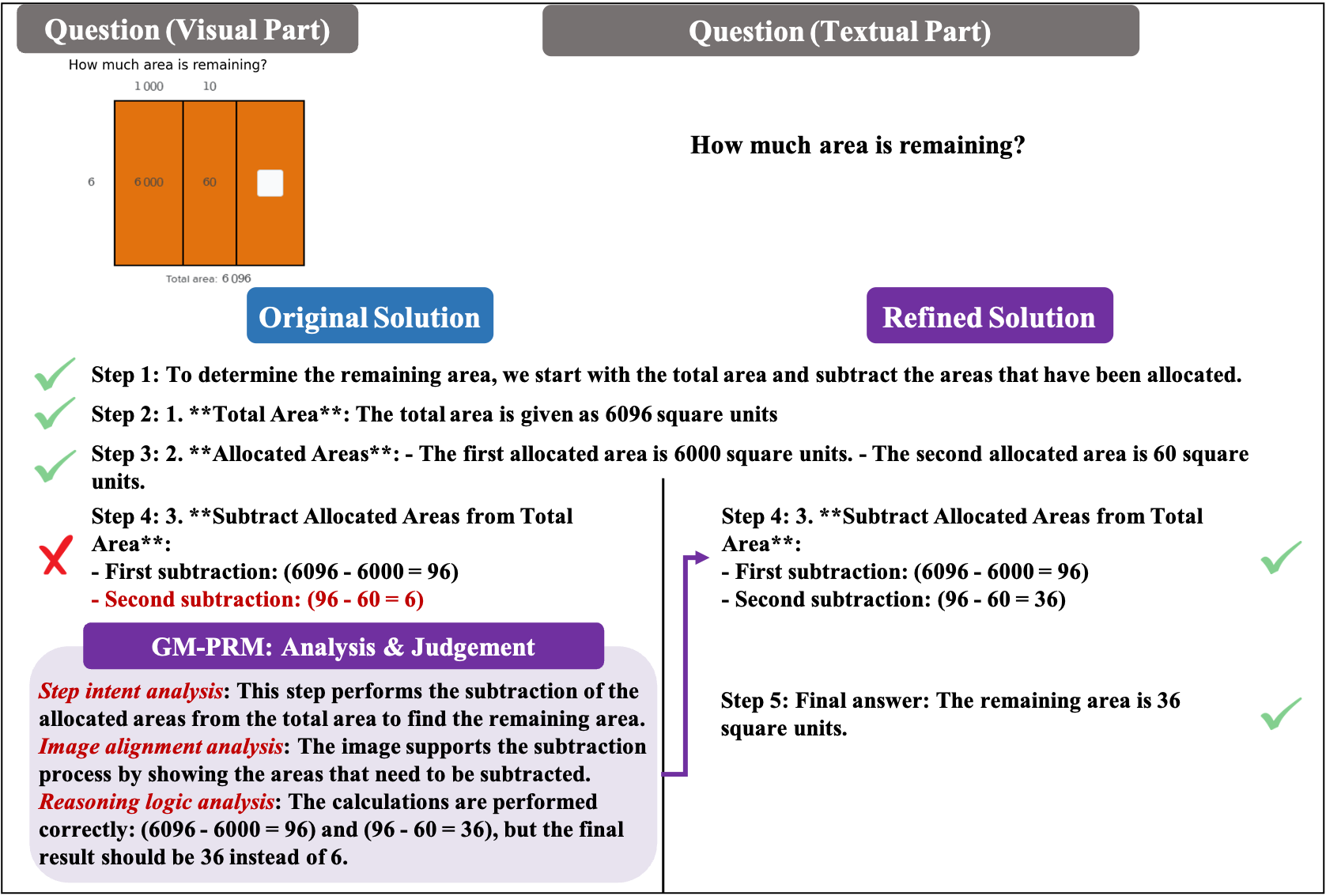
- **Question**: "How much area is remaining?"
- **Diagram Components**:
- **Main Rectangle**:
- Divided into three vertical sections.
- **Left Section**: Labeled `6000` (area).
- **Middle Section**: Labeled `60` (area).
- **Right Section**: Contains a white square (unlabeled area).
- **Axes**:
- **X-axis**: Labeled `1000` (top), `10` (middle), `6` (bottom).
- **Y-axis**: Labeled `6` (left).
- **Total Area**: Annotated as `6096` square units at the bottom.
### Key Observations
- The diagram visually represents a subtraction problem where two allocated areas (`6000` and `60`) are subtracted from a total area (`6096`).
- The white square in the right section implies the remaining area to be calculated.
---
## Textual Part
### Question
- **Text**: "How much area is remaining?"
### Original Solution
1. **Step 1**: "To determine the remaining area, we start with the total area and subtract the areas that have been allocated."
2. **Step 2**:
- **Total Area**: `6096` square units.
3. **Step 3**:
- **Allocated Areas**:
- First: `6000` square units.
- Second: `60` square units.
4. **Step 4**:
- **Subtraction**:
- First: `6096 - 6000 = 96`.
- Second: `96 - 60 = 6`.
- **Error**: A red `X` marks this step, indicating incorrect logic.
### GM-PRM Analysis & Judgement
- **Step Intent Analysis**: Subtract allocated areas from total area to find remaining area.
- **Image Alignment Analysis**: The diagram supports subtraction of `6000` and `60` from `6096`.
- **Reasoning Logic Analysis**:
- Correct calculations: `6096 - 6000 = 96` and `96 - 60 = 36`.
- **Error**: Original solution incorrectly states `6` instead of `36`.
### Refined Solution
1. **Step 3**:
- **Subtract Allocated Areas from Total Area**:
- First: `6096 - 6000 = 96`.
- Second: `96 - 60 = 36`.
2. **Step 5**:
- **Final Answer**: "The remaining area is `36` square units."
- **Checkmark**: Green checkmark confirms correctness.
---
## Key Data Points
| Component | Value | Notes |
|--------------------|-------------|--------------------------------|
| Total Area | 6096 | Base value for subtraction |
| Allocated Areas | 6000, 60 | Subtracted from total area |
| Remaining Area | 36 | Correct result (Refined Solution) |
| Error in Original | 6 | Incorrect final result |
## Diagram-Specific Details
- **Spatial Grounding**:
- Legend: Not explicitly present; labels are directly embedded in the diagram.
- Axis Labels:
- X-axis: `[1000, 10, 6]` (top to bottom).
- Y-axis: `[6]` (left).
- **Trend Verification**:
- Subtraction logic: Total area (`6096`) decreases by allocated areas (`6000`, `60`), resulting in `36`.
## Conclusion
The image combines a visual diagram and textual steps to solve an area subtraction problem. The **Original Solution** contains an error in the final calculation (`6` instead of `36`), which is corrected in the **Refined Solution**. The GM-PRM analysis highlights the discrepancy, emphasizing the importance of accurate arithmetic in multi-step problems.