# Technical Document Extraction: StarCraft II Gameplay Interface
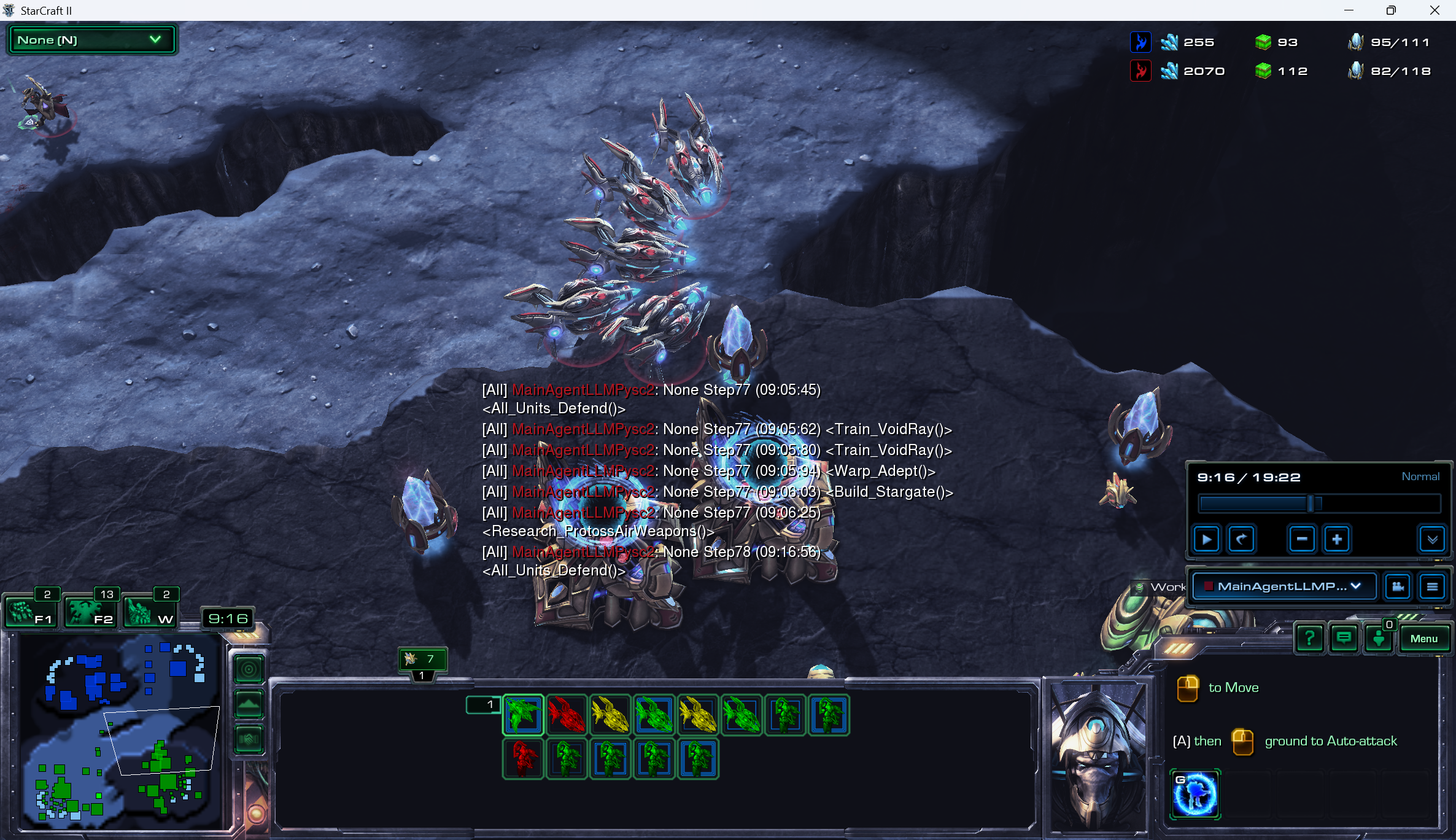
This document provides a comprehensive extraction of textual and data-driven information from the provided image, which depicts a StarCraft II replay or live session involving an automated agent.
## 1. Header Information (Top Bar)
The top bar contains resource counts and supply information for two players, identified by color-coded icons.
| Player Color | Minerals | Vespene Gas | Supply (Current/Max) |
| :--- | :--- | :--- | :--- |
| **Blue** | 255 | 93 | 95/111 |
| **Red** | 2070 | 112 | 82/118 |
* **Application Title (Top Left):** StarCraft II
* **Active View (Top Left Dropdown):** None (N)
## 2. Central Log / Event Feed
A series of text logs are overlaid in the center of the screen, detailing the actions of an agent named `MainAgentLLMPysc2`.
| Timestamp | Agent/Channel | Action/Command |
| :--- | :--- | :--- |
| (09:05:45) | [All] MainAgentLLMPysc2 | None Step77 `<All_Units_Defend()>` |
| (09:05:62) | [All] MainAgentLLMPysc2 | None Step77 `<Train_VoidRay()>` |
| (09:05:80) | [All] MainAgentLLMPysc2 | None Step77 `<Train_VoidRay()>` |
| (09:05:94) | [All] MainAgentLLMPysc2 | None Step77 `<Warp_Adept()>` |
| (09:06:03) | [All] MainAgentLLMPysc2 | None Step77 `<Build_Stargate()>` |
| (09:06:25) | [All] MainAgentLLMPysc2 | None Step77 `<Research_ProtossAirWeapons()>` |
| (09:16:56) | [All] MainAgentLLMPysc2 | None Step78 `<All_Units_Defend()>` |
## 3. Replay Control Interface (Middle Right)
A control panel for playback is visible.
* **Current Time / Total Time:** 9:16 / 19:22
* **Playback Speed:** Normal
* **Selected Perspective:** MainAgentLLMP... (Dropdown)
* **Controls:** Standard playback buttons (Play/Pause, Rewind, Fast Forward, Speed Adjustments).
## 4. Unit Selection and Command Card (Bottom Center/Right)
### Selection Tray (Bottom Center)
The tray shows a group of units currently selected or active. The units are Protoss, primarily Void Rays and Adepts.
* **Top Row (8 units):** 1 Green, 1 Red, 1 Yellow, 2 Green, 1 Yellow, 2 Green.
* **Bottom Row (5 units):** 1 Red, 4 Green.
* **Control Group Indicator:** A small "1" is visible above the first unit in the tray.
### Command Card (Bottom Right)
* **Portrait:** Protoss Adept.
* **Instructional Text:**
* "[Right Click Icon] to Move"
* "[A] then [Left Click Icon] ground to Auto-attack"
* **Active Ability Icon:** A blue icon with a "G" hotkey (likely Psionic Transfer).
## 5. Minimap and Navigation (Bottom Left)
* **Minimap:** Shows a two-player map.
* **Blue base:** Located at the top left.
* **Green base:** Located at the bottom right.
* **Camera Viewport:** A white trapezoid indicates the current camera focus is near the center-left of the map.
* **Hotkeys (Above Minimap):**
* F1: 2 (Idle Workers)
* F2: 13 (Army Units)
* W: 2 (Warp Gates)
* **Game Clock:** 9:16
## 6. Visual Scene Description (Main Viewport)
* **Environment:** A dark, rocky, lunar-style terrain with cliffs.
* **Units:** A cluster of Protoss **Void Rays** (approximately 7-8) are hovering near a cliff edge. They are emitting blue energy glows.
* **Structures:** Several Protoss **Pylons** (providing power) and **Stargates** (production structures) are visible in the immediate vicinity of the units.
* **Spatial Grounding:** The units are positioned centrally, slightly above the log text. The structures are clustered below the units.