# Technical Document: Trinity-RFT Config Generator Interface
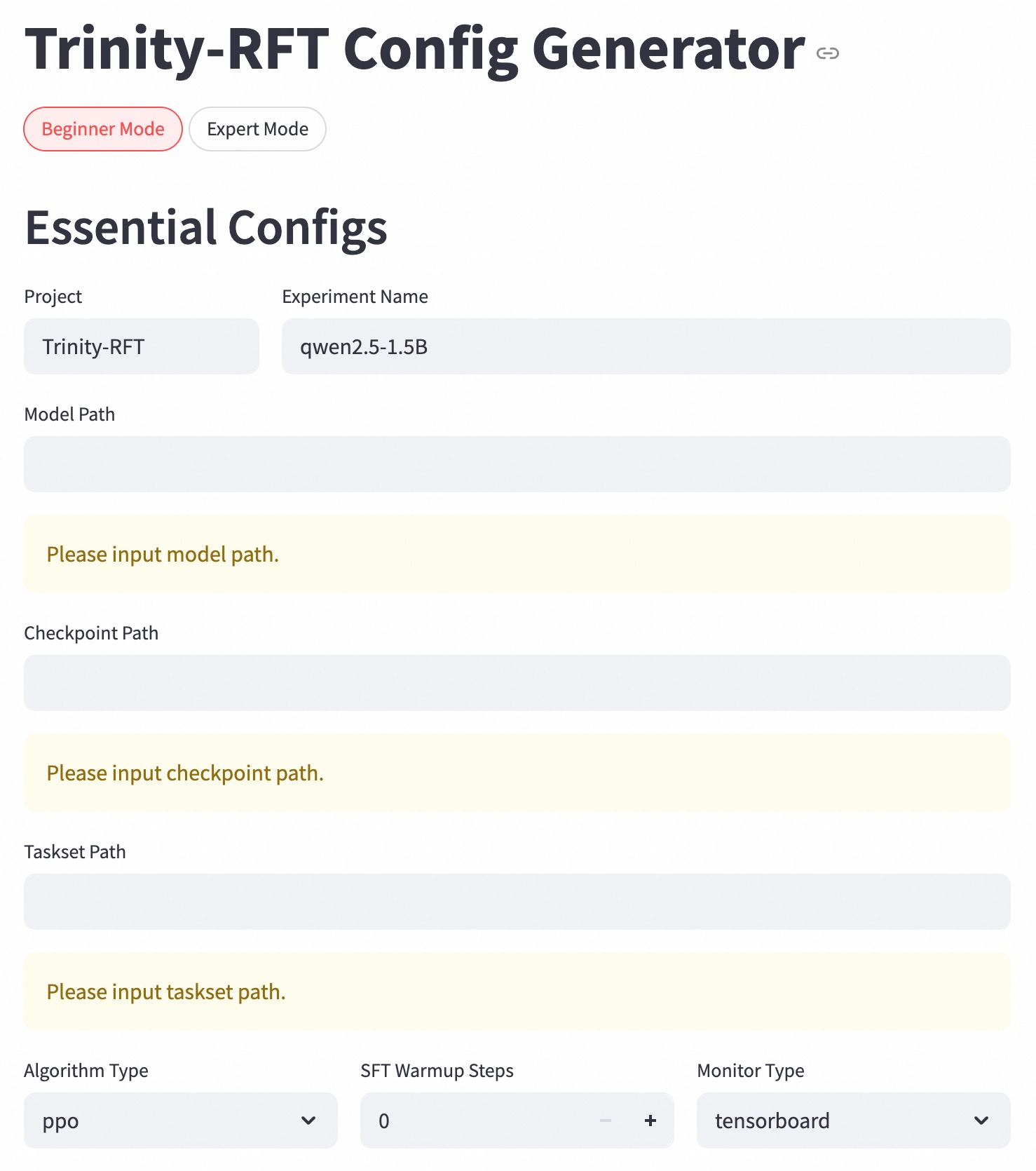
This document provides a comprehensive extraction of the user interface for the **Trinity-RFT Config Generator**, a web-based configuration tool for machine learning experiments.
## 1. Header Section
* **Main Title:** Trinity-RFT Config Generator
* **Interactive Element:** A "link" icon is located to the right of the main title.
* **Mode Selection (Tabs/Buttons):**
* **Beginner Mode:** Currently active (indicated by a red border and red text).
* **Expert Mode:** Inactive (indicated by a grey border and black text).
## 2. Main Configuration Section: "Essential Configs"
This section contains the primary parameters required to generate a configuration file.
### Project Identification
| Field Label | Input Value / Status |
| :--- | :--- |
| **Project** | `Trinity-RFT` |
| **Experiment Name** | `qwen2.5-1.5B` |
### Path Configurations
These fields currently contain validation warnings, indicating they are mandatory and currently empty.
* **Model Path**
* *Input Status:* Empty.
* *Warning Message:* "Please input model path." (Displayed in a yellow alert box).
* **Checkpoint Path**
* *Input Status:* Empty.
* *Warning Message:* "Please input checkpoint path." (Displayed in a yellow alert box).
* **Taskset Path**
* *Input Status:* Empty.
* *Warning Message:* "Please input taskset path." (Displayed in a yellow alert box).
## 3. Parameter Settings (Footer Region)
The bottom row contains specific algorithmic and monitoring settings.
| Parameter Label | Control Type | Current Value |
| :--- | :--- | :--- |
| **Algorithm Type** | Dropdown Menu | `ppo` |
| **SFT Warmup Steps** | Numeric Stepper | `0` (with `-` and `+` controls) |
| **Monitor Type** | Dropdown Menu | `tensorboard` |
---
**Technical Summary:**
The interface is designed for a Reinforcement Learning from Fine-Tuning (RFT) workflow, specifically targeting the `qwen2.5-1.5B` model. The "Beginner Mode" restricts the user to "Essential Configs," focusing on file paths, the PPO (Proximal Policy Optimization) algorithm, and logging via TensorBoard. The presence of yellow warning boxes suggests a real-time validation system that prevents configuration generation until all path fields are populated.