## Screenshot: Trinity-RFT Config Generator Interface
### Overview
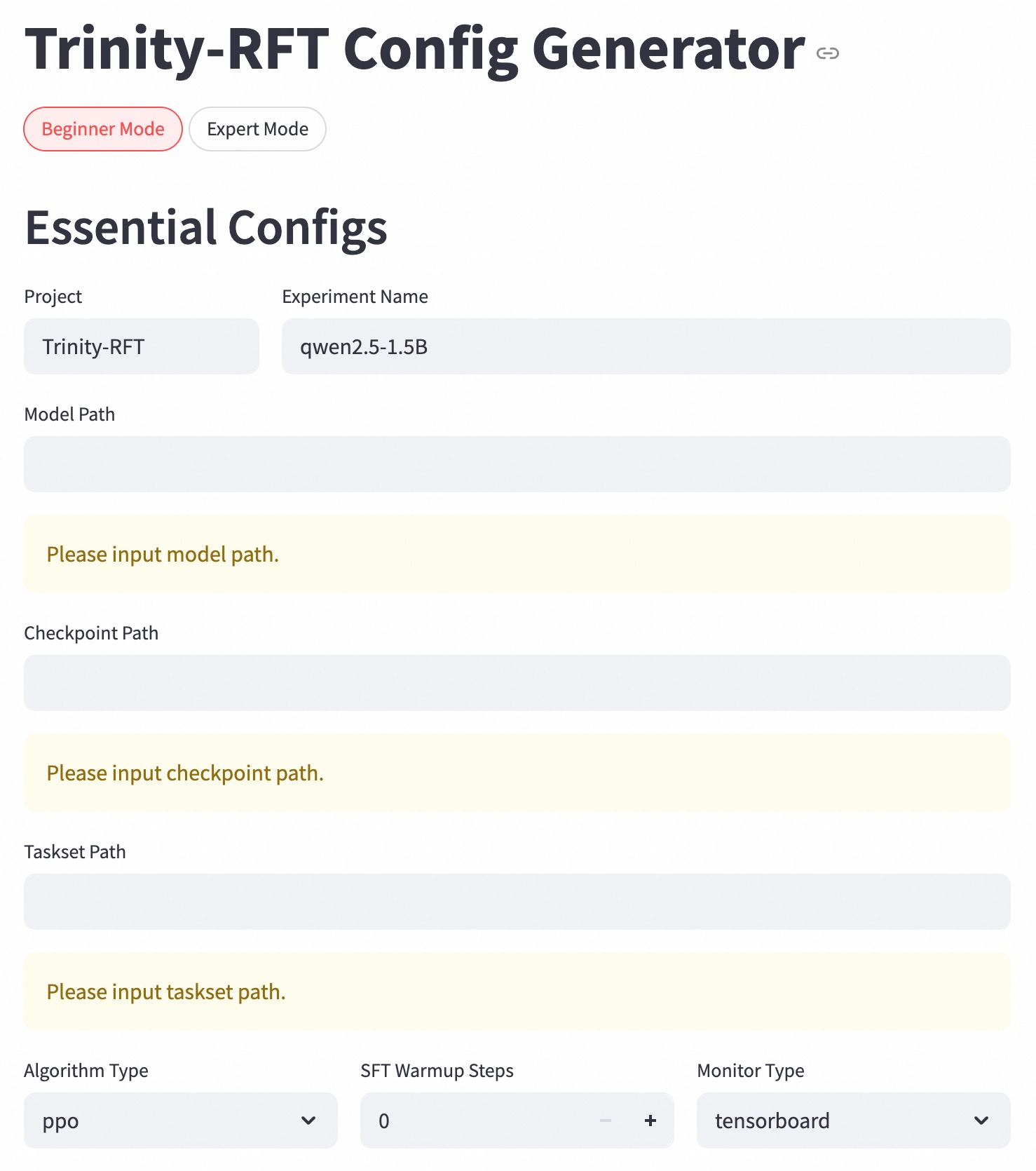
The image shows a configuration interface for the Trinity-RFT system in **Beginner Mode**. The interface contains form fields for essential configuration parameters, with some fields pre-filled and others requiring user input. The layout is structured in a vertical form with grouped input elements.
### Components/Axes
1. **Mode Selection**:
- Two radio buttons: "Beginner Mode" (selected, red highlight) and "Expert Mode" (unselected, gray)
2. **Essential Configs Section**:
- **Project**: Pre-filled with "Trinity-RFT"
- **Experiment Name**: Pre-filled with "qwen2.5-1.5B"
- **Model Path**: Empty field with placeholder text "Please input model path."
- **Checkpoint Path**: Empty field with placeholder text "Please input checkpoint path."
- **Taskset Path**: Empty field with placeholder text "Please input taskset path."
3. **Advanced Settings**:
- **Algorithm Type**: Dropdown with "ppo" selected
- **SFT Warmup Steps**: Numeric input showing "0" with increment/decrement controls
- **Monitor Type**: Dropdown with "tensorboard" selected
### Detailed Analysis
- **Textual Content**:
- All labels and values are in English
- Placeholder texts use imperative phrasing ("Please input...")
- Numeric input for warmup steps uses integer values
- **Visual Hierarchy**:
- Selected mode ("Beginner Mode") is visually emphasized with red color
- Pre-filled fields use darker text than empty fields
- Dropdowns and numeric inputs use consistent gray styling
### Key Observations
1. **Missing Critical Paths**:
- Model, checkpoint, and taskset paths are all empty, requiring user input
2. **Default Configuration**:
- Algorithm type set to PPO (Proximal Policy Optimization)
- Zero warmup steps suggests no pretraining phase
- TensorBoard selected as monitoring tool
3. **Interface Design**:
- Clear separation between pre-filled and required fields
- Minimalist design with no decorative elements
### Interpretation
This configuration interface appears to be for setting up a reinforcement learning experiment using the Qwen-2.5-1.5B model. The empty paths indicate that the user must provide:
1. Model architecture/weights location
2. Training checkpoint directory
3. Task specification files
The selected PPO algorithm with zero warmup steps suggests a direct deployment scenario rather than a training setup. The TensorBoard monitoring choice indicates integration with MLflow or similar tracking systems. The absence of expert mode selection implies this is a simplified configuration for standard use cases.
The interface follows a logical flow from project identification to algorithm selection, with required fields grouped together for easy validation. The numeric warmup steps control allows precise adjustment of pretraining duration if needed later.