### Technical Document Extraction: XML Accessibility Tree
**Document Overview**
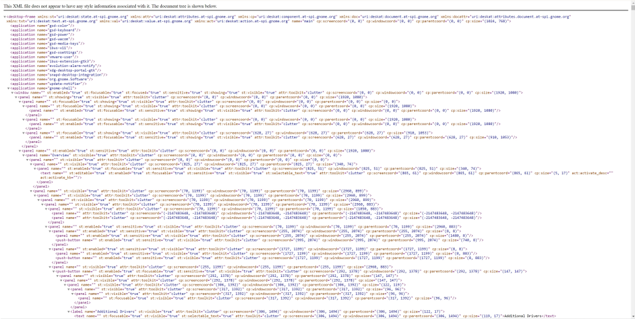
The provided image is a screenshot of an XML document rendered in a web browser. It represents an accessibility tree (likely from a Linux desktop environment using the AT-SPI framework) for a desktop session. The document describes the hierarchical structure of UI components, including applications, windows, panels, and buttons.
---
### 1. Header Information
The top of the image contains a standard browser warning for XML files without associated stylesheets:
> "This XML file does not appear to have any style information associated with it. The document tree is shown below."
---
### 2. Root Element and Namespaces
The root element is `<desktop-frame>`, which contains several namespace declarations:
* `xmlns:st="uri:deskat:state:at-spi.gnome.org"`
* `xmlns:attr="uri:deskat:attributes:at-spi.gnome.org"`
* `xmlns:cp="uri:deskat:component:at-spi.gnome.org"`
* `xmlns:doc="uri:deskat:document:at-spi.gnome.org"`
* `xmlns:docattr="uri:deskat:attributes.document:at-spi.gnome.org"`
* `xmlns:txt="uri:deskat:text:at-spi.gnome.org"`
* `xmlns:val="uri:deskat:value:at-spi.gnome.org"`
* `xmlns:act="uri:deskat:action:at-spi.gnome.org"`
**Root Attributes:**
* `name="main"`
* `cp:screencoord="(0, 0)"`
* `cp:windowcoord="(0, 0)"`
* `cp:parentcoord="(0, 0)"`
* `cp:size="(1024, 768)"`
---
### 3. Application List (Top-Level Components)
The document lists several background applications and services. Each is defined as `<application name="...">`.
* `gsd-color`
* `gsd-keyboard`
* `gsd-power`
* `gsd-wacom`
* `gsd-media-keys`
* `ibus-x11`
* `gsd-settings`
* `vmware-user`
* `ibus-extension-gtk3`
* `evolution-alarm-notify`
* `xdg-desktop-portal-gtk`
* `snapd-desktop-integration`
* `org.gnome.Software`
* `update-notifier`
* `gnome-shell` (This is the active expanded node)
---
### 4. Component Hierarchy: `gnome-shell`
The `gnome-shell` application is expanded, revealing a complex nested structure of UI elements.
#### **A. Main Window**
* **Tag:** `<window>`
* **Attributes:** `st:enabled="true"`, `st:focusable="true"`, `st:focused="true"`, `st:showing="true"`, `st:visible="true"`, `attr:toolkit="clutter"`, `cp:size="(1024, 1080)"`.
#### **B. Panel Structure (Top Bar and Overlays)**
The window contains multiple `<panel>` elements. Key panels include:
1. **Top Bar/System Panels:** Several panels with `cp:size="(1024, 27)"` or similar, representing the GNOME top bar.
2. **Overview Panel:**
* `name="Overview"`
* Contains a nested `<panel>` with `name="Search"`.
* Contains a `<text>` element with `act:activate_desc="activate_blk"`.
#### **C. Deeply Nested UI Elements (Bottom Section)**
The tree expands into a specific UI view (likely a settings or driver management window):
* **Label:** `name="Additional Drivers"`
* `st:visible="true"`
* `cp:screencoord="(386, 1494)"`
* `cp:size="(112, 17)"`
* **Text Content:** Inside the label, a `<text>` node contains the string: **"Additional Drivers"**.
---
### 5. Data Structure Summary (Component Attributes)
Across all elements, the following metadata pattern is consistently used:
| Attribute Prefix | Description | Example Values |
| :--- | :--- | :--- |
| `st:` | State of the element | `enabled`, `visible`, `focusable`, `showing` |
| `cp:` | Coordinate and Size data | `screencoord`, `windowcoord`, `size` |
| `attr:` | Toolkit metadata | `toolkit="clutter"` |
| `act:` | Action descriptors | `activate_blk` |
---
### 6. Spatial Grounding and Trends
* **Resolution:** The desktop frame is defined at `1024x768`, but the `gnome-shell` window is defined at `1024x1080`, suggesting a virtual viewport or a scrollable area.
* **Layout Trend:** The hierarchy follows a standard GUI tree: Application -> Window -> Container Panels -> Functional Widgets (Buttons/Labels/Text).
* **Coordinate Flow:** Coordinates (cp:screencoord) generally increase as the tree moves from global system bars to specific internal window components, moving from `(0,0)` toward the bottom-right of the screen.