## Screenshot: Chat Interface with Q&A Exchange
### Overview
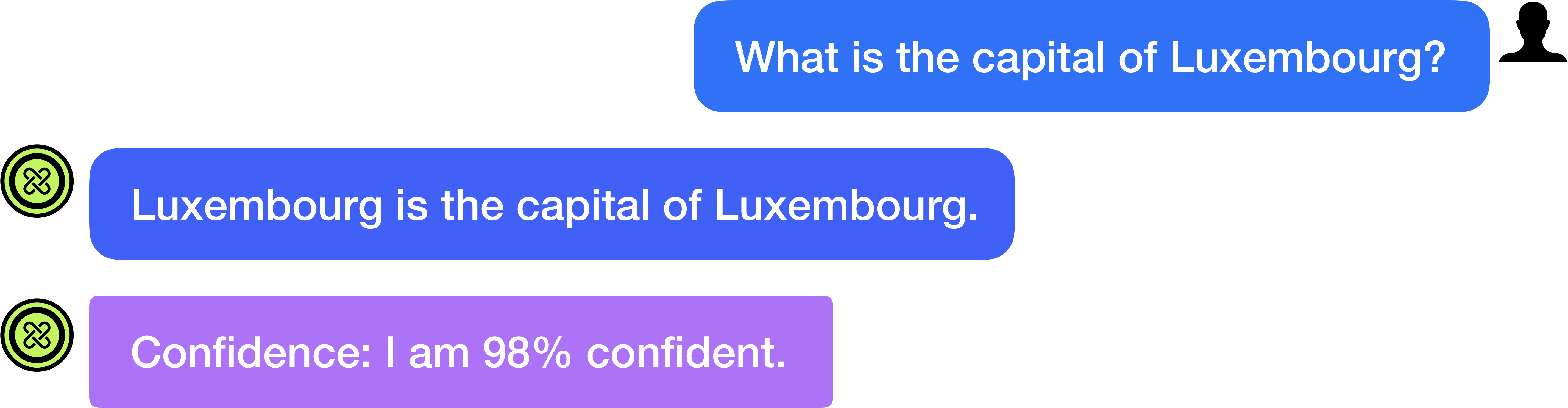
The image is a screenshot of a chat interface displaying a three-message exchange between a user and an AI assistant. The conversation consists of a single user query followed by two AI-generated responses. The interface uses a clean, modern design with colored message bubbles and user/AI icons.
### Components/Axes
**Layout & Structure:**
- The interface has a light gray background.
- Messages are displayed in a vertical, chronological thread.
- User messages are right-aligned; AI messages are left-aligned.
- Each AI message is preceded by a circular icon.
**Icons:**
- **User Icon (Top Right):** A black silhouette of a person's head and shoulders.
- **AI Icon (Left of AI Messages):** A green circle containing a black, stylized knot or infinity-like symbol. This icon appears twice, once for each AI response.
**Message Bubbles:**
1. **User Bubble (Top Right):** A blue, rounded rectangle.
2. **AI Response Bubble 1 (Middle Left):** A blue, rounded rectangle (same color as the user bubble).
3. **AI Response Bubble 2 (Bottom Left):** A purple, rounded rectangle.
### Detailed Analysis / Content Details
**Message 1 (User):**
- **Position:** Top-right of the screen.
- **Color:** Blue background, white text.
- **Text Content:** "What is the capital of Luxembourg?"
**Message 2 (AI Response - Primary Answer):**
- **Position:** Middle-left, below the user message.
- **Color:** Blue background, white text.
- **Text Content:** "Luxembourg is the capital of Luxembourg."
**Message 3 (AI Response - Confidence Metadata):**
- **Position:** Bottom-left, below the primary AI response.
- **Color:** Purple background, white text.
- **Text Content:** "Confidence: I am 98% confident."
### Key Observations
1. **Visual Hierarchy:** The conversation flows from top to bottom. The user initiates, and the AI responds in sequence.
2. **Color Coding:** The interface uses color to differentiate message types or content. The primary answer shares the user's blue color, while the confidence statement is highlighted in a distinct purple.
3. **Content:** The AI provides a direct, factual answer to the geographic question. It then follows up with a separate, metadata-style message quantifying its confidence in that answer.
4. **Language:** All text is in English. No other languages are present.
### Interpretation
This screenshot captures a typical interaction with a conversational AI system designed for factual Q&A. The exchange demonstrates the system's ability to:
- **Process a natural language query** ("What is the capital of Luxembourg?").
- **Retrieve and present a correct factual answer** ("Luxembourg is the capital of Luxembourg.").
- **Provide transparency about its performance** by outputting a confidence score (98%).
The separation of the answer and the confidence metric into two distinct bubbles suggests a UI design choice to present core information separately from system metadata. The high confidence score (98%) aligns with the factual certainty of the answer, as Luxembourg City is unequivocally the capital of the Grand Duchy of Luxembourg. This design pattern—answer followed by confidence—could be intended to build user trust by making the AI's certainty level explicit. The use of a purple bubble for the confidence statement visually sets it apart as a different category of information compared to the conversational content in blue.