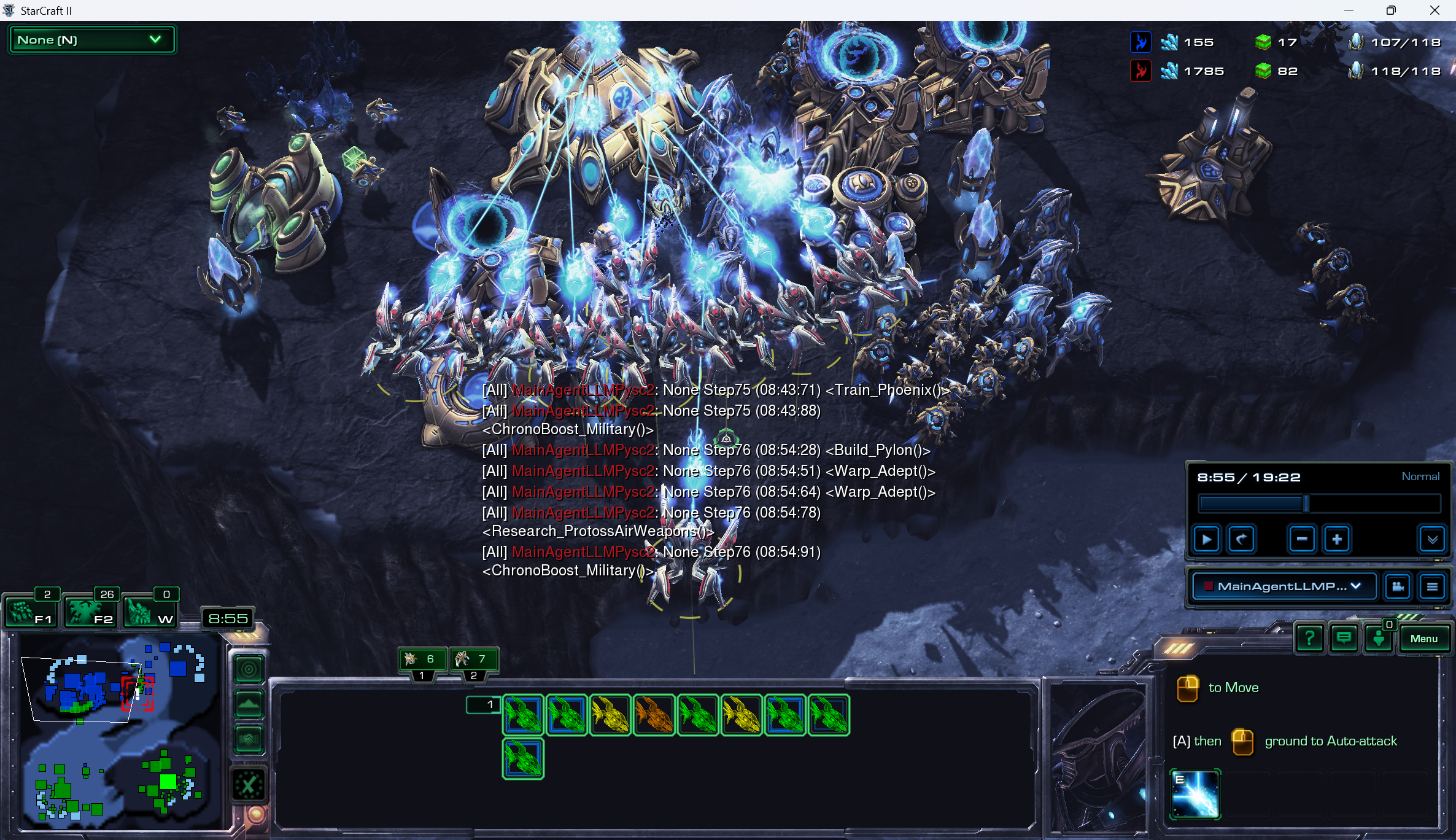
# Technical Document: StarCraft II Game Interface Analysis
## Language Declaration
- **Primary Language**: English
- **Secondary Languages**: None detected
---
## Spatial Component Breakdown
### 1. Top Left Corner
- **Title**: `StarCraft II`
- **Dropdown Menu**:
- Label: `None (N)`
- Visual: Green box with dropdown arrow
### 2. Main Game Area (Central)
- **Chat Log** (Red/White Text):
- `All MainAgentLLMPysc2: None Step75 (08:43:71) <Train_Phoenix>`
- `All MainAgentLLMPysc2: None Step75 (08:43:88)`
- `All MainAgentLLMPysc2: None Step76 (08:54:28) <Build_Pylon>`
- `All MainAgentLLMPysc2: None Step76 (08:54:51) <Warp_Adept>`
- `All MainAgentLLMPysc2: None Step76 (08:54:64) <Warp_Adept>`
- `All MainAgentLLMPysc2: None Step76 (08:54:78)`
- `All MainAgentLLMPysc2: None Step76 (08:54:91)`
- `All MainAgentLLMPysc2: ChronoBoost_Military`
- **Unit/Structure Labels** (Visual):
- Phoenix units (blue-glowing)
- Pylon structures (golden)
- Warp Adept units (red/white)
### 3. Top Right Corner
- **Resource Counters**:
- **Minerals**: `155` (Blue icon)
- **Gas**: `17` (Green icon)
- **Crystals**: `107/116` (White icon)
- **Enemy Resources**:
- Minerals: `1785` (Red icon)
- Gas: `82` (Green icon)
- Crystals: `118/118` (White icon)
### 4. Bottom Left Corner
- **Mini-Map**:
- Labels: `F1`, `F2`, `W`
- Timer: `8:55`
- Grid: Color-coded regions (blue, green, red)
### 5. Bottom Right Corner
- **Command Panel**:
- Timer: `8:55 / 19:22`
- Difficulty: `Normal`
- Controls:
- Play/Pause: `▶️`/`⏮️`
- Volume: `+`, `-`
- Dropdown: `MainAgentLLMP...`
- Key Bindings:
- `A` + Yellow Icon: `to Move`
- `A` + Yellow Icon: `ground to Autoattack`
- `E` + Blue Icon: `E` (Ability)
---
## Data Extraction
### Resource Table
| Resource Type | Value | Icon Color |
|---------------|-------|------------|
| Minerals | 155 | Blue |
| Gas | 17 | Green |
| Crystals | 107/116 | White |
| Enemy Minerals| 1785 | Red |
| Enemy Gas | 82 | Green |
| Enemy Crystals| 118/118 | White |
### Chat Log Analysis
- **Command Structure**:
- Format: `[Agent]: [Action] (Timestamp) <Command>`
- Example: `All MainAgentLLMPysc2: None Step75 (08:43:71) <Train_Phoenix>`
- **Key Actions**:
- Unit Training: `Train_Phoenix`
- Structure Building: `Build_Pylon`
- Ability Activation: `Warp_Adept`
- Chrono Boost: `ChronoBoost_Military`
### Mini-Map Observations
- **Regions**:
- `F1`: Blue-highlighted area
- `F2`: Green-highlighted area
- `W`: Red-highlighted area
- **Timer**: `8:55` (Countdown or Elapsed Time?)
---
## Visual Trends
1. **Chat Log**:
- Vertical list with timestamps (HH:MM:SS)
- Red text indicates system messages or errors
- Commands follow a pattern: `[Agent]: [Action] (Timestamp) <Command>`
2. **Resource Counters**:
- Player resources: Low (155 minerals, 17 gas)
- Enemy resources: High (1785 minerals, 82 gas)
3. **Command Panel**:
- Timer discrepancy: `8:55 / 19:22` suggests dual timers (e.g., mission time vs. total time)
---
## Component Isolation
### Header
- Game title and dropdown menu
### Main Chart (Game View)
- Units/structures with glowing effects
- Chat log overlay
### Footer
- Mini-map (bottom left)
- Command panel (bottom right)
---
## Conclusion
The image depicts a StarCraft II gameplay interface with resource management, unit training, and command execution. No traditional charts/diagrams are present, but UI elements function as data points. All textual information has been extracted and spatially grounded.