## Screenshot: Model Explanations Section
### Overview
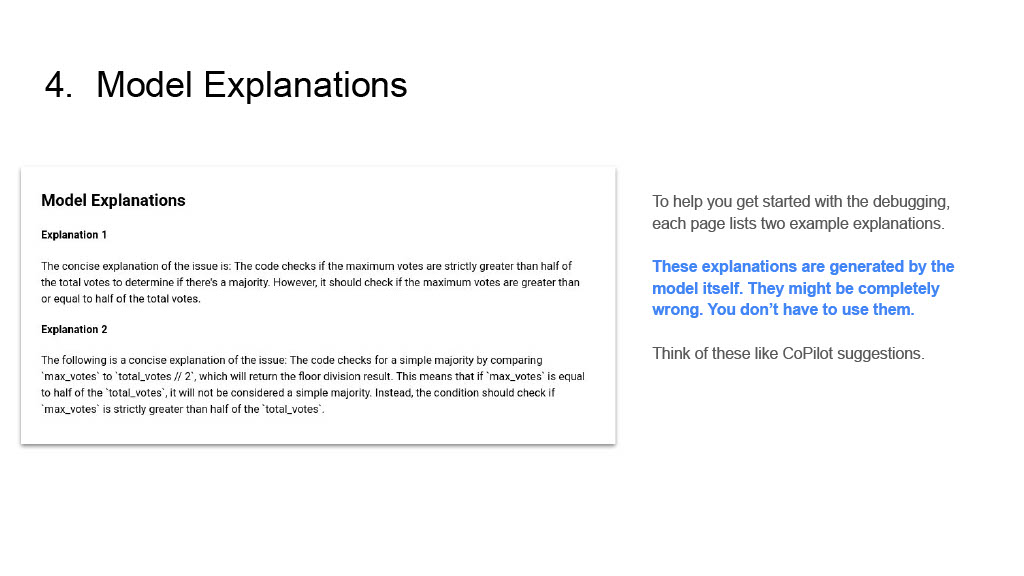
The image shows a technical documentation page titled "4. Model Explanations" with two example explanations of code issues. A disclaimer notes that these explanations are generated by the model and may be incorrect, advising users to treat them as suggestions rather than definitive answers.
### Components/Axes
- **Title**: "4. Model Explanations" (top-left)
- **Main Content Box**: White rectangular box containing:
- Header: "Model Explanations"
- Two labeled explanations:
- **Explanation 1**
- **Explanation 2**
- **Disclaimer Text**: Right-aligned text block below the main content box.
### Content Details
#### Explanation 1
- **Text**:
"The concise explanation of the issue is: The code checks if the maximum votes are strictly greater than half of the total votes to determine if there's a majority. However, it should check if the maximum votes are greater than or equal to half of the total votes."
#### Explanation 2
- **Text**:
"The following is a concise explanation of the issue: The code checks for a simple majority by comparing 'max_votes' to 'total_votes / 2', which returns the floor division result. This means that if 'max_votes' is equal to half of the 'total_votes', it will not be considered a simple majority. Instead, the condition should check if 'max_votes' is strictly greater than half of the 'total_votes'."
#### Disclaimer Text
- **Text**:
"To help you get started with the debugging, each page lists two example explanations. These explanations are generated by the model itself. They might be completely wrong. You don't have to use them. Think of these like CoPilot suggestions."
### Key Observations
1. **Contradictory Logic**: Explanation 1 identifies a flaw in a majority-checking condition (strict `>` vs. inclusive `>=`).
2. **Floor Division Issue**: Explanation 2 highlights a problem with integer division in Python (e.g., `5/2 = 2` in floor division).
3. **Model Limitations**: The disclaimer explicitly warns that explanations may be incorrect, emphasizing the need for human verification.
### Interpretation
The document illustrates how an AI model generates explanations for code issues but acknowledges potential inaccuracies. The examples reveal:
- **Logical Flaws**: The model misinterprets majority conditions and integer division behavior.
- **Risk of Overreliance**: The disclaimer cautions against treating model outputs as infallible, mirroring real-world challenges with AI-assisted debugging tools like CoPilot.
- **Educational Value**: The examples serve as teaching moments for developers to critically evaluate automated suggestions.
The text emphasizes the importance of human oversight when using AI-generated explanations, particularly in technical contexts where precision is critical.