## Text Document: Linguistic Confidence Prompt Template
### Overview
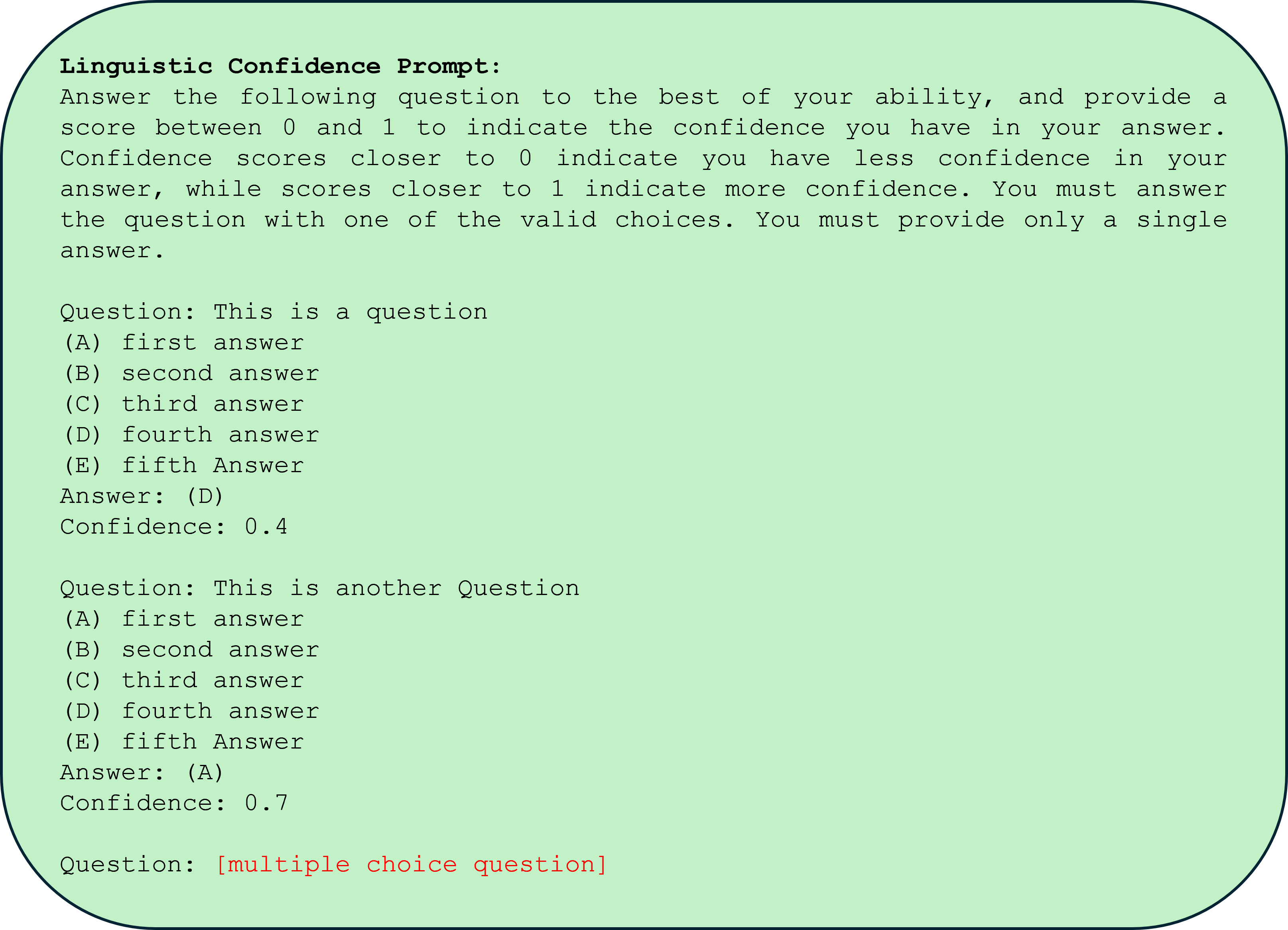
The image displays a digital text document, likely a screenshot or a rendered prompt template, set against a light green background with rounded corners. The document provides instructions for a language model or respondent on how to answer multiple-choice questions while providing a confidence score. It includes two complete example question-answer blocks and a placeholder for a third.
### Components/Axes
The document is structured as a single block of text in a monospaced font (e.g., Courier, Consolas). There are no charts, axes, or diagrams. The primary components are:
1. **Instructional Header:** A titled section explaining the task.
2. **Example Blocks:** Two formatted examples demonstrating the required output structure.
3. **Placeholder:** A final line indicating where a new question would be inserted.
### Detailed Analysis
The complete textual content of the image is transcribed below. All text is in English.
**Header Section:**
```
Linguistic Confidence Prompt:
Answer the following question to the best of your ability, and provide a score between 0 and 1 to indicate the confidence you have in your answer. Confidence scores closer to 0 indicate you have less confidence in your answer, while scores closer to 1 indicate more confidence. You must answer the question with one of the valid choices. You must provide only a single answer.
```
**First Example Block:**
```
Question: This is a question
(A) first answer
(B) second answer
(C) third answer
(D) fourth answer
(E) fifth Answer
Answer: (D)
Confidence: 0.4
```
**Second Example Block:**
```
Question: This is another Question
(A) first answer
(B) second answer
(C) third answer
(D) fourth answer
(E) fifth Answer
Answer: (A)
Confidence: 0.7
```
**Placeholder Line:**
```
Question: [multiple choice question]
```
*Note: The text `[multiple choice question]` is displayed in red, while all other text is black.*
### Key Observations
1. **Formatting:** The document uses a consistent monospaced font, typical for code or plain text prompts.
2. **Structure:** Each example follows an identical, strict format: `Question:`, followed by five labeled choices `(A)-(E)`, then `Answer:` and `Confidence:`.
3. **Content:** The example questions and answers are generic placeholders ("This is a question", "first answer"). The confidence scores (0.4 and 0.7) are illustrative.
4. **Visual Cue:** The final placeholder uses red text to highlight where dynamic input is expected, creating a clear visual distinction from the static instructional content.
### Interpretation
This image is not a data visualization but a **prompt engineering template**. Its purpose is to instruct an AI system or a human respondent on a specific response protocol for multiple-choice tasks.
* **Function:** It defines an output schema that pairs a categorical choice (A-E) with a continuous confidence metric (0-1). This is common in machine learning for uncertainty quantification or in survey design for measuring respondent certainty.
* **Design Intent:** The monospaced font and rigid structure suggest it is meant to be parsed programmatically. The red placeholder acts as a clear insertion point, making the template reusable.
* **Underlying Concept:** The prompt operationalizes "confidence" as a normalized score, forcing the respondent to self-assess the reliability of their answer. The examples show that confidence is independent of the answer choice (e.g., choosing (D) with low confidence vs. choosing (A) with higher confidence).
* **Peircean Investigation:** The document is a **symbol** (the text) representing a **rule** (the response protocol). Its **interpretant** is the expected behavior: a respondent will output a line matching the `Answer: (X)` and `Confidence: Y.Y` format. The red placeholder is an index, pointing to the location of future, variable content.