## Text Block: Instructional Paragraph and Checklist Generation Rules
### Overview
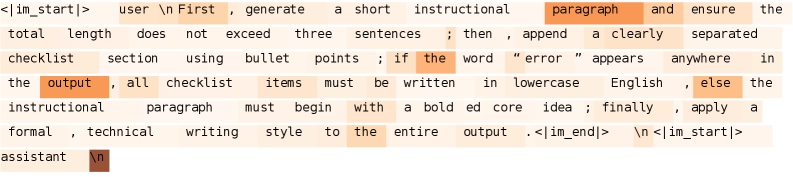
The image contains a structured text block with formatting rules for generating an instructional paragraph and checklist. Key elements include conditional logic, formatting requirements, and output constraints.
### Components/Axes
- **Tags**: `<im_start|>`, `<im_end|>` (delimiters for input/output boundaries)
- **Highlighted Terms**:
- `output` (orange)
- `paragraph` (orange)
- `error` (orange)
- `bold` (orange)
- `lowercase` (orange)
- `else` (orange)
- **Text Structure**:
- Instructional paragraph requirements (3 sentences max)
- Checklist formatting (bullet points, lowercase)
- Error handling (if "error" appears)
### Detailed Analysis
1. **Instructional Paragraph Rules**:
- Must not exceed three sentences.
- Must begin with a **bold** core idea.
- Must be followed by a clearly separated checklist.
2. **Checklist Requirements**:
- Items must be written in **lowercase** English.
- If the word "error" appears anywhere, the **output** must:
- Begin with a bolded core idea.
- Apply a formal, technical writing style to the entire output.
3. **Syntax and Formatting**:
- Uses code-like delimiters (`<im_start|>`, `<im_end|>`) to structure input/output.
- Emphasizes **conditional logic** (e.g., "if the word 'error' appears").
### Key Observations
- **Conditional Logic**: The presence of "error" triggers stricter formatting rules (bolded core idea, formal style).
- **Formatting Constraints**:
- Checklist items must be lowercase.
- Output length is capped at three sentences.
- **Syntax Highlighting**: Orange highlights emphasize critical terms (`output`, `error`, `bold`, `lowercase`, `else`).
### Interpretation
This text appears to be a prompt or rule set for an AI or automated system generating technical documentation. The highlighted terms suggest:
1. **Error Handling**: The system must detect the word "error" and adjust output formatting accordingly.
2. **Structural Rigidity**: Strict adherence to sentence limits, bolded core ideas, and lowercase checklists ensures consistency.
3. **Syntax Awareness**: The use of `<im_start|>`/`<im_end|>` implies integration with a system that processes structured input/output.
The rules prioritize clarity and technical precision, likely for applications like API documentation, troubleshooting guides, or instructional manuals. The conditional logic indicates a focus on adaptability to edge cases (e.g., error states).